NVIDIA GeForce GTX 1050

NVIDIA GeForce GTX 1050 in 2026: 2 GB Is Already Too Little for Modern Games
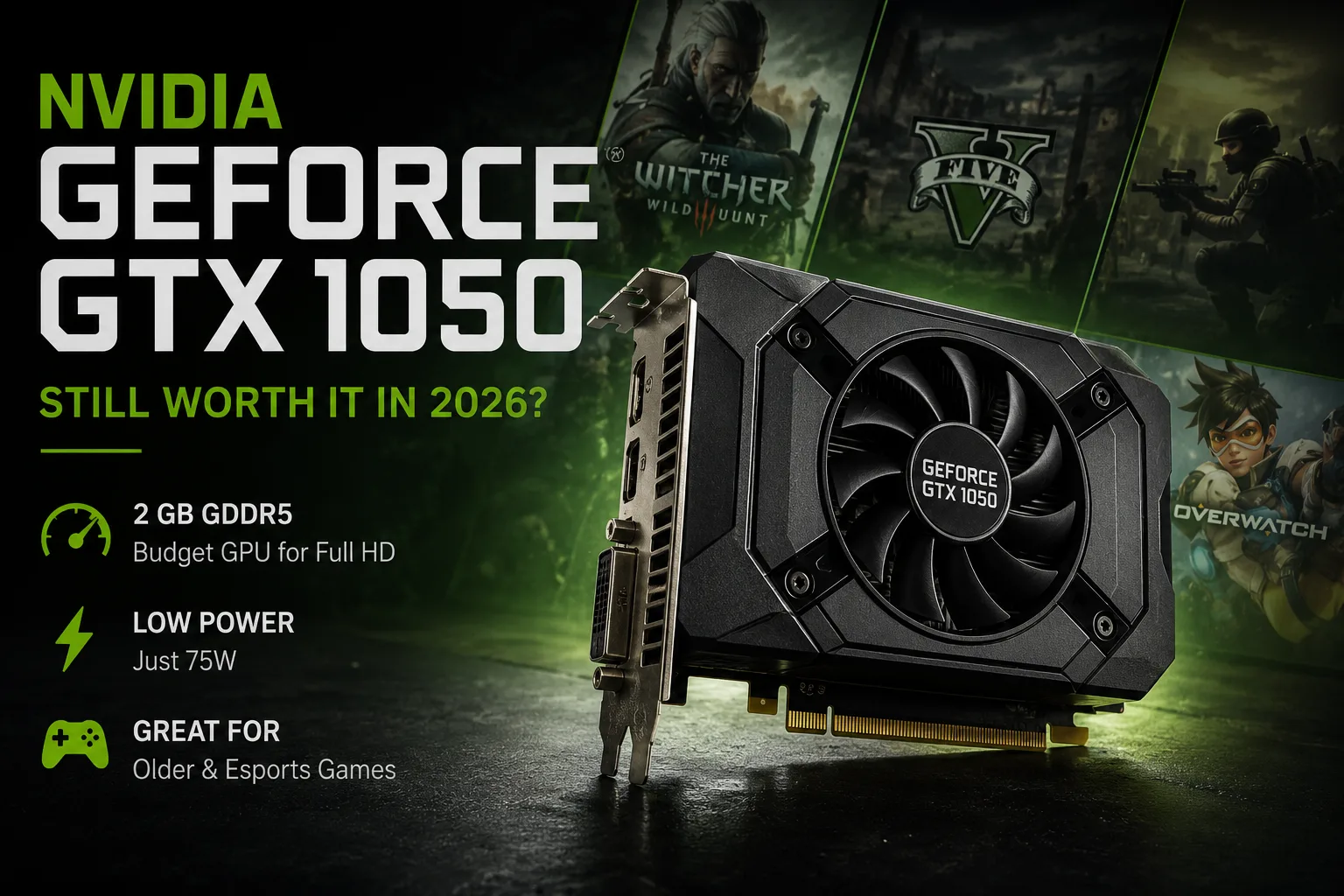
NVIDIA GeForce GTX 1050 debuted as a budget-friendly graphics card for Full HD gaming, with a power consumption of around 75 watts. Today, its strong point remains the same: it can be installed in an old or compact PC without a powerful power supply. However, for modern games, the GTX 1050 is limited not just by the speed of the GP107; the 2 GB of video memory require significant settings reductions even where the GPU itself is still capable of providing acceptable FPS.
Performance of Specific GeForce GTX 1050 Models
To compare different versions, it's more useful to look at the Graphics Score rather than the overall 3DMark score, which is more dependent on the CPU of the test system.
| Graphics Card | Memory | 3DMark Time Spy Graphics |
|---|---|---|
| ASUS ROG Strix GeForce GTX 1050 OC | 2 GB | 1,834 |
| Gigabyte GeForce GTX 1050 G1 Gaming 2G | 2 GB | 1,825 |
| ASUS Dual GeForce GTX 1050 OC | 2 GB | 1,801 |
| Palit GeForce GTX 1050 StormX | 2 GB | 1,763 |
The difference between the four cards is small. The ASUS ROG Strix outperforms the compact Palit StormX by about 4% in Time Spy Graphics. Therefore, paying extra for a premium version of the GTX 1050 for factory overclocking is virtually pointless.
For such an old graphics card, the condition of the specific unit, temperature, and noise of the cooling system are more important than a few additional percent of performance.
The GPU Still Handles Older Games, But 2 GB of Memory Limits New Ones
The classic desktop GTX 1050 features 640 CUDA cores, 2 GB of GDDR5, and a 128-bit memory bus. The bandwidth reaches 112 GB/s, while the power consumption is approximately 75 watts.
For games from the mid-2010s, this configuration is still adequate. However, even in demanding titles from that era, the GTX 1050 often found itself in the range of 30-50 FPS on high settings, and maintaining a stable 60 FPS required lowering graphics quality.
GTX 1050 Performance in Games
The results below relate to the desktop GTX 1050 2 GB and a single test bench. They do not reflect performance in all modern versions of these games but demonstrate the card's baseline performance at Full HD.
| Game | Settings | Average FPS |
|---|---|---|
| Overwatch | 1080p, Ultra, 100% Render Scale | 93 |
| DOOM | 1080p, Ultra, OpenGL, no AA | 68 |
| Battlefield 1 | 1080p, Ultra, DX11 | 49 |
| Rise of the Tomb Raider | 1080p, Very High, SMAA | 43 |
| The Witcher 3: Wild Hunt | 1080p, Max, HairWorks Off | 38 |
| Tom Clancy's The Division | 1080p, Ultra, SMAA Ultra | 34 |
The results show the limits of the GTX 1050's capabilities already in games of its generation. In well-optimized and online projects, the card could confidently exceed 60 FPS, but heavy AAA titles on high settings often dropped to the 30-50 FPS range.
Thus, today the GTX 1050 is better suited for older and less demanding games. If even projects from the mid-2010s required settings reductions to achieve stable 60 FPS, modern AAA releases leave the card with even less headroom.
Factory Overclocking Makes Little Difference
The table with Time Spy clearly shows how close the different versions of the GTX 1050 are. The difference between a simple compact card and one of the most overclocked variants amounts to mere percentages.
When buying a used GTX 1050, there is little point in hunting for the ROG Strix, G1 Gaming, or another expensive modification solely for clock speeds.
It is much more important to check the condition of the fans, temperatures under load, and the absence of artifacts. For a card of this age, these factors impact the actual experience more than a small factory overclock.
GTX 1050 2 GB and GTX 1050 3 GB - Different Versions
The later GTX 1050 with 3 GB of memory is not just the base model with an additional gigabyte of VRAM.
It features 768 CUDA cores instead of 640, but it also utilizes a narrower 96-bit memory bus. Therefore, the results of this modification cannot be directly mixed with the classic GTX 1050 2 GB.
A separate mobile GTX 1050 exists for laptops. It is based on the same Pascal architecture, but its frequencies and actual performance depend on the cooling and settings of the specific laptop.
For accurate comparison, it’s best to consider desktop GTX 1050 2 GB, GTX 1050 3 GB, and mobile GTX 1050 separately.
Low Power Consumption Remains the Main Advantage
The nominal 75 watts still make the GTX 1050 convenient for old computers.
Many versions do not require additional power and receive everything they need through the PCI Express slot. This allows the card to be installed in a system with a comparatively weak power supply, where a more powerful GPU would necessitate a power supply replacement.
This scenario today best suits the GTX 1050: an old office or home PC that needs a budget discrete graphics solution without serious power supply upgrades.
However, there is no universal rule. Some overclocked versions of the GTX 1050 are equipped with an additional 6-pin connector, so it is worth checking the specific model before purchase.
Pascal Support Is Already Limited
The age of the GTX 1050 is evident in its software support.
The Pascal architecture is no longer part of the main generations for which NVIDIA releases full Game Ready optimizations for new games. Meanwhile, security updates for old GPUs continue to be released.
This is not critical for the existing library of old games. However, the GTX 1050 is becoming increasingly unsuitable for a system where new releases are planned to be regularly run.
The absence of DLSS and hardware-accelerated ray tracing is secondary here; at this level of performance, limitations of the GPU and the amount of memory will manifest earlier.
Is It Worth Buying a GTX 1050 Now?
The GTX 1050 can still be considered for an old PC if a budget-friendly, low-power card is needed. For older games, esports titles, video playback, and general work, its capabilities are sufficient.
However, as a gaming upgrade for modern projects, it is already less appealing. Especially when there are options like the GTX 1050 Ti 4 GB, GTX 1650, or another card with 4 GB of video memory available at a similar price.
The GTX 1050 Ti not only has double the memory but also 768 CUDA cores instead of 640. Even a small additional payment usually provides a more practical configuration.
Conclusion: GTX 1050 Is Worth Considering Only for Its Low Price and 75 Watts
The GeForce GTX 1050 makes sense today primarily as an inexpensive graphics card for old PCs with limited power supply. The ability of many models to operate without additional PCIe power remains its main advantage.
If the card is really inexpensive and needed for old games, online projects, or as a replacement for weak graphics in a pre-built PC, the GTX 1050 can still manage.
But for a full-fledged gaming upgrade, the standard GTX 1050 2 GB is best skipped. With a small additional cost, a model with 4 GB of memory will offer significantly more flexibility in settings and fewer limitations in modern games.
GPU Comparison
Compare GeForce GTX 1050 with other GPUs
Basic
Memory Specifications
Display and Media
1x HDMI 2.0
1x DisplayPort 1.4a
Theoretical Performance
Miscellaneous
Benchmarks
Compared to Other GPU
Related GPU Comparisons


Share in social media
Or Link To Us
<a href="https://cputronic.com/en/gpu/nvidia-geforce-gtx-1050" target="_blank">NVIDIA GeForce GTX 1050</a>