Apple M5 10 Cores

Apple M5 10-Core: High Single-Core Performance and Limited Multi-Core
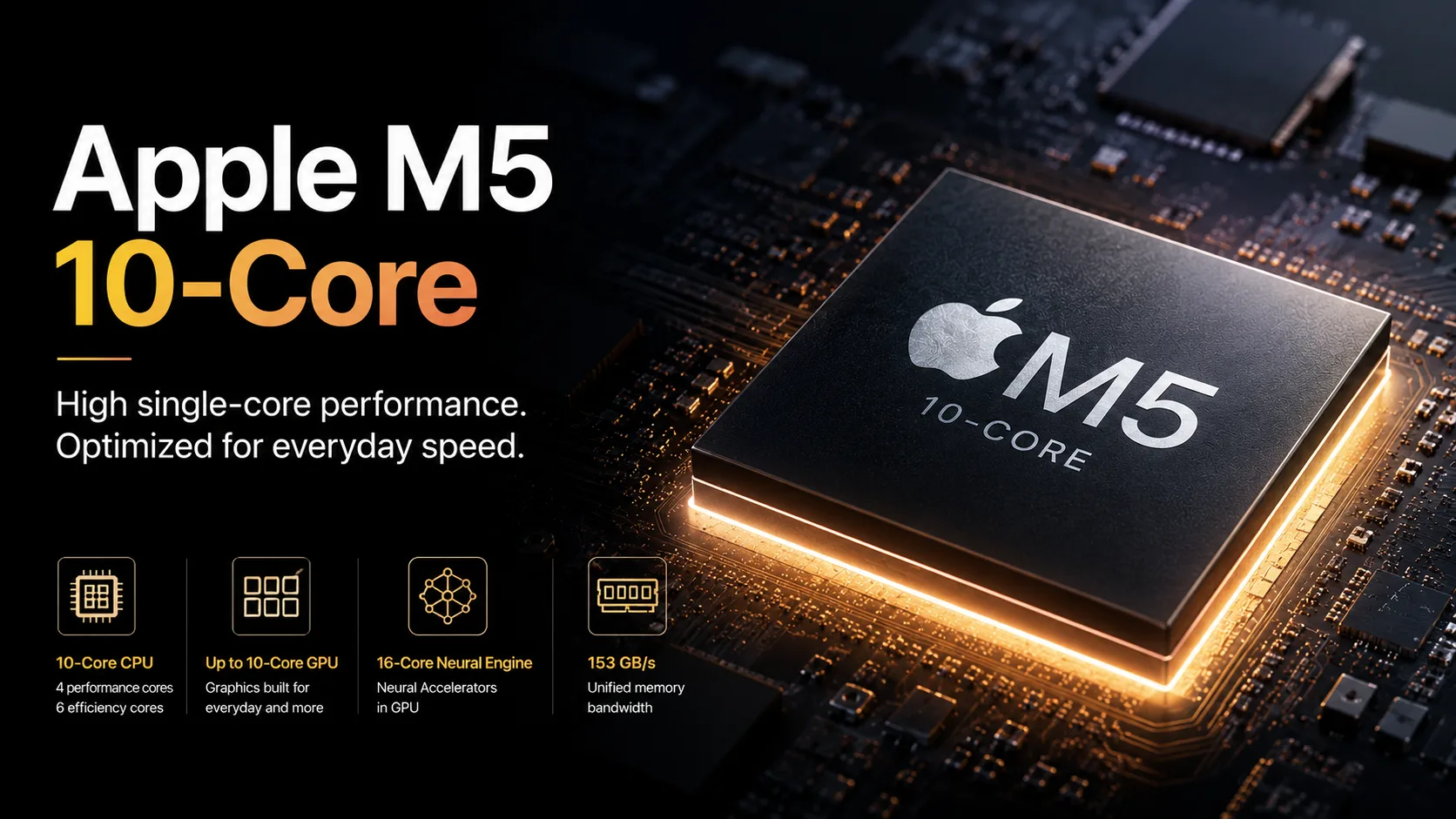
Apple M5 10-Core is the base version of the M5 family. Its configuration includes a 10-core CPU with 4 super cores and 6 efficiency cores, a 16-core Neural Engine, Neural Accelerators in the GPU, and unified memory with a bandwidth of 153 GB/s. The full version of the chip uses a 10-core GPU, but configurations vary by device: the MacBook Air may have an 8-core GPU, while the lower-end iPad Pro uses a 9-core CPU.
The main strength of the M5 is its high single-core performance. In short CPU tests, it nearly reaches the level of the M5 Pro, but in multi-core performance, it quickly falls behind the higher-end chips due to the lower number of cores. Therefore, the M5 10-Core should be considered a fast entry-level chip for everyday tasks, light development, photo editing, short video work, and local AI functions, rather than as a replacement for the M5 Pro.
Models with Apple M5 10-Core
The Apple M5 is used in several devices, but the final configuration depends on the model and the storage size:
- MacBook Pro 14-inch with M5 - 10-core CPU and 10-core GPU;
- MacBook Air 13-inch with M5 - 10-core CPU, 8- or 10-core GPU;
- MacBook Air 15-inch with M5 - 10-core CPU and 10-core GPU;
- iPad Pro 11-inch and 13-inch with M5 - 10-core CPU only for versions with 1 TB and 2 TB of storage; models with 256 GB and 512 GB use a 9-core CPU;
- Apple Vision Pro with M5 - 10-core CPU and 10-core GPU.
Before making comparisons, it’s important to look not only at the name M5 but also at the specific CPU/GPU configuration. The graphics may vary in the MacBook Air, and the number of CPU cores in the iPad Pro depends on the storage size.
Benchmarks and Comparisons
Below are benchmarks from Notebookcheck. The results depend on the device, cooling, power limits, test version, and memory configuration. For the M5, it is particularly important to differentiate between the MacBook Air, iPad Pro, and MacBook Pro: the same chip can show different results in passive and active cooling.
| Chip / Configuration | Geekbench 6.6 Single | Geekbench 6.6 Multi | Cinebench 2024 Single | Cinebench 2024 Multi |
|---|---|---|---|---|
| Apple M5 10-Core | 4228 | 17314 | 199.7 | 1030 |
| Apple M4 10-Core | 3747 | 14978 | 174.2 | 921 |
| Apple M5 Pro 18-Core | 4295 | 28436 | 201 | 2347 |
| Snapdragon X2 Elite Extreme | 4062 | 23491 | 162 | 1988 |
| AMD Ryzen AI 9 HX 370 | 2886 | 14644 | 117 | 1085 |
The table shows the key point: in single-core tests, the M5 is almost on par with the M5 Pro. In Geekbench 6.6 Single, the difference between the M5 10-Core and M5 Pro 18-Core is less than 2%, and in Cinebench 2024 Single, it nearly disappears. For tasks such as interfacing, browsing, short operations, light development, and regular work, this is more significant than having a large number of cores.
Compared to the M4, the improvement is noticeable but not radical: about 13% in Geekbench 6.6 Single, around 16% in Geekbench 6.6 Multi, approximately 15% in Cinebench 2024 Single, and about 12% in Cinebench 2024 Multi. This is a moderate improvement for the base lineup but not substantial enough to warrant an upgrade from an M4 solely for the CPU.
A comparison with the M5 Pro shows the limits of the base series. In single-core tasks, the M5 is nearly equivalent, but in Geekbench Multi, the M5 Pro 18-Core is about 64% faster, and in Cinebench 2024 Multi, it’s more than twice as fast. If your work regularly utilizes all cores, the M5 Pro is significantly faster under sustained multi-core loads.
When compared to Windows chips, the picture is mixed. The M5 is faster than the Ryzen AI 9 HX 370 and the Snapdragon X2 Elite Extreme in single-core tests, but the Snapdragon, with its 18 cores, is noticeably faster in multi-core tasks. This illustrates the role of the M5: a fast and efficient entry-level chip, not a maximum multi-core platform.
CPU: High Single-Core, Limited Core Count
The M5 10-Core uses a 4 super cores + 6 efficiency cores configuration. The four fast cores handle short, intensive operations, system responsiveness, and tasks that do not parallelize well. The six efficiency cores assist with background processes and moderate multi-core loads.
Thus, the M5 is fast in everyday tasks with short loads. Browsers, office applications, photo processing, messaging, document drafting, IDEs, small projects, and regular multitasking do not require 18 CPU cores. Here, fast super cores and high single-core performance are more critical.
The limitation becomes apparent in other scenarios: long compilations, CPU rendering, mass exports, heavy containers, virtual machines, and processing large data sets. In these tasks, the M5 falls short of the M5 Pro primarily due to the fewer CPU cores.
MacBook Air vs. MacBook Pro with M5
The practical difference between the MacBook Air and MacBook Pro with M5 lies not in the chip architecture but in cooling. In short tasks, the difference between them may be minimal: the M5 quickly performs single-core operations without hitting thermal limits.
The difference becomes more significant under sustained workloads. The MacBook Air utilizes passive cooling; thus, during long compilations, exports, or renders, performance may drop more significantly. The MacBook Pro 14 with M5 benefits from active cooling, a better display, more ports, and more stable performance under prolonged loads.
The MacBook Air with the M5 is a quiet, lightweight option for everyday use, traveling, studying, office tasks, light development, and photo processing. The MacBook Pro 14 with M5 makes sense if you need the same base chip but with a better display, ventilation, and more headroom for extended tasks.
How M5 Differs from M4
In terms of CPU, the M5 is a moderate upgrade over the M4. The performance boost in key tests hovers around 12-16%. This is noticeable in daily work but does not elevate the M5 to a different class of devices.
A more significant change is in the GPU and AI block. The M5 features Neural Accelerators in the graphics block and higher memory bandwidth: 153 GB/s compared to 120 GB/s in the M4. Thus, some of the gains will manifest not in CPU benchmarks but in GPU-related tasks, Core ML, Metal, and local AI functions.
For owners of M1 and M2, transitioning to the M5 will be a substantial upgrade. After the M4, the incentive is weaker: the M5 is faster, but not enough to change devices solely for the CPU.
How M5 Differs from M5 Pro
The M5 and M5 Pro are close in single-core speed but significantly differ in multi-core and graphics tasks. The M5 Pro is needed not for faster single-core performance but for a greater number of CPU cores, more powerful graphics, higher memory bandwidth, and support for sustained professional workloads.
The M5 has 10 CPU cores and 153 GB/s memory. The higher-end M5 Pro has 18 CPU cores, a 20-core GPU, and 307 GB/s memory. The difference is notable in compiling large projects, CPU rendering, 3D tasks, heavy video editing, large AI models, and prolonged multi-threaded workloads.
If your work involves short operations, the M5 will often feel almost as fast as the higher-end chips. If the workload is lengthy and parallelized, the advantage of the M5 Pro quickly becomes apparent.
GPU, AI, and Memory
In its full configuration, the M5 utilizes a 10-core GPU with Neural Accelerators. Compared to the M4, not only the CPU part has changed significantly, but also the GPU/AI integration. For Metal, Core ML, local image processing, noise reduction, transcription, and generative functions, this is more critical than a small CPU increase.
153 GB/s is sufficient for graphics, local AI tools, multitasking, and working with unified memory. However, the M5 Pro and M5 Max have higher bandwidth, and the maximum memory capacity is larger. For large AI models, complex 3D scenes, and extensive media projects, the M5 Pro or M5 Max are better suited.
The media block supports H.264, HEVC, ProRes, ProRes RAW, and AV1 decode. For editing 4K, short projects, exporting videos, and working with ProRes, the M5 has adequate capabilities. For continual video work, multiple streams of ProRes, and heavy timelines, it’s better to look at the M5 Pro or M5 Max.
Comparison with Windows Chips
The M5 is not built around maximizing the number of CPU cores. In single-core tests, it is faster than the Ryzen AI 9 HX 370 and Snapdragon X2 Elite Extreme, but in multi-core performance, the Snapdragon takes the lead.
This does not make the M5 weak. Its role is simply different. The M5 is a chip for thin laptops, tablets, and Vision Pro, where responsiveness, efficiency, local AI, graphics, and media capabilities are essential. Windows laptops counterbalance this with more cores, discrete graphics, gaming compatibility, flexible configurations, and various price segments.
The correct conclusion is this: the M5 10-Core is very strong in single-core performance and everyday speed but does not replace powerful multi-core Windows platforms or higher-end Apple chips.
Who is Apple M5 10-Core For?
The Apple M5 10-Core is aimed at users who need a fast Mac or iPad without moving to the M5 Pro. Primary scenarios include browsing, office work, studying, light development, photo editing, short video editing, document handling, local AI functions, and regular multitasking.
The MacBook Air with M5 is a quiet and lightweight option for everyday work. The MacBook Pro 14 with M5 is a more practical choice for those wanting active cooling, a better display, more ports, and more stable performance under extended loads. The iPad Pro with M5 is a separate case: the performance of the chip often hits limitations not due to the hardware but due to constraints from iPadOS and specific applications.
The M5 Pro is necessary if your work tasks regularly utilize all cores: large projects, compilations, containers, virtual machines, CPU rendering, heavy video editing, and prolonged exports. The M5 Max is recommended if the primary load is on the GPU, memory, AI models, and complex media projects.
Conclusion
The Apple M5 10-Core is a fast entry-level chip for short to medium workloads but is not a replacement for the M5 Pro. Its main advantage is its almost flagship single-core speed. In this mode, it is close to the M5 Pro and M5 Max, making interfacing, browsing, light development, and short operations perform very quickly.
The main limitation is multi-core performance. The M5 has only 10 CPU cores; thus, in lengthy compilations, CPU rendering, heavy containers, and large projects, the M5 Pro is significantly faster. The Snapdragon X2 Elite Extreme shows the same limit as the M5: with more cores, the multi-core result is significantly higher.
If you need a fast entry-level MacBook or iPad with good longevity for a few years, the M5 10-Core is a sensible choice. If your work frequently hits bottlenecks with the CPU, GPU, memory, or heavy video tasks, it’s better to look directly at the M5 Pro or M5 Max.
CPU Comparison
Compare Apple M5 10 Cores with other CPUs
Basic
CPU Specifications
Memory Specifications
GPU Specifications
AI Specifications
Connectivity
Interfaces and Ports
Benchmarks
Compared to Other CPU
Related CPU Comparisons







Share in social media
Or Link To Us
<a href="https://cputronic.com/cpu/apple-m5-10-cores" target="_blank">Apple M5 10 Cores</a>