NVIDIA Tesla P100 PCIe 12 GB
Tesla P100 PCIe 12 GB: An $80 FP64 Calculator with a Cutoff Date
The Tesla P100 was NVIDIA’s first accelerator based on the Pascal architecture and one of the main cards for supercomputers and neural-network training in 2016-2017. At the time, the 12 GB PCIe version cost around $4,600. Today, these cards are being pulled from decommissioned servers and sold on eBay for $70-140-less than a budget gaming graphics card.
People buy it for its double-precision performance and HBM2 memory. The card delivers 4.7 TFLOPS in FP64, more than an RTX 4090. The smaller version has less memory: one of the four HBM2 stacks is disabled, so its capacity and memory bandwidth are 25% lower than those of the 16 GB P100. All software support for Pascal ends with the R580 driver branch in mid-2028.
Position in the Lineup and Architecture
All Tesla P100 cards are built around the GP100, a 610 mm² 16 nm die mounted on a CoWoS substrate together with four HBM2 stacks. Of the full chip’s 3,840 CUDA cores, 3,584 are active in the P100. The PCIe version operates at 1,190-1,329 MHz with a 250 W TDP.
The 12 GB version uses the same board with one memory stack disabled. Its GPU and clock speeds are unchanged, so its compute performance is the same as that of the higher-capacity model.
| Model | Memory | Bus | Memory bandwidth | FP64 | FP16 | TDP |
|---|---|---|---|---|---|---|
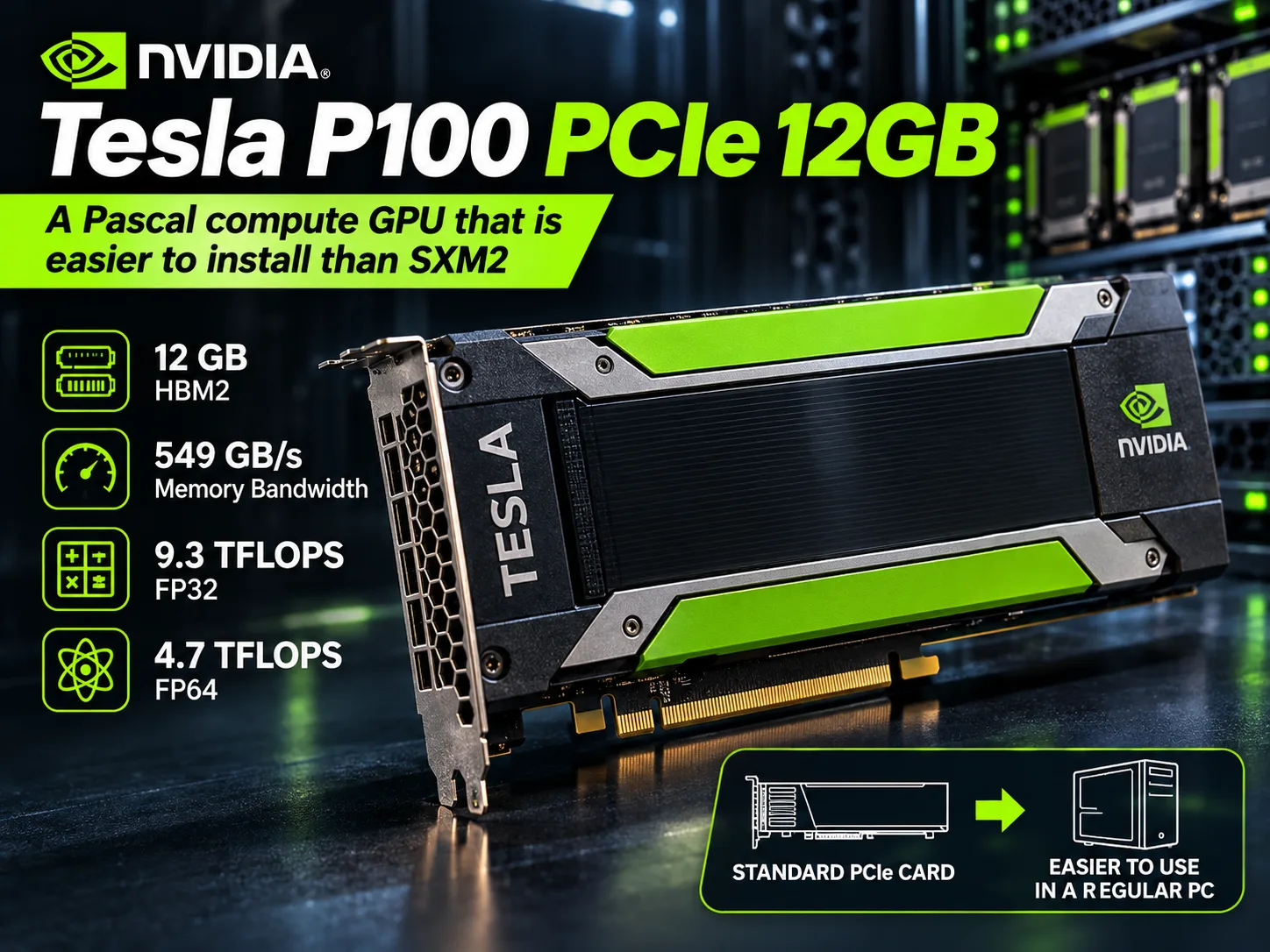
| Tesla P100 PCIe 12 GB | 12 GB HBM2 | 3072-bit | 549 GB/s | 4.7 TFLOPS | 18.7 TFLOPS | 250 W |
| Tesla P100 PCIe 16 GB | 16 GB HBM2 | 4096-bit | 732 GB/s | 4.7 TFLOPS | 18.7 TFLOPS | 250 W |
| Tesla P100 SXM2 | 16 GB HBM2 | 4096-bit | 732 GB/s | 5.3 TFLOPS | 21.2 TFLOPS | 300 W |
| Tesla P40 | 24 GB GDDR5 | 384-bit | 347 GB/s | 1/32 of FP32 | 1/64 of FP32 | 250 W |
The GP100 chip never made it into GeForce. Its closest workstation relative is the Quadro GP100, which has display outputs. The GTX 1080 Ti and Tesla P40 are built around a different die, the GP102. GP100 processes FP64 at half the speed of FP32 and FP16 at twice the speed, while both modes are cut back almost to nothing on GP102. On the other hand, GP100 (compute capability 6.0) lacks the DP4A integer dot-product instructions found on GP102. For quantized neural networks, that turned out to matter more than it seemed in 2016.
The P100 has no tensor cores. They first appeared in 2017 in the Volta-based Tesla V100.
Performance
The card is unsuitable for gaming. It has no display outputs, and enthusiasts who routed the image through a second graphics card complain about the data-center drivers and do not recommend the P100 for gaming. Its remaining useful areas are local language models and double-precision calculations.
The llama.cpp community’s consolidated CUDA results for Llama 2 7B, Q4_0, without Flash Attention:
| Accelerator | Memory | Prompt processing, tok/s | Generation, tok/s |
|---|---|---|---|
| RTX 3090 | 24 GB GDDR6X | 5174 | 158 |
| Tesla V100 | 32 GB HBM2 | 3043 | 129 |
| RTX 2080 Ti | 11 GB GDDR6 | 2890 | 107 |
| GTX 1080 Ti | 11 GB GDDR5X | 1084 | 62 |
| Tesla P100 PCIe 16 GB | 16 GB HBM2 | 761 | 58.4 |
| Tesla P40 | 24 GB GDDR5 | 1007 | 54.7 |
| Tesla T4 | 16 GB GDDR6 | 1219 | 46.4 |
The P100 generates text at roughly the level of a GTX 1080 Ti and P40. It processes prompts 3.8 times more slowly than an RTX 2080 Ti and is slower than the same P40. This is tolerable for short chat queries, but with long documents the model takes noticeably longer to “read” the text before responding.
A ComputingForGeeks test using a current version of llama.cpp in October 2026 showed the same thing. With Qwen3 8B in Q4_K_M, the 16 GB P100 delivered 38.4 tok/s versus 47 tok/s for the P40, even though the P100’s memory is twice as fast. The reason is the lack of DP4A: at compute capability 6.0, llama.cpp’s quantized kernels take the slower path.
That is why the cut-down bus on the 12 GB version is almost irrelevant for language models. In the Llama 2 7B test, the 16 GB P100 moves around 220 GB/s, less than one-third of its peak memory bandwidth, meaning it is compute-bound. There are no separate llama.cpp measurements for the smaller version, but its generation speed should be close to that of the 16 GB model on small models. The problem with 12 GB is capacity: gpt-oss-20b and dense models larger than 14B do not fit.
The situation is reversed with FP64. An RTX 4090 delivers around 1.3 TFLOPS in double precision, while an RTX 3090 delivers ten times less than the P100. The only cards with comparable FP64 performance are servers cards from the next generation: the V100 PCIe at 7 TFLOPS and AMD Instinct MI50 at 6.6 TFLOPS. In calculations where FP64 is limited by memory-for example, grid methods and hydrodynamics-the 12 GB version will lose to the larger model by up to 25%.
Results in Specific Systems
There are almost no published tests of the 12 GB version specifically, so the table also includes results for the 16 GB model with the same chip.
| System | Configuration | P100 version | Test | Result |
|---|---|---|---|---|
| Uniwide RB228H | 2× Xeon E5-2699 v4 | PCIe 12 GB | SPEC ACCEL OpenCL, base | 5.15 |
| Database Mart hosting server | 2× Xeon E5-2660 v2, 128 GB DDR3 | PCIe 16 GB | Ollama, Llama 2 7B | 49.7 tok/s |
| Rented vast.ai node | N/A | PCIe 16 GB | llama.cpp, Qwen3 8B Q4_K_M | 38.4 tok/s |
The difference between 49.7 and 38.4 tok/s is explained by the model and quantization, not by the server. If the model fits entirely in VRAM, the processor has almost no effect on generation speed, and even a platform based on a 2013 Xeon E5 v2 does not hold the card back.
At idle, the P100 draws 28 W and the P40 draws 11 W. Under an LLM workload, the P100’s peak power consumption reaches 211 W.
Where It Is Found, Pricing, and Availability
No new devices with the P100 are sold. At one time, the card was offered as an option in Dell PowerEdge R730, R740, C4130, and C4140 servers, Cisco UCS C240 M5 and C220 M5SX systems, and HPE ProLiant servers. That is where the cards on the secondary market usually come from, typically without cables.
| Variant | Condition | Price |
|---|---|---|
| Tesla P100 PCIe 12 GB | Used, bulk lots | $70-100 |
| Tesla P100 PCIe 12 GB | Used, tested, with returns | $110-165 |
| Tesla P100 PCIe 16 GB | Used, lots from China | $118-130 |
| Tesla P100 PCIe 16 GB | Refurbished, Amazon | Around $155 |
To install the card in a regular PC, you will need to buy a few additional items:
| What is needed | Why | Price |
|---|---|---|
| Shroud and blower fan | The card has passive cooling | From $20 plus the fan |
| Adapter for 8-pin EPS | CPU power connector, not PCIe | Around $13 |
| Integrated graphics or a second card | There are no display outputs | - |
The Above 4G Decoding option must be enabled in the BIOS. You cannot install a P100 in the same system as a Blackwell card: they require different NVIDIA kernel modules. A ready-to-use P100 12 GB ultimately costs $110-150.
Competitors and Alternatives
Tesla P100 PCIe 16 GB (around $130-155). It uses the same chip, has 4 GB more memory, and offers one-third more memory bandwidth. The additional $40-60 gets you gpt-oss-20b, 14B models with a reasonable context, and full speed in workloads that are limited by memory. The smaller version remains the better value only for FP64 calculations where capacity is not important: it computes at the same speed and costs less.
Tesla P40 24 GB (around $300-350). It has twice as much memory and supports DP4A; 32B models fit entirely in Q4 and generate at around 12 tok/s. It effectively has no FP16 or FP64 performance, so the P40 is unsuitable for calculations. For models larger than 14B, it is more useful than any P100.
Tesla V100 PCIe 16 GB (around $365). It has tensor cores, processes prompts 3-4 times faster, and reaches 7 TFLOPS in FP64. Support will end at the same time as it does for Pascal. For three times the money, you get a noticeably faster card with the same lifespan.
GeForce RTX 3060 12 GB (around $300-320 used). It has the same amount of memory, but current CUDA, vLLM, and future versions of PyTorch work on it. It has display outputs and conventional cooling, with 170 W power consumption. Its tensor cores noticeably accelerate prompt processing. Double-precision performance is negligible. If you need a regular graphics card with software that will be supported for several years, the RTX 3060 is a better choice, although it costs three times as much.
Conclusion
For language models, the P100 12 GB generates text like a GTX 1080 Ti, while processing prompts 3-4 times more slowly than an RTX 2080 Ti. It is sufficient for 7B-14B models in 4-bit quantization and for experimenting with Ollama and llama.cpp on an old server. Models larger than 14B do not fit, and long prompts are processed slowly. vLLM is unsupported, PyTorch has announced that it will stop providing ready-made builds for Pascal, and driver releases will stop in 2028. On top of that, there is the 250 W power draw and noisy blower fan.
It is not worth paying more than $80 for this card. If you need models larger than 14B, look at the P40; if you need software that will work after 2028, look at the RTX 3060 12 GB.
For double-precision calculations, the P100 12 GB has almost no competition at $70-80. For neural networks, it is better to pay an additional $50 and get the 16 GB version.
GPU Comparison
Compare Tesla P100 PCIe 12 GB with other GPUs
Basic
Memory Specifications
Display and Media
Theoretical Performance
Miscellaneous
Benchmarks
Compared to Other GPU
Share in social media
Or Link To Us
<a href="https://cputronic.com/gpu/nvidia-tesla-p100-pcie-12-gb" target="_blank">NVIDIA Tesla P100 PCIe 12 GB</a>