NVIDIA GeForce RTX 5090

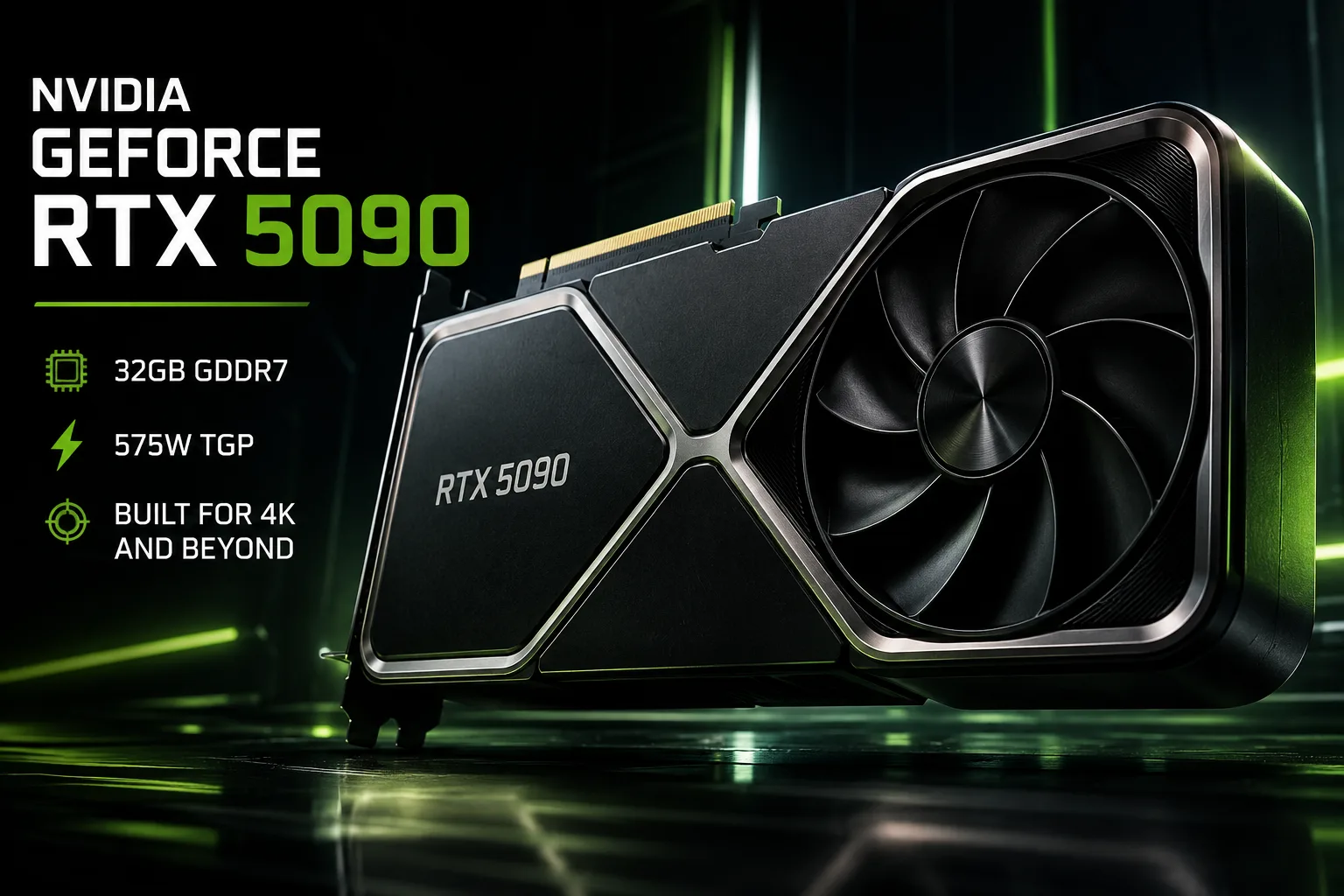
NVIDIA GeForce RTX 5090: 32 GB GDDR7 at 575 W
The GeForce RTX 5090 is a graphics card that makes no pretense of being a rational purchase. Its tasks include 4K gaming at maximum settings, demanding ray tracing, local AI, and professional rendering. However, against the backdrop of a significant configuration update, the increase in standard gaming FPS has been relatively modest: the number of CUDA cores has increased by about a third, memory bandwidth has grown by nearly 78%, TGP has risen to 575 W, and the advantage over the RTX 4090 without frame generation typically stands at around 25-30%.
Therefore, traditional rendering and results with DLSS should be considered separately. Multi Frame Generation demonstrates the capabilities of Blackwell and DLSS but does not represent a twofold increase in GPU performance itself.
Specifications of the GeForce RTX 5090
At the heart of the RTX 5090 is Blackwell GB202. The card features 21,760 CUDA cores, 32 GB of GDDR7 memory, and a 512-bit memory bus. The bandwidth reaches 1792 GB/s-almost 1.8 TB/s. It also utilizes fifth-generation Tensor Cores and fourth-generation RT Cores.
| Specification | GeForce RTX 5090 | GeForce RTX 4090 |
|---|---|---|
| Architecture | Blackwell | Ada Lovelace |
| CUDA Cores | 21,760 | 16,384 |
| Video Memory | 32 GB GDDR7 | 24 GB GDDR6X |
| Memory Bus | 512 bits | 384 bits |
| Bandwidth | 1792 GB/s | about 1008 GB/s |
| Boost Clock | 2.41 GHz | 2.52 GHz |
| PCI Express | PCIe 5.0 | PCIe 4.0 |
| TGP | 575 W | 450 W |
| Starting Price | $1999 | $1599 |
The RTX 4090 claims a higher stated Boost clock, so comparing generations solely by gigahertz is meaningless. The RTX 5090 has about a third more CUDA cores, 8 GB more memory, and almost 78% higher bandwidth.
Benchmarks of the GeForce RTX 5090
| Graphics Card | 3DMark Time Spy Extreme Graphics | To Founders Edition |
|---|---|---|
| NVIDIA GeForce RTX 5090 Founders Edition | ~25,431 | - |
| MSI GeForce RTX 5090 SUPRIM SOC | ~26,345 | +3.6% |
| ASUS ROG Astral GeForce RTX 5090 OC | ~26,504 | +4.2% |
| GIGABYTE AORUS GeForce RTX 5090 MASTER | ~26,741 | +5.2% |
Even the most overclocked factory versions yield only a few percentage points advantage over the Founders Edition. In ray tracing tests, the gap remains similarly small.
Choosing between ROG Astral, SUPRIM, AORUS MASTER, and Founders Edition should be based on cooling, noise levels, size, and power limits rather than an expectation of significantly higher FPS. A massive cooling system does not make the GB202 significantly faster.
RTX 5090 vs. RTX 4090 in Games
At 4K, the RTX 5090 typically outperforms the RTX 4090 by about 25-30% without frame generation. In particularly demanding projects, the gap exceeds 30%, while in 1440p, it is often limited by the CPU.
In Black Myth: Wukong, at 4K, it achieves about 62 FPS compared to approximately 47 FPS for the RTX 4090-roughly a +32% advantage for the RTX 5090.
There is no doubling of RTX 4090's performance in standard rendering here.
The RTX 5090 is primarily needed for 4K gaming. At 1080p and often at 1440p, the CPU already limits the gains. The higher the resolution and the more demanding the ray tracing or path tracing, the better the computational power of the new GPU is utilized.
DLSS and Multi Frame Generation
Blackwell introduced Multi Frame Generation: multiple additional frames can be created between fully rendered frames. With this technology, the FPS counter can increase significantly.
However, one cannot equate such results with regular FPS.
Multi Frame Generation enhances visual smoothness but does not convert 60 original FPS into 200 FPS with corresponding control responsiveness. Therefore, results with MFG cannot be used as an indicator of pure GPU performance increase.
The maximum advantage of the RTX 5090 appears at 4K with heavy ray tracing, path tracing, and neural network rendering.
32 GB is Needed More for Work Tasks than for Gaming
For games, the additional 8 GB rarely changes the final FPS yet. In local AI and heavy 3D scenes, the difference between 24 and 32 GB can determine whether a task fits in video memory.
In Blender, the RTX 5090 is capable of outperforming the RTX 4090 by about 35-40%, and in some AI workloads, the increase is also noticeably higher than in standard rasterization.
The Blackwell architecture has support for FP4, and the claimed AI performance of the RTX 5090 reaches 3352 TOPS. In tandem with 32 GB of VRAM, this expands the range of models and workloads that can be fully run on the GPU.
The RTX 5090 also features three ninth-generation NVENCs and two sixth-generation NVDECs. Three hardware encoders are particularly beneficial for editing, streaming, and parallel encoding of multiple video streams.
575 W is the Main Compromise
The RTX 4090 could no longer be considered economical, but the RTX 5090 raised TGP from 450 to 575 W.
TGP has increased by about 28%, nearly in proportion to the average gaming performance increase at 4K. From a performance-per-watt perspective, this transition appears much more modest compared to the increase in the number of CUDA cores and memory bandwidth.
A power supply of about 1000 W is recommended for systems with the RTX 5090, although actual need depends on the CPU and other components.
Concurrently, the Founders Edition remains a dual-slot card about 304 mm long, thanks to a redesigned PCB and Double Flow Through cooling system. Most partner RTX 5090s are significantly larger.
Against the backdrop of massive three- and four-slot models, this is a significant advantage for the Founders Edition.
Early RTX 5090s Should Check ROP Count
Among early RTX 5090s, there were instances with fewer ROPs than specified.
A normal RTX 5090 should have 176 ROPs. According to NVIDIA, the issue affected less than 0.5% of RTX 5090, RTX 5090D, and RTX 5070 Ti and could reduce graphic performance by about 4%.
The problem has been fixed in new batches, but when buying an early or used RTX 5090, it is still worth checking GPU-Z: the program should show 176 ROPs.
Conclusion
The RTX 5090 proves itself in tasks where the RTX 4090 is already lacking: demanding 4K with path tracing, local AI, and 3D scenes that can utilize more than 24 GB of VRAM.
In regular games, the difference is much more modest. With an increase in TGP from 450 to 575 W and a starting price rise from $1599 to $1999, the advantage over the RTX 4090 without frame generation typically amounts to around 25-30%.
The advantages of the RTX 5090 are not limited to FPS: it features 32 GB of GDDR7, nearly 1.8 TB/s memory bandwidth, new RT and Tensor blocks, FP4, three NVENCs, and Multi Frame Generation.
For an RTX 4090 owner, replacing the card solely for improved standard gaming FPS is difficult to justify. However, in a new system for demanding 4K, local AI, or workloads that need more than 24 GB of VRAM, the advantages of the RTX 5090 become much clearer.
Overpaying for the expensive version of the RTX 5090 solely for factory overclocking is almost pointless: the difference with the Founders Edition typically amounts to only 3-5%. Specific models should be chosen based on cooling, noise levels, size, and price.
GPU Comparison
Compare GeForce RTX 5090 with other GPUs
Basic
Memory Specifications
Display and Media
3x DisplayPort 2.1b with UHBR20
Theoretical Performance
Miscellaneous
Benchmarks
Compared to Other GPU
Related GPU Comparisons


Share in social media
Or Link To Us
<a href="https://cputronic.com/gpu/nvidia-geforce-rtx-5090" target="_blank">NVIDIA GeForce RTX 5090</a>