NVIDIA Tesla P100 SXM2
NVIDIA Tesla P100 SXM2: An Affordable Server GPU That’s Difficult to Install in a Regular PC
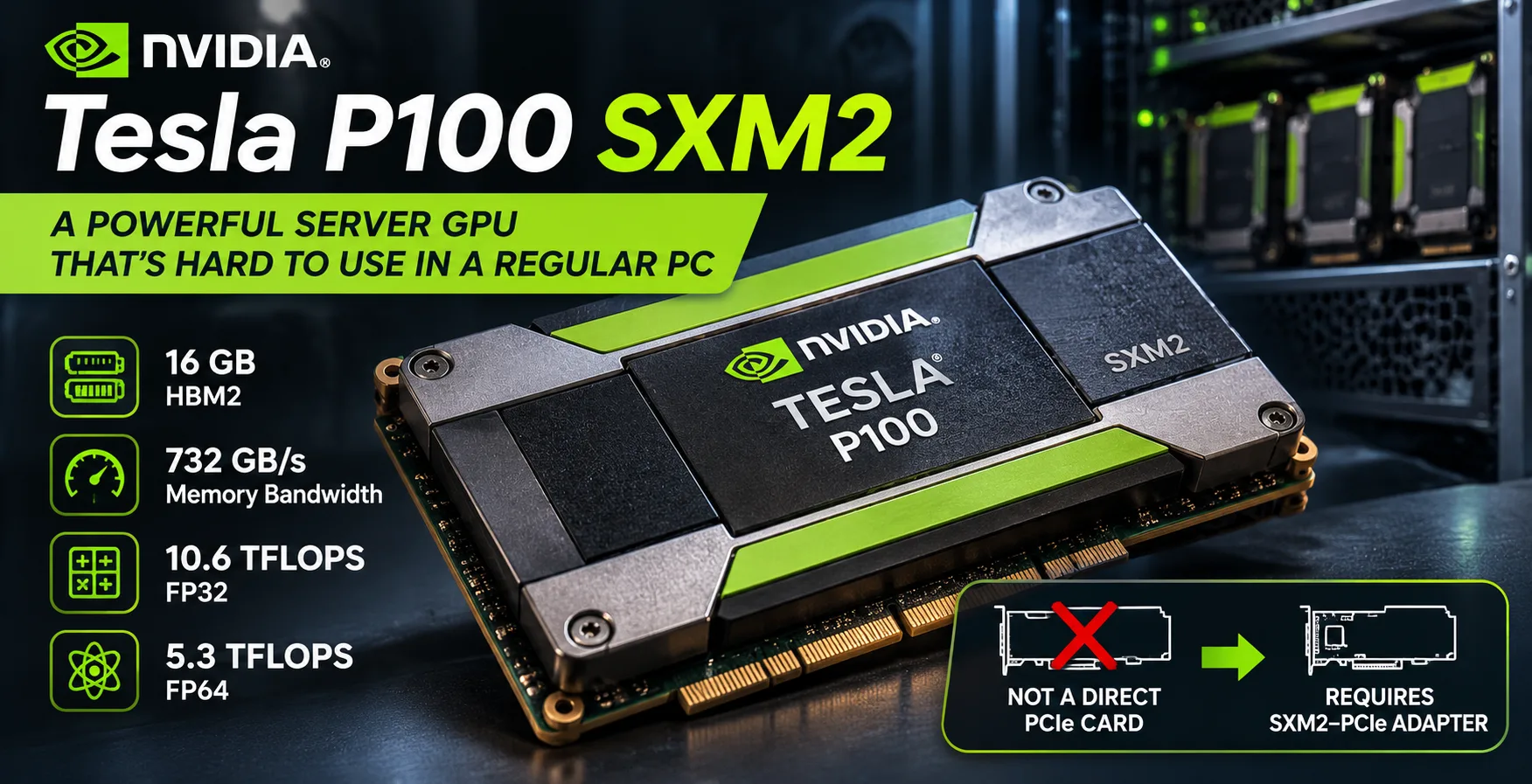
The NVIDIA Tesla P100 SXM2 attracts enthusiasts with its combination of 16 GB of HBM2 memory, high FP64 performance, and low second-hand-market price. However, this 2016 accelerator has a serious drawback: instead of a standard PCIe interface, it uses the server-oriented SXM2 connector. Installing it in a regular computer requires an adapter, separate cooling, and compatibility checks. As a result, the inexpensive module can end up costing more than the more convenient PCIe version.
Why SXM2 Is Difficult to Connect to a Regular PC
The Tesla P100 SXM2 was designed for specialized servers, including NVIDIA DGX systems. It does not have a standard PCIe connector and cannot be installed directly in a motherboard slot.
SXM2-to-PCIe adapters are available on the second-hand market, but having a suitable connector does not guarantee that the system will work. Several issues must be resolved before purchasing one:
- Power. The accelerator consumes up to 300 W. The adapter must provide the module with the required power.
- Cooling. SXM2 is designed for a server cooling system. A regular case requires a compatible heatsink with sufficiently powerful airflow.
- Compatibility. Support for the specific module must be verified for the adapter, motherboard, and driver.
- No video outputs. The Tesla P100 is not designed for directly connecting a monitor.
Additional expenses can completely eliminate the benefit of the purchase. According to an estimate based on the US second-hand market in August 2026, working P100 SXM2 modules sold for approximately $47-60. Meanwhile, one SXM2-to-PCIe adapter advertised as supporting the P100 was offered in September for approximately $109-not including the additional costs of cooling and shipping.
In this example, the adapter costs almost twice as much as the accelerator itself. Therefore, evaluating an SXM2 purchase based solely on the module’s price makes no sense.
Differences Between the Tesla P100 SXM2 and P100 PCIe
Both versions are built around the same GP100 GPU based on the Pascal architecture. They have 3584 CUDA cores each, while the 16 GB HBM2 variants provide the same memory bandwidth of 732 GB/s.
The main differences concern clock speeds, power, and connectivity.
| Specification | Tesla P100 SXM2 | Tesla P100 PCIe 16 GB |
|---|---|---|
| Interface | SXM2 | PCIe 3.0 x16 |
| Base clock | 1328 MHz | 1126 MHz |
| Boost clock | 1480 MHz | 1303 MHz |
| GPU interconnect | NVLink, up to 160 GB/s | PCIe 3.0 |
| Maximum power | 300 W | 250 W |
The higher clock speeds give the SXM2 version approximately a 14% advantage in theoretical FP32 compute performance. However, its maximum power consumption is 50 W higher.
Another advantage of SXM2 is NVLink, which allows accelerators to exchange data with one another. This capability is useful in compatible multiprocessor servers. When the accelerator is installed through a regular PCIe adapter, the NVLink advantage is lost.
For a single accelerator in a desktop PC, the SXM2 version’s advantages over PCIe are relatively small.
Performance and Benchmarks
GP100 differs from most consumer GPUs in its high double-precision FP64 performance. On the Tesla P100 SXM2, it reaches 5.3 TFLOPS, making the accelerator suitable for scientific calculations and numerical modeling.
The comparison uses Geekbench 7 OpenCL results and the theoretical compute performance of several specific graphics cards.
| Graphics card | Geekbench 7 OpenCL | FP32, TFLOPS | FP64, TFLOPS |
|---|---|---|---|
| NVIDIA Tesla V100 SXM2 16 GB | 152,601 | 15.7 | 7.8 |
| NVIDIA GeForce RTX 3060 | 88,251 | 12.7 | 0.20 |
| NVIDIA Tesla P100 SXM2 16 GB | 87,454 | 10.6 | 5.3 |
| NVIDIA Tesla P100 PCIe 16 GB | 71,673 | 9.3 | 4.7 |
| NVIDIA Tesla T4 16 GB | 61,276 | 8.1 | ~0.25 |
Geekbench 7 OpenCL results are from Geekbench’s public ranking as of October 2026; higher is better. FP32 and FP64 are theoretical figures, not Geekbench results. They are provided for comparing the architectures’ compute capabilities.
In Geekbench, the P100 SXM2 scores approximately 22% higher than the 16 GB PCIe version. The difference is more significant than the specifications would suggest, but the results were obtained on different systems and do not make such an increase guaranteed.
The situation with the GeForce RTX 3060 is more interesting. Their Geekbench scores are practically identical, but in FP64, the server Tesla theoretically outperforms the RTX 3060 by more than 26 times. The reason is the specialized configuration of the GP100’s compute units, designed in part for scientific workloads.
At the same time, similar OpenCL results do not indicate equal performance in games, rendering, or neural networks.
The Tesla V100 SXM2 is noticeably faster than the P100 thanks to its Volta architecture, larger number of compute units, and higher memory bandwidth. In addition, the V100 features Tensor Cores, which are absent from Pascal.
What the P100 SXM2 Is Still Suitable For
Despite its age, GP100 cannot be considered useless. It retains advantages in workloads that can take advantage of the architecture’s specific features:
- Scientific calculations and modeling with intensive FP64 workloads.
- CUDA computing with compatible software.
- Data processing that benefits from HBM2’s high bandwidth.
- Experiments with server GPUs and multiprocessor NVLink configurations.
In FP16 operations, the P100 SXM2 reaches a theoretical 21.2 TFLOPS. However, this figure should not be compared directly with the Tensor Core performance of more modern accelerators. The differences in architecture and supported operations are too significant.
Local Neural Networks and CUDA Limitations in 2026
The presence of 16 GB of video memory makes the P100 attractive for running local language models. For example, quantized models with 7-8 billion parameters can fit entirely in the accelerator’s memory with suitable settings.
However, memory capacity is only one of the characteristics that determine how convenient an LLM is to use.
GP100 is based on the Pascal architecture, with CUDA compute capability 6.0. The latest version of the CUDA Toolkit that supports compiling programs for Pascal is 12.9. CUDA 13 discontinued support for this architecture when compiling new applications. The latest NVIDIA driver branch with Pascal support is R580.
This does not mean that older programs have suddenly stopped working. However, newer versions of machine-learning libraries may require a more modern architecture. Running some models may require installing older software versions or compiling compatible components yourself.
The lack of Tensor Cores limits the speed of modern neural-network computations. Therefore, the P100 SXM2, despite its 16 GB of HBM2, will not necessarily be faster than a consumer RTX card with less memory.
For local LLMs, it is more important to verify support for the specific model and software environment than to focus on FP16 performance or memory bandwidth.
Is the Tesla P100 SXM2 Worth Buying in 2026?
If you already have a server with compatible SXM2 connectors, the Tesla P100 remains suitable for FP64 calculations and working with older CUDA software. Its low second-hand-market price makes it attractive for such systems.
The situation is different in a regular desktop computer. The performance increase over the P100 PCIe is small, while the costs of an adapter, cooling, and power delivery can exceed the price of the accelerator itself.
For experimenting with local LLMs, a more modern GeForce RTX with Tensor Cores and support for current software is more convenient. If you specifically need the GP100 architecture, the 16 GB PCIe version eliminates the need to find an SXM2 adapter, although it also requires powerful directed airflow.
Conclusion: The Tesla P100 SXM2 is still a capable FP64 accelerator, but it is a poor candidate for a budget regular-PC build. Buying one makes sense if compatible equipment is already available or for the sake of a technical experiment. Saving money on the module itself only to overpay for connecting it is usually not worthwhile.
GPU Comparison
Compare Tesla P100 SXM2 with other GPUs
Basic
Memory Specifications
Display and Media
Theoretical Performance
Miscellaneous
Benchmarks
Compared to Other GPU
Related GPU Comparisons

Share in social media
Or Link To Us
<a href="https://cputronic.com/gpu/nvidia-tesla-p100-sxm2" target="_blank">NVIDIA Tesla P100 SXM2</a>