Intel Arc Pro B70
Intel Arc Pro B70: Professional Graphics Card with 32 GB of Memory for AI and Workstations
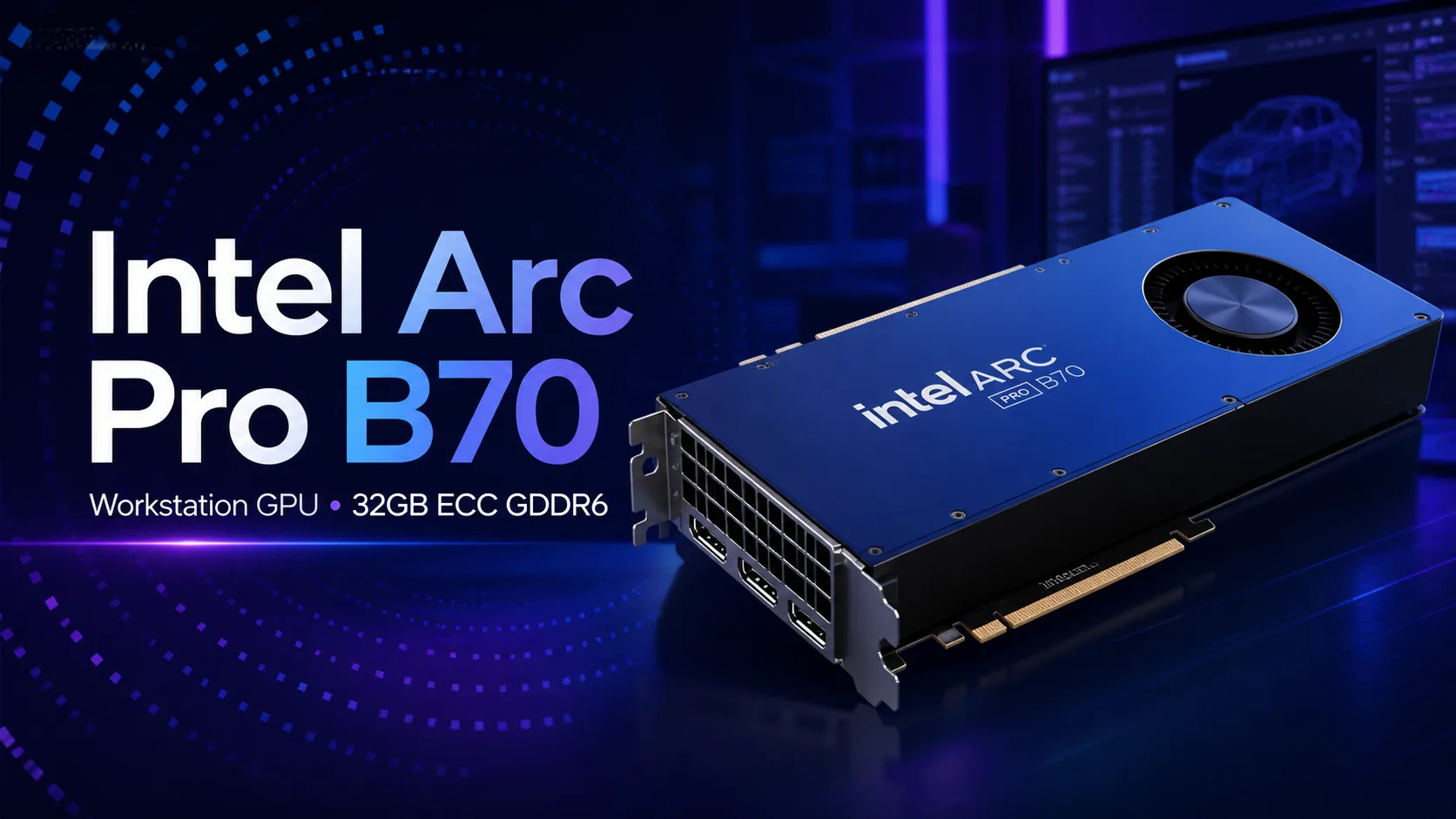
Intel Arc Pro B70 is a professional graphics card from the Battlemage generation, designed for workstations, local AI, rendering, engineering tasks, and content creation. Its main feature is 32 GB of GDDR6 video memory, a modern Xe2 architecture, and a focus on tasks where a large video buffer is more important than gaming FPS.
This is not a gaming Arc with increased memory, but a separate professional model from the Intel Arc Pro B-Series. It is particularly interesting for those who need a graphics card for AI inference, working on large projects, complex scenes, media encoding, CAD/CAM tasks, and Linux systems with multiple GPUs.
Architecture and Specifications
Intel Arc Pro B70 is built on the Xe2 architecture, also known as Battlemage. The card features 32 Xe cores, 32 ray tracing blocks, and 256 XMX engines for matrix computations. The peak FP32 performance reaches 22.94 TFLOPS, while INT8 performance for AI tasks is rated at up to 367 TOPS.
The key characteristic of this model is the 32 GB of GDDR6 memory. Unlike most mid-range and upper mid-range consumer graphics cards, the Arc Pro B70 emphasizes not only GPU speed but also a large amount of VRAM. This is especially important for local AI models, heavy 3D scenes, large textures, complex engineering projects, and work pipelines where a lack of video memory quickly becomes the main bottleneck.
| Parameter | Intel Arc Pro B70 |
|---|---|
| Architecture | Intel Xe2 / Battlemage |
| Process Technology | TSMC N5 |
| Xe Cores | 32 |
| RT Blocks | 32 |
| XMX Engines | 256 |
| FP32 | Up to 22.94 TFLOPS |
| INT8 AI | Up to 367 TOPS |
| Memory | 32 GB GDDR6 |
| ECC | Supported |
| Memory Bus | 256 bits |
| Bandwidth | 608 GB/s |
| Interface | PCIe 5.0 x16 |
| Power Consumption | Typical TBP 230 W, partner range 160-290 W |
ECC memory support is an important detail for the professional segment. It is of little significance for a home gaming PC, but in work tasks, ECC can be useful when computing stability is crucial and the risk of errors during prolonged loads needs to be minimized.
Use Cases for the Intel Arc Pro B70
The Arc Pro B70 is best utilized in scenarios where the graphics card needs to not just generate images quickly, but also process large volumes of data. This includes local AI: running language models, inference, experiments with neural networks, data processing, and workstations for developers.
32 GB of VRAM gives the card a significant advantage over models with 12-16 GB of memory if the task indeed relies heavily on the video buffer. This does not mean the Arc Pro B70 is always faster than its competitors, but it does indicate its ability to handle projects that simply do not fit or require strong compromises on graphics cards with lesser memory.
Another important area is content creation. The Arc Pro B70 supports modern media capabilities, including hardware encoding and decoding of AV1, HEVC, H.264, and VP9. This makes it interesting for video editing, media content processing, streaming, automated video conversion, and workstations where powerful media capabilities are just as important as 3D performance.
Performance in Work Tasks
In AI workloads, the Arc Pro B70 performs most compellingly. The card shines in inference scenarios and tasks where memory volume, parallel processing, and generation are crucial, rather than just the pure speed of a single GPU. The large video buffer allows for running larger models locally, and the XMX blocks provide the hardware foundation for accelerating matrix computations.
In traditional professional applications, performance is more heterogeneous. In some tasks, the Arc Pro B70 can perform very well, especially if the application works well with Intel drivers and modern APIs. In other scenarios, NVIDIA remains stronger due to its mature CUDA ecosystem, broad software support, and years of optimization for RTX cards.
Therefore, the Arc Pro B70 should be evaluated not as a universal replacement for professional NVIDIA RTX cards, but as a specialized card with a significant strength in offering 32 GB of memory, AI inference, OpenVINO, oneAPI, and modern media functionalities. It's advisable to check the support for specific applications, frameworks, and drivers for the needed operating system before purchasing.
Strengths
The main advantage of the Intel Arc Pro B70 is its combination of 32 GB of video memory and professional positioning. For tasks where memory is more important than maximum FPS, this is a significant argument. The card may be particularly interesting for those looking to build a workstation for local AI models and are not ready to pay for professional NVIDIA GPUs with comparable memory.
The second advantage is the modern Xe2 architecture. Compared to the first-generation Arc, Intel has significantly strengthened the graphics and computing components while continuing to develop drivers and professional support.
The third advantage is the media block. The support for AV1 encode/decode makes the card useful not just for 3D and AI, but also for video. For content creators, this can be as important as raw computational power.
Limitations and Controversies
The main limitation of the Arc Pro B70 is its ecosystem. NVIDIA still dominates professional graphics, machine learning, and many work applications thanks to CUDA, OptiX, mature drivers, and broad support in professional software. If the entire workflow is already built around NVIDIA, switching to Intel may require compatibility checks and software adjustments.
The second issue is performance inconsistency. A large amount of memory does not automatically make the card faster in all tasks. If a project does not hit the VRAM limit, and the application is better optimized for NVIDIA, the Arc Pro B70 may fall behind its competitors even with impressive specifications on paper.
The third issue is positioning. This is not a graphics card for the mass consumer. Its advantages are only revealed in specific work scenarios. For a typical home PC or gaming rig, such a purchase will often be excessive.
Is the Intel Arc Pro B70 Suitable for Gaming?
Technically, the Arc Pro B70 supports modern graphical APIs, including DirectX 12 Ultimate, Vulkan, and ray tracing. It can run games, but it is not advisable to buy it specifically for gaming.
In gaming, price, driver optimization, performance in specific projects, and power consumption are more crucial. The 32 GB of VRAM does not provide such an advantage in most games that would justify purchasing a professional card. For a gaming PC, it makes more sense to look at regular gaming graphics cards.
The Arc Pro B70 is a card designed not for FPS per dollar, but for work tasks, large video buffers, and professional scenarios.
Where the Arc Pro B70 Excels
| Scenario | Rating |
|---|---|
| Local AI Models | Excellent |
| AI Inference | Excellent |
| Multi-GPU Workstations on Linux | Very Good |
| Video Editing and AV1 | Good |
| 3D Scenes with Large Data Volumes | Good |
| CAD/CAM and Engineering Software | Depends on the application |
| Gaming | Possible, but not optimal |
| Typical Home PC | Excessive |
Who Should Consider the Intel Arc Pro B70
The Intel Arc Pro B70 is worth considering for AI developers, machine learning specialists, content creators, engineers, 3D artists, and users who need a workstation with a large amount of video memory. The card is particularly appealing for those working with OpenVINO, oneAPI, Linux, and are willing to check software compatibility for Intel GPUs.
Additionally, the B70 may be a good choice for small studios and labs where memory capacity per card is important. If projects regularly face limitations with 12-16 GB VRAM, transitioning to 32 GB could yield a more noticeable practical effect than simply purchasing a faster but less capacious graphics card.
Who Should Choose Another Graphics Card
If the workflow is tied to CUDA, OptiX, NVIDIA plugins, specific professional applications, or ready-made ML tools with better NVIDIA support, it’s safer to look towards RTX and professional RTX cards. These may cost more with comparable memory, but they often benefit from a mature ecosystem and predictability.
For a gaming computer, the Arc Pro B70 is also not the best option. It can run games, but its strengths lie elsewhere. A standard gaming graphics card will provide a more comprehensible ratio of price, FPS, and compatibility.
Conclusion
The Intel Arc Pro B70 is a notable entry by Intel in the professional GPU segment for AI and workstations. Its main advantage is 32 GB of GDDR6, ECC support, the Xe2 architecture, 256 XMX engines, up to 367 TOPS INT8, and a strong focus on AI inference.
This is not a universal “best card for everything,” but a specialized tool. If a large video buffer, local AI models, a Linux workstation, video processing, large scenes, or experiments with OpenVINO and oneAPI are needed, the Arc Pro B70 may be a rational choice. However, if maximum compatibility with professional software and the CUDA ecosystem is important, NVIDIA remains the safer and more familiar option.
GPU Comparison
Compare Arc Pro B70 with other GPUs
Basic
Memory Specifications
Display and Media
3x DisplayPort 2.1
Theoretical Performance
Miscellaneous
Benchmarks
Compared to Other GPU
Related GPU Comparisons


Share in social media
Or Link To Us
<a href="https://cputronic.com/gpu/intel-arc-pro-b70" target="_blank">Intel Arc Pro B70</a>