NVIDIA Tesla P40
vs
NVIDIA Tesla V100 PCIe 16 GB
GPU Comparison Result
NVIDIA Tesla P40 vs. Tesla V100 PCIe 16 GB: 24 GB of Memory or a More Powerful Architecture
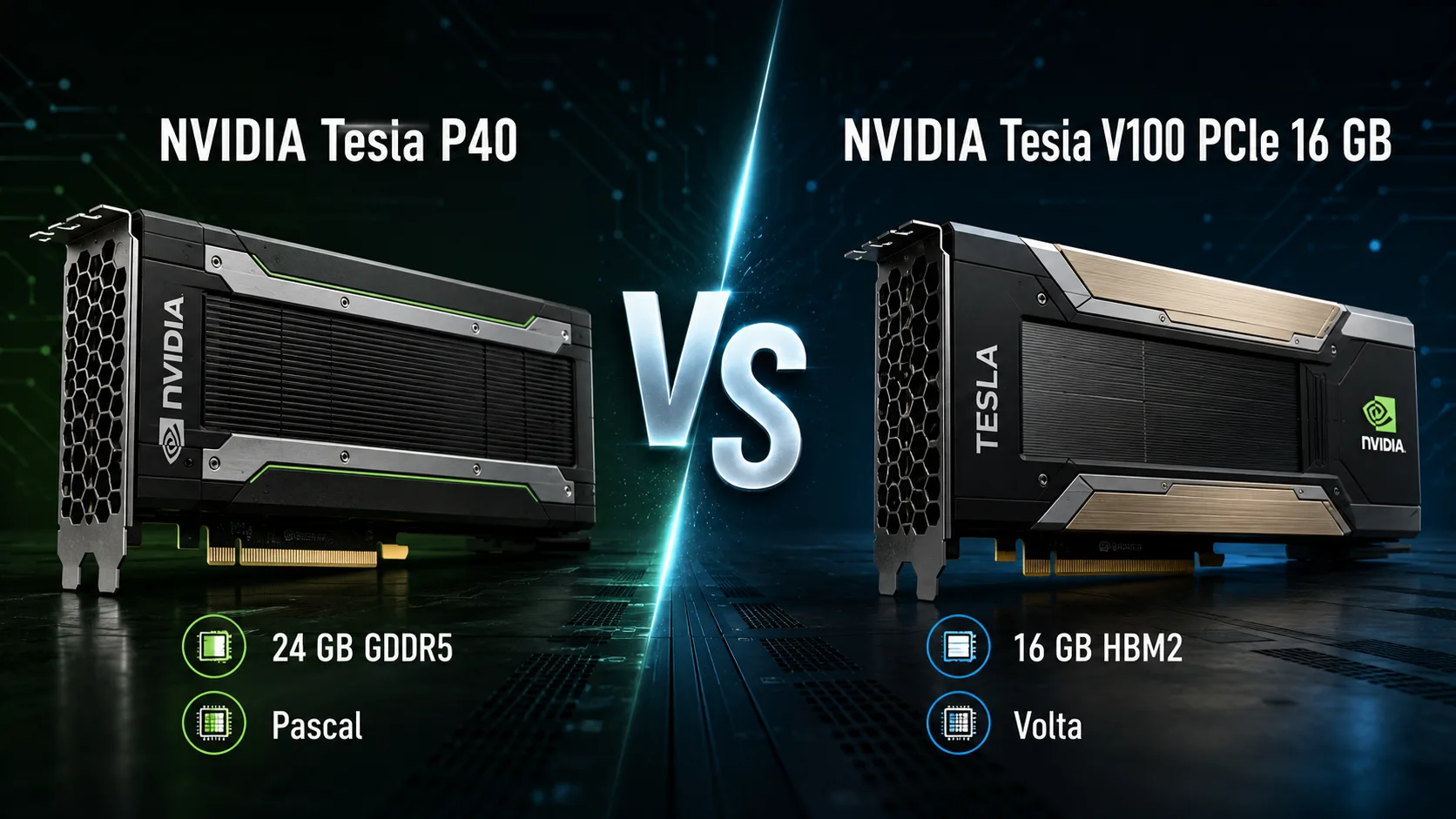
NVIDIA Tesla P40 and Tesla V100 PCIe 16 GB consume the same 250 watts but are designed for different workloads. The P40 focuses on 24 GB of memory, inference, virtualization, and video processing. The V100 offers a more advanced Volta architecture, Tensor cores, fast HBM2 memory, and full performance in scientific computing.
Thus, comparing these accelerators solely based on CUDA cores or FP32 performance is not meaningful. The P40 is chosen when the workload exceeds 16 GB of memory, while the V100 is preferred when training speed, memory bandwidth, and FP64 computation are essential.
Key Differences
| Feature | Tesla P40 | Tesla V100 PCIe 16 GB |
|---|---|---|
| Architecture | Pascal | Volta |
| CUDA Cores | 3840 | 5120 |
| Tensor Cores | No | 640 |
| Video Memory | 24 GB GDDR5 | 16 GB HBM2 |
| Bandwidth | 346 GB/s | up to 900 GB/s |
| FP32 | up to 12 TFLOPS | up to 14 TFLOPS |
| Primary Tasks | Inference, vGPU, video | AI training, HPC, CUDA |
The difference in FP32 performance is small but poorly reflects the actual performance relationship. The V100 not only has more CUDA cores but also features Tensor cores, significantly faster memory, and architectural improvements from Volta.
Pascal vs. Volta
The Tesla P40 is built on the Pascal architecture and features 3840 CUDA cores. It was designed as a server accelerator for inference, capable of serving multiple models or users simultaneously. Support for INT8 and 24 GB of memory has made it popular in machine learning systems, virtual workstations, and media servers.
The Tesla V100 utilizes the Volta architecture, 5120 CUDA cores, and 640 Tensor cores. The latter accelerate matrix computations that underlie neural network training. In mixed-precision tasks, the V100 gains advantages that are not reflected in FP32 performance alone.
The advertised 47 TOPS for the P40 and the tensor performance metrics for the V100 cannot be directly compared as they relate to different data formats. The P40 excels with optimized INT8 inference, whereas the V100 is significantly more versatile and better suited for model training.
Memory: Volume vs. Speed
The main advantage of the P40 is its 24 GB of GDDR5 memory. The additional 8 GB may be more important than a more powerful GPU if a model, scene, or data array does not fit within the memory of the V100.
This is particularly noticeable when locally running language models. Even a faster accelerator loses its advantage if part of the weights must be offloaded to RAM or distributed across multiple devices.
The V100 is limited to 16 GB, but its HBM2 provides bandwidth up to 900 GB/s-approximately 2.6 times greater than the P40. For training neural networks, processing large matrices, and scientific computations, high memory speed is often more important than its volume.
The choice here is straightforward:
- The P40 accommodates larger workloads;
- The V100 processes data faster within 16 GB;
- When memory is limited, the V100's advantage quickly diminishes.
Neural Network Training and Inference
For training models, the V100 is generally preferred as long as 16 GB is sufficient. Tensor cores, HBM2, and support for mixed precision significantly accelerate modern workloads.
The P40 is more logical for deploying already trained models. It is suitable for INT8 inference, batch request processing, and scenarios where the cost per gigabyte of video memory is critical.
In local AI systems, the choice depends on the model size. A compact model generally runs faster on the V100. However, if it doesn't fit within 16 GB, the 24 GB P40 may prove more practical, despite its older architecture and lack of Tensor cores.
Scientific Computing and CUDA
In double-precision calculations, the P40 cannot compete with the V100. The Pascal accelerator was designed for inference and graphical virtualization, not for heavy FP64 tasks.
The V100, on the other hand, is built for HPC. It is suitable for engineering simulations, computational chemistry, physics, data analysis, and other workloads requiring high double-precision performance.
In typical CUDA applications, the V100 also tends to be faster due to its more powerful GPU and high memory bandwidth. The exception occurs when the working set requires more than 16 GB.
Rendering
In CUDA rendering, the V100 is generally faster than the P40 when the scene fits into memory. However, both cards lack RT cores, resulting in a performance disadvantage compared to newer RTX accelerators in ray tracing engines.
The P40 may excel in large scenes that exceed 16 GB, where additional memory is more critical than speed: either the entire scene fits into the GPU, or the renderer has to resort to a slower out-of-core mode.
Before purchasing, it's wise to check the support for the specific engine. Older Tesla cards may not be compatible with all recent software versions and drivers.
Video and Virtualization
The P40 was designed not only for computations but also works well for virtual workstations, remote desktops, transcoding, and server video processing.
For the V100, these tasks are secondary. Buying it for video encoding or vGPU purposes is usually impractical, as much of the cost is tied up in its computation architecture, Tensor cores, and HPC capabilities.
Installation in a Regular Computer
Both cards use passive cooling and are designed for server airflow. In a standard case without directed airflow, they can quickly overheat and throttle.
Before buying, consider:
- The absence of built-in fans;
- Lack of video outputs;
- Power connector specifications;
- Length and dual-slot form factor;
- Driver and software compatibility;
- Power consumption up to 250 watts.
A low price on the secondary market does not guarantee ease of installation. A powerful power supply, ducting, or additional fans and a case with good ventilation are required for stable operation.
What to Check When Buying
The Tesla P40 and V100 have long been sold primarily on the secondary market. Their condition depends on usage conditions, temperature, and duration of operation in a server.
Before purchasing, it's advisable to check:
- Card detection in the system;
- Memory volume and errors;
- Stability under prolonged load;
- Operating temperatures;
- Absence of throttling;
- Compatibility with the required CUDA version;
- Support for the card with the chosen framework or renderer.
Typically, the V100 is noticeably more expensive than the P40. The markup is justified for training neural networks, FP64, and heavy computing but may not always make sense for simple inference.
What to Choose
Consider the Tesla P40 if:
- More than 16 GB of video memory is required;
- The primary task is inference;
- Large local models are being run;
- Virtualization is utilized;
- Video processing and transcoding are important;
- The cost per gigabyte of memory is critical.
The Tesla V100 PCIe 16 GB is better if:
- Neural network training is planned;
- Tensor cores are needed;
- Mixed precision is utilized;
- Scientific calculations are performed;
- FP64 performance is important;
- The workload fits within 16 GB.
Conclusion
The Tesla V100 PCIe 16 GB is a faster and more versatile compute accelerator. It is significantly better suited for neural network training, scientific computations, and heavy CUDA tasks.
Choosing the Tesla P40 makes sense for 24 GB of memory, affordable inference, virtualization, or video processing. If the workload fits within 16 GB, the V100 is almost always preferable. However, if the model or scene exceeds this volume, the additional 8 GB from the P40 may be more valuable than all the computational power of Volta.
Advantages
- Higher Boost Clock: 1531MHz (1531MHz vs 1380MHz)
- Larger Memory Size: 24GB (24GB vs 16GB)
- Higher Bandwidth: 897.0 GB/s (694.3 GB/s vs 897.0 GB/s)
- More Shading Units: 5120 (3840 vs 5120)
- Newer Launch Date: June 2017 (September 2016 vs June 2017)
Basic
Memory Specifications
Display and Media
Theoretical Performance
Miscellaneous
Benchmarks
Related GPU Comparisons


Share in social media
Or Link To Us
<a href="https://cputronic.com/gpu/compare/nvidia-tesla-p40-vs-nvidia-tesla-v100-pcie-16-gb" target="_blank">NVIDIA Tesla P40 vs NVIDIA Tesla V100 PCIe 16 GB</a>