NVIDIA Tesla P40
vs
NVIDIA Tesla P100 PCIe 16 GB
GPU Comparison Result
NVIDIA Tesla P40 vs Tesla P100 PCIe 16 GB: Which is Better for AI, Rendering, and Computation
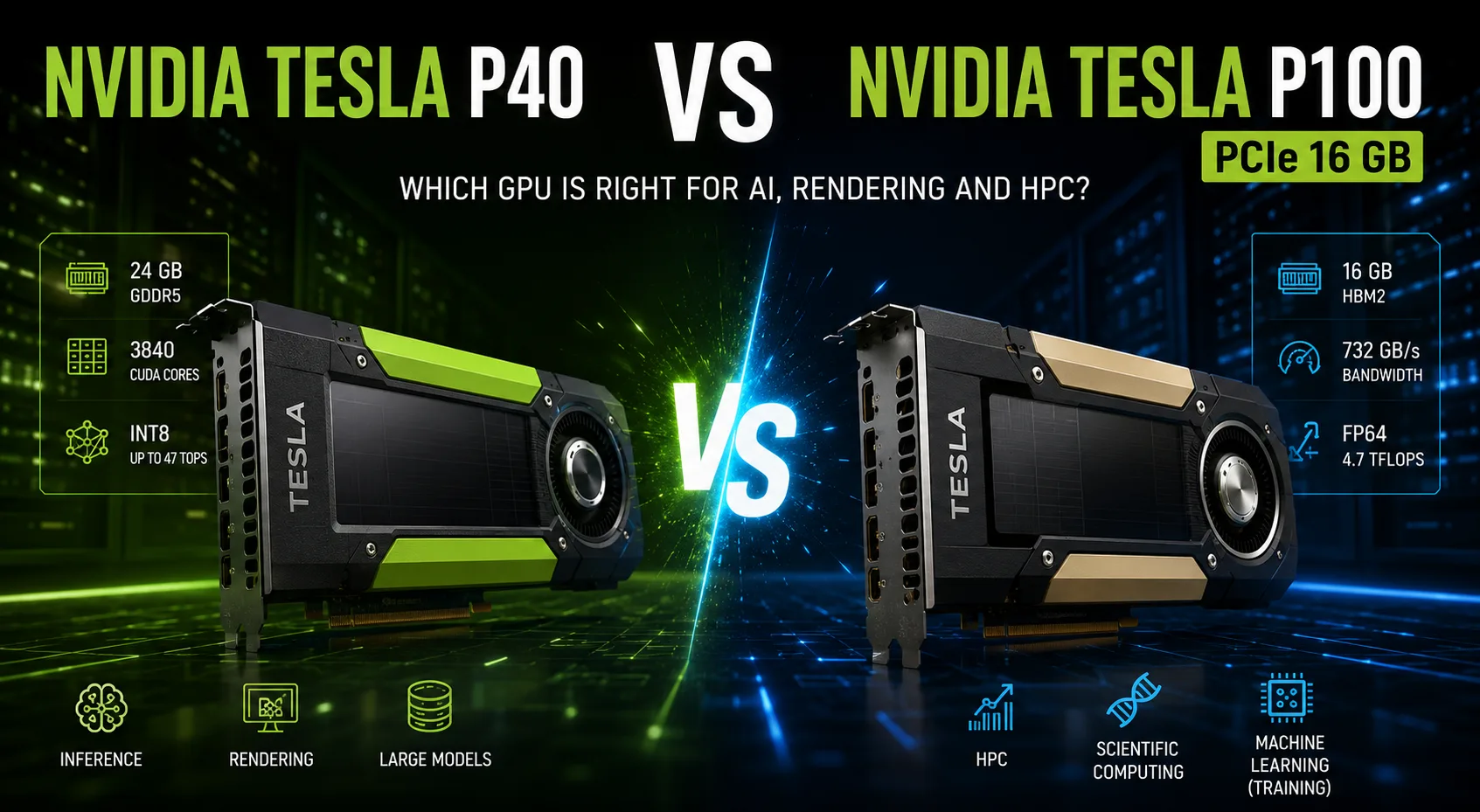
NVIDIA Tesla P40 and Tesla P100 belong to the Pascal generation but were designed for different tasks. The P40 is aimed at inference, virtualization, and single-precision calculations. The P100 is a specialized HPC accelerator featuring fast HBM2 memory, high FP64 performance, and accelerated FP16 computations.
Therefore, the larger number of CUDA cores in the P40 does not inherently make it a more powerful card in all scenarios.
Key Differences
| Feature | Tesla P40 | Tesla P100 PCIe 16 GB |
|---|---|---|
| CUDA Cores | 3840 | 3584 |
| Video Memory | 24 GB GDDR5 | 16 GB HBM2 |
| Bandwidth | 346 GB/s | 732 GB/s |
| FP32 | about 12 TFLOPS | about 9.3 TFLOPS |
| FP64 | severely limited | about 4.7 TFLOPS |
| FP16 | no noticeable speedup | about 18.7 TFLOPS |
| INT8 | up to 47 TOPS | not a primary mode |
| TDP | 250 W | 250 W |
Where the Tesla P40 Excels
The Tesla P40 offers 3840 CUDA cores, 24 GB of memory, and higher peak FP32 performance.
The main practical advantage is the volume of video memory. The additional 8 GB allows for larger models, scenes, and datasets to be accommodated. This is beneficial for rendering, image processing, and running neural networks that do not fit into 16 GB.
The P40 also supports INT8 acceleration up to 47 TOPS. Therefore, it is better suited for inference tasks where a pre-trained model processes a large number of requests.
Strengths of the P40:
- 24 GB of video memory;
- high FP32 speed;
- INT8 acceleration;
- rendering large scenes;
- inference without Tensor Cores.
Why the P100 is Faster in HPC
The Tesla P100 uses HBM2 memory with a bandwidth of 732 GB/s-more than twice that of the P40. This is particularly important in tasks where the GPU is constantly transferring large amounts of data between memory and computing units.
High bandwidth is beneficial in linear algebra, simulations, engineering calculations, and scientific applications. In algorithms limited by memory speed, the P100 may outperform the P40 despite its lower peak FP32 performance.
The main advantage of the P100 is its full double-precision speed. It delivers about 4.7 TFLOPS of FP64, whereas the P40's performance in this mode is severely curtailed. In scientific and engineering programs, this difference can be measured in multiples rather than percentages.
The P100 is significantly preferable for:
- physical and climate simulations;
- computational chemistry;
- engineering analysis;
- financial modeling;
- scientific calculations in FP64;
- algorithms sensitive to memory speed.
What to Choose for Neural Networks
Both cards were released before Tensor Cores, so they significantly lag behind modern accelerators in current AI workloads.
The P100 is better suited for model training due to its fast HBM2 and high FP16 speed. The P40 is more logical to use for inference, especially when 24 GB of memory or INT8 is important.
However, the outcome greatly depends on the software. Modern frameworks are increasingly optimized for Tensor Cores, BF16, and newer architectures, so the potential of Pascal is not realized in all tasks.
Rendering and CUDA
In rendering and general CUDA computations, the P40 often appears more attractive. It excels where performance is defined by the number of FP32 operations and the available memory.
The P100 can pull ahead if the application is constrained by data transfer rates. Therefore, the final decision depends on the specific workload: the P40 is stronger in compute-intensive FP32 tasks, while the P100 is better in memory-intensive algorithms.
Both cards use passive cooling and require a strong directed airflow. In a typical case without separate cooling, they overheat quickly. There are also no video outputs, making these accelerators impractical for a gaming computer.
Is It Worth Buying Them Today?
Both models are outdated and do not support Tensor Cores. They should primarily be considered on the secondary market and only for specific tasks.
The Tesla P40 is interesting for its 24 GB of video memory, inexpensive inference, and rendering. The Tesla P100 retains value where FP64, FP16, and high HBM2 bandwidth are required.
When purchasing, it is also necessary to consider the condition of the card, compatibility with drivers, power requirements, and the need for separate cooling.
Conclusion
The Tesla P40 is better suited for inference, rendering, and tasks that require 24 GB of video memory. Its advantages include high FP32 speed, INT8 support, and greater memory capacity.
The Tesla P100 PCIe 16 GB is significantly stronger in HPC, FP64, FP16, and workloads that depend on memory bandwidth. HBM2 and full double-precision units make it a specialized accelerator for scientific and engineering calculations.
P40 is the choice for memory capacity and FP32/INT8. P100 is a tool for tasks where calculation accuracy and data transfer speed are more critical.
Advantages
- Higher Boost Clock: 1531MHz (1531MHz vs 1329MHz)
- Larger Memory Size: 24GB (24GB vs 16GB)
- More Shading Units: 3840 (3840 vs 3584)
- Newer Launch Date: September 2016 (September 2016 vs June 2016)
- Higher Bandwidth: 732.2 GB/s (694.3 GB/s vs 732.2 GB/s)
Basic
Memory Specifications
Display and Media
Theoretical Performance
Miscellaneous
Benchmarks
Related GPU Comparisons


Share in social media
Or Link To Us
<a href="https://cputronic.com/gpu/compare/nvidia-tesla-p40-vs-nvidia-tesla-p100-pcie-16-gb" target="_blank">NVIDIA Tesla P40 vs NVIDIA Tesla P100 PCIe 16 GB</a>