Intel Core i7-13620H
Intel Core i7-13620H: Ten Cores That Need a Good Laptop
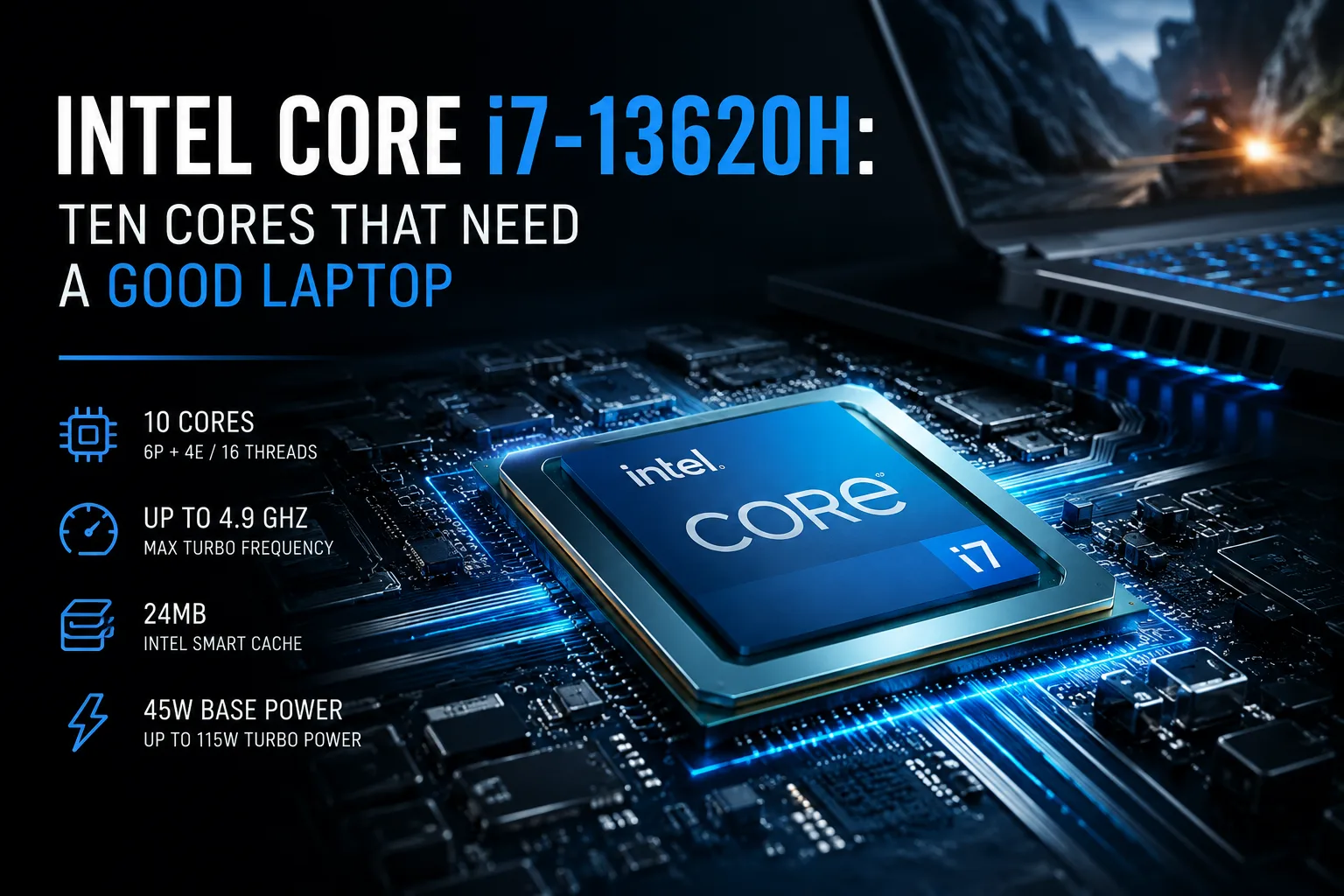
The Intel Core i7-13620H is often found in mid-range gaming and performance laptops. It features ten cores, 16 threads, and a frequency of up to 4.9 GHz, but the Core i7 designation doesn't guarantee anything on its own. Final performance heavily relies on power limits, cooling, and the specific model’s settings.
In terms of configuration, the Core i7-13620H is much closer to the Core i7-12650H than to the higher-end Core i7-13700H. It has six performance P-cores and four efficient E-cores, whereas the Core i7-13700H has twice as many E-cores.
This processor belongs to the mobile Raptor Lake family, has 24 MB of Level 3 cache, and is rated for a base power of 45W. Under short-term load, consumption can rise significantly, which means the same chip can show noticeably different results in different laptops.
Between Core i5 and Higher Core i7
The position of the Core i7-13620H is best seen when compared to neighboring models.
| Processor | P-Cores | E-Cores | Threads | Max Frequency | Cache |
|---|---|---|---|---|---|
| Core i5-13420H | 4 | 4 | 12 | 4.6 GHz | 12 MB |
| Core i7-13620H | 6 | 4 | 16 | 4.9 GHz | 24 MB |
| Core i7-13700H | 6 | 8 | 20 | 5.0 GHz | 24 MB |
Against the Core i5-13420H, the advantages are significant: two additional P-cores, four more threads, and double the cache. This is noticeable in compilation, video processing, multitasking, and CPU-intensive games.
The gap with the Core i7-13700H depends on the workload. In applications where fast P-cores are important, it may be moderate. However, in long rendering, encoding, and other well-parallelizable tasks, the additional E-cores of the higher model provide a more noticeable advantage.
In Games, the Graphics Card is More Important
The six P-cores of the Core i7-13620H are sufficient for most modern games. The twelve threads from the performance cluster handle the main workload, while the four E-cores can take care of background processes, system services, and concurrently running applications.
In laptops with GeForce RTX 4050 or RTX 4060, the processor typically does not become the main limitation. Factors that affect frame rates much more strongly include:
- Graphics card power;
- Cooling quality;
- Laptop operating mode;
- RAM configuration;
- Manufacturer limits on temperature and power consumption.
Thus, a laptop with a Core i7-13620H and a full-fledged RTX 4060 could outpace a model with a more expensive processor but a cut-down graphics card. When selecting a gaming system, the focus should initially be on the GPU and its power limit, and only then on the central processor's name.
Exceptions may include competitive games requiring very high frame rates, complex strategies, and simulators. In these scenarios, the performance of the CPU and memory is more pronounced.
Is it Suitable for Work?
The Core i7-13620H handles video editing, photo processing, programming, engineering applications, and running virtual machines well. The six P-cores provide good speed in active tasks, while the four E-cores assist when multiple programs run simultaneously.
The processor is suitable for:
- Video editing in Full HD and 4K;
- Working in Photoshop and Lightroom;
- Developing and compiling medium projects;
- Running multiple virtual machines;
- Occasional rendering;
- Heavy office multitasking.
For continuous rendering, prolonged video encoding, and large software builds, the Core i7-13700H, Core i9, or HX series processors are better choices. However, for mixed workloads, the Core i7-13620H remains fast enough and does not require an extra expense for higher models.
It should be noted that performance under prolonged usage directly depends on the laptop itself. In a hefty gaming model, the processor can sustain high frequencies for longer. In a slim chassis, it may quickly hit thermal or power limits.
Integrated Graphics Not for Gaming
The processor features Intel UHD Graphics with 64 execution units. Its capabilities are adequate for desktop use, video playback, office applications, and less demanding games, but modern projects will require a discrete graphics card.
The built-in Intel Quick Sync Video media engine is far more useful. It can accelerate video decoding, encoding, and conversion in supported programs, offloading some of the burden from the processing cores.
Additionally, the integrated graphics allow the laptop to disable the discrete GPU under light loads. This reduces power consumption and improves battery life.
What About AI and Machine Learning?
The Core i7-13620H lacks a dedicated NPU, found in newer Intel Core Ultra processors. It includes Intel DL Boost and a Gaussian & Neural Accelerator, but these do not convert the chip into a fully-fledged platform for local AI tasks.
To run neural networks and machine learning, the discrete graphics card and the amount of its memory are more critical. A laptop with a Core i7-13620H and a GeForce RTX 4060 will be significantly more useful for such tasks than a model with a newer processor but lacking a suitable GPU.
The processor itself is suitable for data preparation, working with Python, launching IDEs, compiling libraries, and executing small models on the CPU. For generative neural networks, training, and serious inference, the main burden still falls on the graphics card.
Almost the Same as Core i7-12650H
The Core i7-13620H and Core i7-12650H use the same configuration: six P-cores, four E-cores, 16 threads, and 24 MB of cache. The newer model has slightly higher frequencies, but there’s no architectural jump between them.
Thus, upgrading from a laptop with a Core i7-12650H solely for the Core i7-13620H is pointless. The differences in cooling, graphics cards, memory, and displays of specific devices will be more important than a minor increase in frequency.
However, paying more relative to the Core i5-13420H can be justified. Additional P-cores and increased cache are beneficial in work applications, multitasking, and CPU-dependent games.
What to Look For When Buying
The Core i7-13620H cannot be assessed separately from the laptop. The processor's name only indicates a potential level of performance, but it does not show how much power the manufacturer will actually allow it to use.
Before purchasing, it’s essential to check:
- Long-term test results, not just short benchmarks;
- CPU temperatures under load;
- Noise levels;
- Discrete graphics card power;
- The possibility of installing two memory modules;
- Frequency reduction under concurrent CPU and GPU load.
Particularly important is the last factor. In gaming laptops, the CPU and GPU share the same cooling system. A model may perform well in a processor-only test but lose performance in a game when both components heat up.
Conclusion
The Intel Core i7-13620H is best chosen in laptops with proper cooling and graphics cards like the GeForce RTX 4050 or RTX 4060. It’s suitable for gaming, video editing, development, multitasking, and occasional heavy computational tasks.
The added cost compared to the Core i5-13420H makes sense when additional P-cores and large cache are genuinely needed. It is not worth overpaying for just the Core i7 label, and switching from a Core i7-12650H to a Core i7-13620H is almost pointless.
The primary limitation remains not the processor itself but the specific implementation of the laptop. Good cooling and reasonable power limits are more crucial than a few hundred megahertz and a fancy name on the sticker.
CPU Comparison
Compare Core i7-13620H with other CPUs
Basic
CPU Specifications
Memory Specifications
GPU Specifications
Benchmarks
Compared to Other CPU
Related CPU Comparisons




Share in social media
Or Link To Us
<a href="https://cputronic.com/en/cpu/intel-core-i7-13620h" target="_blank">Intel Core i7-13620H</a>