AMD Ryzen 5 PRO 8500GE
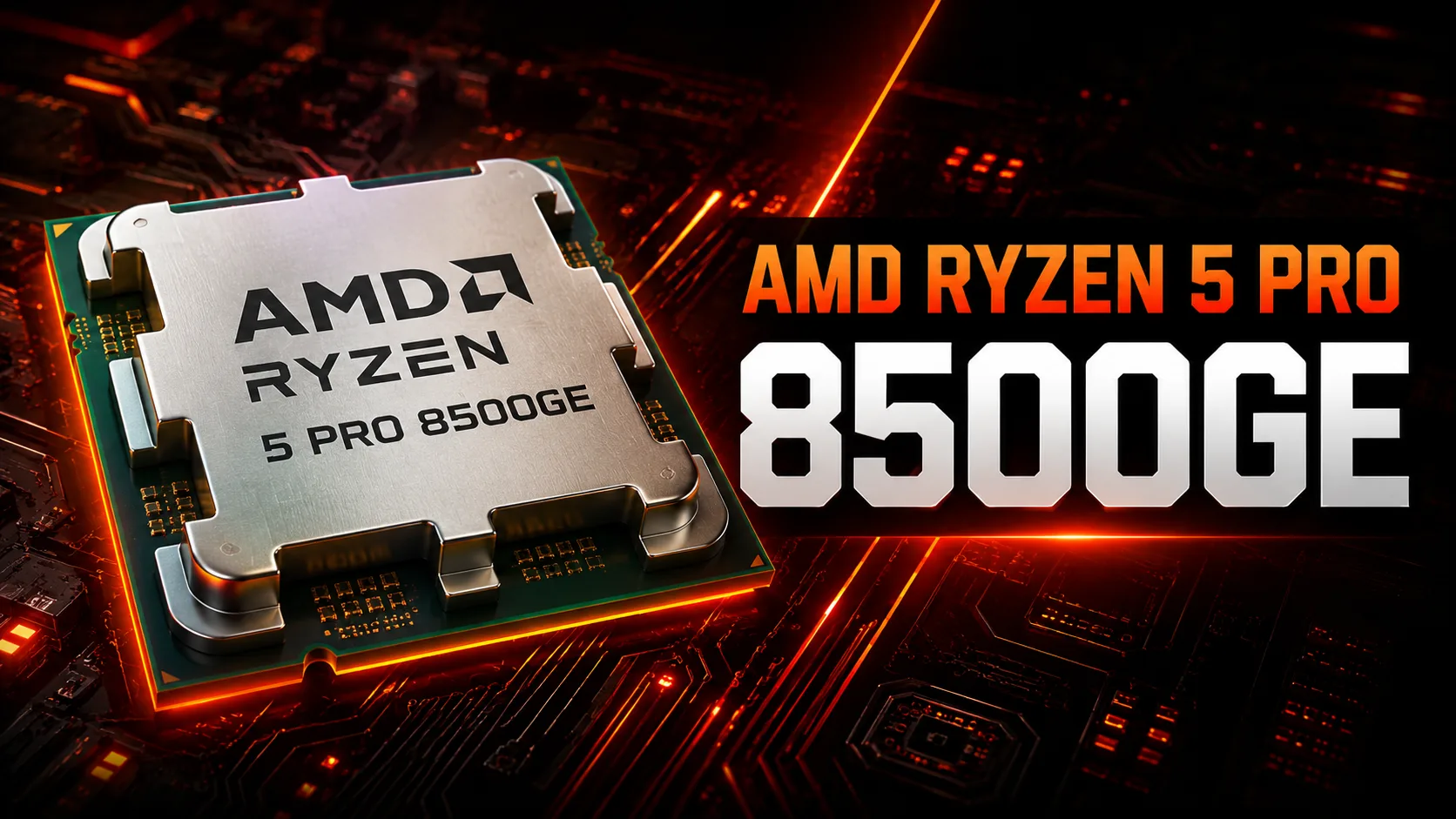
AMD Ryzen 5 PRO 8500GE: An Effective Workhorse for Business and Everyday Use (June 2025)
In the dynamic world of mobile processors, where the balance between performance, power consumption, and cost plays a key role, models from the AMD Ryzen PRO series occupy a special niche. They are targeted at corporate users and those who value stability, security, and manageability without sacrificing modern performance. One such intriguing representative from mid-2024, still relevant and in demand at the beginning of summer 2025, is the AMD Ryzen 5 PRO 8500GE. Let's take a closer look at what this processor is, who it is suited for, and what it can do.
1. Heart of the System: Phoenix2 Architecture and 4nm Process
-
Zen 4 and Zen 4c: Hybrid Approach: The Ryzen 5 PRO 8500GE is based on the hybrid architecture of Zen 4 + Zen 4c (codename Phoenix2). Unlike the fully "big" Zen 4 cores in higher models, here it uses a combination:
-
2 "Big" Zen 4 Cores: Designed for tasks with high IPC (Instructions Per Cycle) and single-threaded performance. They have full L2 cache (1MB per core).
-
4 "Dense" Zen 4c Cores: Optimized for efficiency and die density. They have slightly smaller L2 cache (512KB per core) but maintain compatibility with the Zen 4 instruction set. Their task is to handle background and multi-threaded tasks effectively.
-
Total Cores and Threads: 6 physical cores (2P + 4E) and 12 logical threads thanks to Simultaneous Multithreading (SMT).
-
Clock Frequencies:
-
Base frequency (Performance-core Base): 3.4 GHz. This is the guaranteed frequency for all cores under sustained stable load while complying with TDP.
-
Max Turbo frequency (Performance-core Max Turbo): Up to 5.0 GHz. This frequency can be reached by one or two "big" Zen 4 cores for short intervals when there is headroom in temperature and power. Zen 4c cores can also boost, but their maximum frequency is usually lower (~3.7-4.0 GHz).
-
Cache Memory: A substantial 16 MB L3 cache, shared across all cores. This is critically important for performance, especially in games and applications sensitive to memory latency.
-
Process Technology: Manufactured using the advanced TSMC 4nm FinFET process. This ensures high transistor density and excellent energy efficiency.
-
Integrated Radeon 740M Graphics: One of the key components of Phoenix2. The graphics are based on the RDNA 3 architecture.
-
Computing Units: 4 (256 stream processors).
-
Frequency: The operating frequency typically ranges from 1.5 to 2.5 GHz, dynamically adjusted.
-
Technologies: Support for DirectX 12 Ultimate, Vulkan, modern video encoding/decoding (AV1, H.264, H.265/HEVC), and AMD FidelityFX Super Resolution (FSR) energy-saving technologies. This is a significant step forward compared to iGPUs of previous generations.
2. Power Consumption and TDP: Fine-Tuning the Balance
-
TDP 35W: This is a classic metric for "high efficiency" (High-Performance Mobile) processors. It indicates the estimated thermal power that the laptop's cooling system must dissipate under sustained load.
-
cTDP Range: In practice, laptop manufacturers can adjust the actual consumption limit (cTDP) within a specific range (usually from 25-30W to 45-54W for Phoenix2). This impacts the overall performance:
-
~25-30W: Optimal for thin and light ultrabooks. Performance will be slightly below the stated maxima, but it will provide better battery life and quieter operation.
-
~35-45W: Typical for business laptops with more efficient cooling systems (e.g., Lenovo ThinkPad T-series, HP EliteBook 800 G10 series). This allows the processor to operate at high frequencies more frequently and for longer periods.
-
>45W: Rare for this chip, possibly in some compact workstations or multimedia laptops.
-
Efficiency: The 4nm process and hybrid Zen 4c architecture make this 35-watt chip very efficient, especially in tasks involving energy-efficient cores.
3. Real-World Performance: From the Office to Light Gaming
Geekbench 6 scores (Single Core ~2558, Multi Core ~8777) provide a good idea of the potential, but how does it perform in practice?
-
Office Work and Multitasking: Absolutely comfortable. The Ryzen 5 PRO 8500GE easily handles heavy browser tabs (dozens), office suites (Microsoft 365, Google Workspace), messengers, email clients, and even light photo editing (Adobe Lightroom, Affinity Photo) simultaneously. SMT and 6 cores ensure smooth multitasking.
-
Multimedia: Hardware decoding of AV1/H.265 allows for 4K video playback without CPU load and minimal battery drain. Light video editing in 1080p (DaVinci Resolve, Premiere Pro - simple projects) is possible, but for serious work, it’s better to consider processors with more powerful iGPUs or discrete graphics. Audio processing and music streaming cause no issues.
-
Gaming on iGPU Radeon 740M: This is a strong point of Phoenix2 compared to competitors in its TDP class.
-
eSports: Ideal for CS2, Dota 2, League of Legends, Valorant, Rocket League, Overwatch 2. On low to medium settings (often at 1080p), you can expect stable 60+ FPS, and in less demanding games (Minecraft Java/Bedrock, Terraria, Stardew Valley) - even hundreds of frames.
-
Modern AAA Projects: Significant compromises are required. Using FSR (Quality/Balanced) and Low/Medium settings at 720p or 900p can achieve playable 30-45 FPS in many games released in 2023-2024 (e.g., Hogwarts Legacy, Elden Ring). Comfortable AAA gaming requires a discrete graphics card.
-
Older and Indie Games: An excellent platform.
-
Turbo Mode (Precision Boost): The system responds instantly to spikes in load. When opening an application, rendering a webpage, or compiling code, one or two Zen 4 cores can "jack up" to 5.0 GHz, providing quick responsiveness. In multi-threaded tasks (rendering, encoding), all cores operate at increased frequencies (typically in the range of 3.8-4.5 GHz for P-cores and 3.0-3.6 GHz for E-cores) until the TDP or temperature limit is reached. In well-cooled laptops (cTDP 45W+), turbo mode can be maintained longer.
4. Use Cases: Who Needs the Ryzen 5 PRO 8500GE?
This processor is not a niche product, but an excellent all-rounder with a focus on business and reliability:
-
Business Users (Primary Target Audience for PRO): Office workers, managers, IT administrators, financial analysts. They value stability, built-in security features (see below), manageability, long battery life, and sufficient performance for all work tasks.
-
Students and Educators: Ideal for studying: writing papers, research, online courses, programming (Python, Java, web development), light creativity. The powerful iGPU allows for switching to games as well.
-
Home PC Users: For those who need a reliable, fast, and energy-efficient laptop for surfing, social media, content consumption (video, music), communication, document work, and light gaming. An excellent choice for a family laptop.
-
Mobile Professionals (Freelancers): Writers, journalists, consultants, designers (entry-level, web/UI), programmers (not requiring heavy compilation). A balance of portability and performance.
Who is it NOT for?
-
Hardcore Gamers: A laptop with a discrete RTX 4050/4060 or higher is required.
-
Professional Designers/Video Editors: For working with heavy 3D models, 4K/8K video, complex effects in After Effects, H-series processors (45W+) and discrete graphics (RTX A-series, GeForce RTX/Pro, Radeon Pro) are needed.
-
Engineers working with CAD/CAM/CAE: Specialized mobile workstations with Xeon/WRX or Ryzen PRO HX and Quadro/Radeon Pro are required.
5. Battery Life: Long Hours Without a Socket
Energy efficiency is a strong suit of the Ryzen 5 PRO 8500GE:
-
Impact on Working Time: In laptops with large batteries (50-75 Wh) and quality optimization (for example, business models from Lenovo, HP, Dell), achieving 8-12+ hours of work under office load (screen brightness ~150-200 nits, Wi-Fi enabled) is easy. When watching video (local, online) - 6-10 hours.
-
Energy-Saving Technologies:
-
Hybrid Architecture: Background tasks are automatically directed to energy-efficient Zen 4c cores.
-
Adaptive Frequency Management (Precision Boost): Frequencies and voltage are dynamically adjusted to the load in real time.
-
Idle States (C-states): Deep sleep states for inactive cores.
-
Efficient iGPU: The Radeon 740M consumes less power decoding video than the CPU does and has its own power-saving states.
-
OS Integration: Close collaboration with Windows 11/Linux drivers for optimal task distribution and power management.
-
AMD PowerNow! / Cool'n'Quiet: Outdated terms, but the principle (dynamic frequency/voltage management) remains.
-
Role of the Cooling System: An effective cooler allows the processor to operate at high frequencies without overheating and throttling (frequency reduction), which indirectly affects performance under load but does not always directly impact peak battery life in light tasks.
6. Comparison with Competitors: The Battlefield in 35W
-
AMD Ryzen 5 8500G (Non-PRO): The closest "civilian" analog. Identical in cores, frequencies, cache, and iGPU. The key difference is the absence of PRO features (security, manageability, ECC RAM support). Commonly found in consumer laptops and can be slightly cheaper. Great for home use. Better for business is the PRO.
-
AMD Ryzen 5 7530U (Previous Generation, Zen 3/Barcelo Refresh): 6 cores/12 threads Zen 3, iGPU Vega 7. Lags in single-threaded performance (by 15-20%), energy efficiency (6nm vs 4nm), and critically, iGPU power (Vega 7 is 50-70% weaker than Radeon 740M!). Prices for laptops with 7530U are now attractive (~$500-$650), but 8500GE offers a noticeable increase.
-
Intel Core Ultra 5 125U (Meteor Lake): The main competitor in this TDP segment. Also features a hybrid architecture (2P + 8E + 2LP-E), iGPU Arc (8 Xe-cores). Pros: Very strong AI performance (NPU), sometimes slightly better iGPU performance in some new APIs (DX12 Ultimate) or with XeSS support. Cons: In real games, the Radeon 740M often shows comparable or slightly better performance, especially in DX11/OpenGL. Single-threaded performance of the Ryzen 5 PRO 8500GE is usually 5-10% higher. Peak consumption may be higher with Intel. Laptops with Core Ultra 5 125U are similarly priced ($700-$1000).
-
Apple M3 (in MacBook Air): Comparison is conditional due to different OS and architecture. Pros of M3: Phenomenal energy efficiency (18-20 hours of battery life), better performance per watt, excellent macOS optimization. Cons: Price (MacBook Air with M3 starts around ~$1100), no upgrade potential, limited gaming library (especially Windows games without cloud/emulation). Ryzen 5 PRO 8500GE excels in: Laptop price (significantly cheaper), support for Windows/Linux, gaming capabilities on iGPU (more compatible games), upgradeability of RAM/SSD (in most laptops). Choosing between them is a question of ecosystems and priorities (battery life/macOS ecosystem vs price/upgrade/gaming/Windows).
7. Pros and Cons of Ryzen 5 PRO 8500GE
Pros:
-
Excellent Price/Performance/Efficiency Balance: Best ratio in its TDP class at the time of release, remains relevant.
-
Powerful Integrated Graphics (Radeon 740M): Class-leading iGPU for light and moderate gaming, significantly outpacing Intel UHD/Iris Xe and previous AMD Vega/RDNA 2 generations.
-
High Energy Efficiency: Amazing battery life in thin and business laptops due to 4nm and hybrid architecture.
-
PRO Features (Key Advantage): Hardware security (Pluton, Memory Guard), remote management (DASH), support for ECC RAM (in supported models), extended warranty and stability - critical for business.
-
Good Single-Threaded and Multi-Threaded Performance: Sufficient for the overwhelming majority of everyday and work tasks.
-
Modern Technologies: Support for PCIe 4.0, DDR5/LPDDR5x, USB4 (often implemented), Wi-Fi 6E/7, AV1 decoding.
Cons:
-
Limited Performance Ceiling: Compared to 45-54W H-series or HX, maximum performance under sustained load is lower.
-
Not for Heavy Loads: Not suitable for professional 3D work, heavy video editing, or complex engineering calculations.
-
Dependency on Cooling and cTDP Settings: Actual performance in a laptop can vary considerably from model to model. In thin ultrabooks with poor cooling, it may throttle.
-
PRO Features Unnecessary for Home Users: Paying a premium for PRO makes sense only in a business environment or if ECC memory is needed (rare for laptops).
-
Relatively Small Gain over Predecessor in CPU: IPC gain of Zen 4 over Zen 3 exists, but the main breakthrough is in iGPU and efficiency.
8. Recommendations for Choosing a Laptop with Ryzen 5 PRO 8500GE
- Device Type:
-
Business Laptops (Ideal): Lenovo ThinkPad T14/T14s Gen 5, HP EliteBook 845/865 G10, Dell Latitude 5445/5545. Best cooling systems, build quality, keyboards, ports, PRO features fully implemented. Price: $900 - $1300.
-
Thin and Light Ultrabooks: Acer Swift Edge 16 (SFE16-43), ASUS Zenbook 14 OLED (UM3406), HP Pavilion Plus 14. Focus on portability and design. Check reviews for the cooling quality of the specific model! Price: $750 - $1000.
-
Consumer Versatile Models: Lenovo Yoga Slim/IdeaPad Slim, ASUS Vivobook Pro/Vivobook S, HP Envy x360. Good balance of price and capabilities. Price: $650 - $900.
-
Avoid: Gaming laptops and mobile workstations - they use more powerful processors (H/HX series).
- What to Pay Attention to:
-
RAM: 16 GB is the absolute minimum in 2025. Ideally, 16 GB LPDDR5x (faster and more energy-efficient). DDR5 is also good. Upgradeability is a plus (but in many ultrabooks, memory is soldered).
-
Storage: Must have NVMe PCIe 4.0 SSD. Size starting from 512 GB (preferably 1 TB).
-
Display: Priority is good color reproduction (sRGB 100% or close) and brightness (minimum 300 nits, better 400+). IPS or OLED. Full HD resolution (1920x1200) is optimal; 2.8K/3K is better but affects battery life. For gaming on iGPU, a high refresh rate (90/120 Hz) is welcomed.
-
Cooling: Read reviews! A dual-fan system or one powerful fan with thick heat pipes is preferred. Check tests for noise and throttling under load.
-
Battery: The larger the capacity (Wh), the better. Minimum - 50 Wh; ideally - 60-75 Wh.
-
Ports: USB4/Thunderbolt 4 (very desirable for the future), USB-A, HDMI 2.1/DisplayPort, 3.5 mm. For business - RJ-45 (LAN) or a dock included.
-
PRO Features: Ensure that the stated features (Pluton, Memory Guard, DASH) are indeed supported in the specific laptop model and are needed by you.
9. Final Conclusion: A Versatile Business Champion with Excellent iGPU
The AMD Ryzen 5 PRO 8500GE is not a record-breaking processor but a prime example of balanced engineering. It fits perfectly into the niche of professional ultrabooks and business laptops where the demand for:
-
Sufficient Power: Easily handles office applications, multitasking, web development, and light creativity.
-
Phenomenal Energy Efficiency: Guarantees long operation without a socket - a key requirement for mobile professionals.
-
Class-Leading iGPU: Allows for not just working but also comfortably playing in low-demand and many popular games without a discrete graphics card - a unique advantage.
-
Corporate Reliability and Security: Hardware PRO features provide IT departments with control and protection of data.
-
Attractive Laptop Price: Allows for obtaining a modern, well-equipped business laptop in the range of $800-$1200, significantly cheaper than solutions with discrete graphics or top-tier processors.
Who is it suitable for? Employees of companies, freelancers, students, and anyone looking for a reliable, fast, portable, and versatile laptop capable of occasionally indulging in gaming without overpaying for excess power or discrete graphics. If your tasks lie within the realm of office work, the internet, multimedia, and light gaming, and reliability and battery life are important - the Ryzen 5 PRO 8500GE in a well-configured laptop (16 GB RAM, good screen) will be an excellent choice in mid-2025. This is a "workhorse" that won't let you down.
CPU Comparison
Compare Ryzen 5 PRO 8500GE with other CPUs
Basic
CPU Specifications
Memory Specifications
GPU Specifications
Miscellaneous
Benchmarks
Compared to Other CPU
Related CPU Comparisons

Share in social media
Or Link To Us
<a href="https://cputronic.com/cpu/amd-ryzen-5-pro-8500ge" target="_blank">AMD Ryzen 5 PRO 8500GE</a>