NVIDIA T1000
NVIDIA T1000: Still Suitable for CAD, but the RTX A1000 Offers Better Value
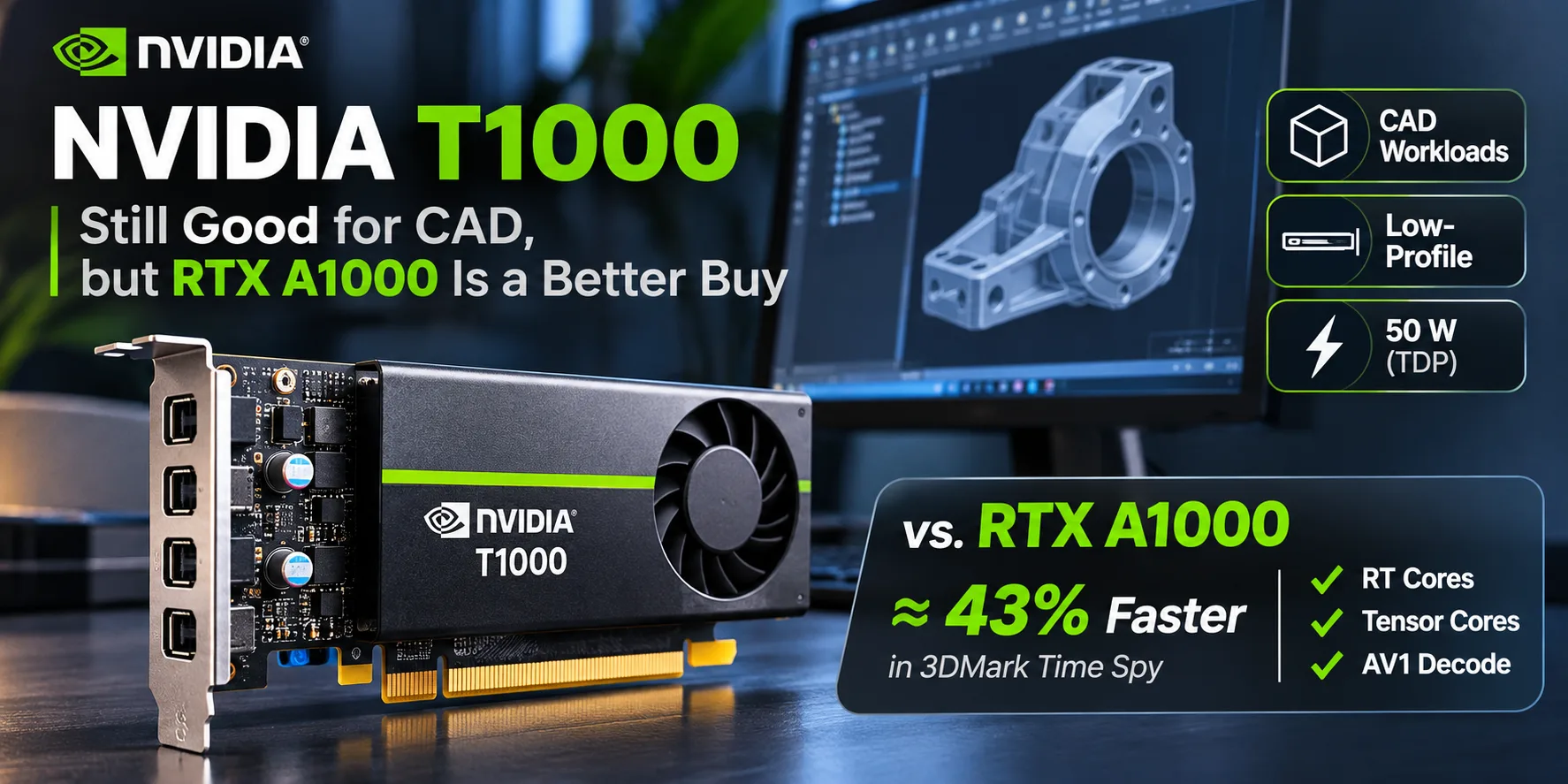
The NVIDIA T1000 is a professional graphics card from 2021 designed for compact workstations. It is based on the same TU117 chip as the GeForce GTX 1650. However, the T1000 is intended not for gaming but for CAD applications: professional drivers are available for it, along with certification for specific versions of engineering software. The card occupies one slot, consumes up to 50 W, and requires no additional power. The main question today is whether it is worth buying new when the RTX A1000 exists.
| Model | CUDA cores | Bandwidth | RT / Tensor cores | AV1 decoding |
|---|---|---|---|---|
| NVIDIA T1000 8 GB | 896 | 160 GB/s | No / no | No |
| NVIDIA RTX A1000 8 GB | 2304 | 192 GB/s | 18 / 72 | Yes |
What the T1000 Is Suitable For
The T1000 is available with 4 or 8 GB of GDDR6 on a 128-bit bus. Both versions have the same 896 CUDA cores, up to 2.5 TFLOPS of FP32 performance, and a PCIe 3.0 x16 interface. The low-profile, single-slot board has four Mini DisplayPort 1.4 outputs, allowing four 5K monitors to be connected at 60 Hz.
In AutoCAD, Inventor, and SolidWorks, the card is suitable for 2D drawings, individual parts, and small 3D assemblies. For complex models, the project size, processor capabilities, and amount of video memory are important. Therefore, of the two T1000 versions, the 8 GB model is the more sensible choice: the 4 GB version has less memory headroom. However, with the same GPU load, the additional 4 GB does not by itself speed up calculations.
The T1000 supports CUDA and can render scenes in Blender. However, the TU117 chip has no hardware RT or Tensor cores. It falls noticeably behind newer RTX cards in ray-tracing workloads, while DLSS and hardware AV1 decoding are unavailable.
Performance: T1000 vs. RTX A1000
In the 3DMark Time Spy Graphics test, the desktop RTX A1000 outperforms the T1000 by approximately 43%. The comparison uses median results from a single aggregated database rather than tests of both cards in the same PC.
| Graphics card | 3DMark Time Spy Graphics |
|---|---|
| NVIDIA T1000 | 3084 |
| NVIDIA RTX A1000 | 4396 |
A separate T1000 test in a Lenovo ThinkStation P3 Tiny with a Core i9-14900 and 64 GB of RAM produced a similar score of 3088 points. Its performance level is comparable to that of the integrated Radeon 890M in this benchmark, but for CAD applications, this result does not replace specialized testing.
In Blender 3.3 on the same ThinkStation, the Classroom scene rendered in 159 seconds both with CUDA and through OptiX. Without RT cores, the T1000 does not receive the ray-tracing acceleration available on RTX graphics cards.
In games, the T1000 is close to the GeForce GTX 1650. At 1920 × 1080, the test ThinkStation achieved 45.1 FPS in Cyberpunk 2077 (Low, FSR off) and 82.6 FPS in F1 24 (Medium, TAA). That is sufficient for less demanding games, but not a reason to buy a professional card instead of a gaming one.
Results in Workstations
StorageReview tested the T1000 in two prebuilt computers. In SPECviewperf 2020, the results vary depending on the application:
| Workstation | CPU | GPU | SolidWorks | Siemens NX | Creo |
|---|---|---|---|---|---|
| Lenovo ThinkStation P3 Tiny | Core i7-14700 | T1000 8 GB | 39.28 | 165.51 | 42.71 |
| HP Z2 G8 Tower | Core i7-11700 | T1000 4 GB | 16.92 | 97.8 | 41.62 |
SPECviewperf 2020, points; higher is better. The Lenovo review specifies a system resolution of 3840 × 2160, while the HP tests used 3800 × 2120. The SPECviewperf settings and drivers are not confirmed to be identical, so this is not a direct comparison of the two T1000 variants.
The results are nearly identical in Creo, whereas they differ much more substantially in SolidWorks and Siemens NX. The CPUs, amount of video memory, and possibly the test settings and drivers also differ. These results do not prove that moving from 4 to 8 GB provides a corresponding performance increase. Before buying a workstation, it is more useful to check performance specifically in the CAD package being used and verify certification for its version.
Prices and Alternatives
Among the offers checked on November 11, 2026, a new PNY T1000 8 GB was available for $449, while the PNY RTX A1000 8 GB cost $550. At those prices, the additional cost is about $100. In return, the buyer gets a faster GPU, hardware RT and Tensor cores, and AV1 decoding support. The RTX A1000 also consumes up to 50 W, occupies one low-profile slot, and has four Mini DisplayPort outputs.
Other tasks may call for different alternatives:
- Intel Arc Pro B50 16 GB - twice as much video memory, 70 W power consumption, and a low-profile design, but the card is dual-slot. In the Newegg listing checked, it cost about $700, meaning it is not cheaper than the RTX A1000. It makes sense to choose it for its 16 GB of memory and when support for the required software has been confirmed.
- GeForce RTX 3050 6 GB - an option for general-purpose graphics, gaming, and CUDA when certified professional drivers are not required. Some low-profile versions occupy two slots.
- Radeon 890M - integrated graphics at a similar Time Spy performance level. A discrete T1000 may not be necessary for office work and less demanding graphics, but CAD application results and driver support will differ.
Conclusion
The T1000 remains suitable for compact workstations that require a single slot, four video outputs, and professional drivers. It remains a workable solution for 2D design and small 3D assemblies; when choosing between the two versions, the 8 GB model is preferable.
It is difficult to recommend a new T1000 at $449 when the RTX A1000 is available for $550. In the results presented, the latter is approximately 43% faster in Time Spy and better suited to GPU rendering without requiring additional space or power. Buying the T1000 is justified if a specific workstation configuration is significantly cheaper or if compatibility with it has already been verified and takes priority over performance.
GPU Comparison
Compare T1000 with other GPUs
Basic
Memory Specifications
Display and Media
Theoretical Performance
Miscellaneous
Benchmarks
Compared to Other GPU
Related GPU Comparisons

Share in social media
Or Link To Us
<a href="https://cputronic.com/index.php/gpu/nvidia-t1000" target="_blank">NVIDIA T1000</a>