AMD Radeon 740M

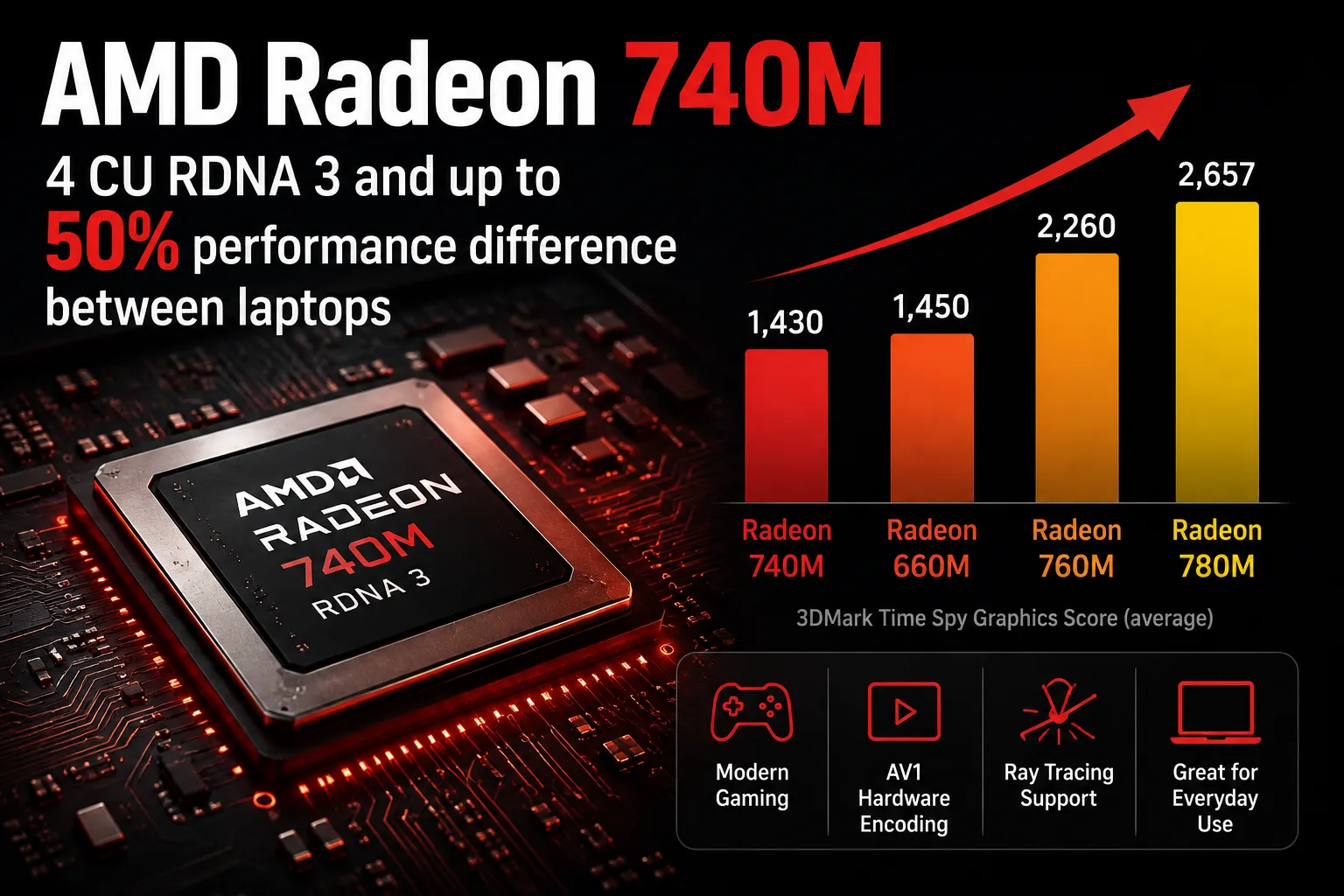
AMD Radeon 740M: Four CU RDNA 3 and Almost 50% Difference Between Laptops
The AMD Radeon 740M is the entry-level integrated graphics of RDNA 3 with four compute units. The modern architecture here does not equate to high gaming performance; based on average results from 3DMark, this iGPU is roughly on par with the older Radeon 660M and significantly trails behind the Radeon 760M and 780M. Even more critical is another fact: the performance of the Radeon 740M can differ by almost 50% across different laptops.
The Radeon 740M is used in a range of AMD Ryzen mobile processors. It has no dedicated video memory, so its speed heavily depends on the configuration of the system RAM, processor power limits, and the settings of the specific laptop.
Radeon 740M vs. 660M, 760M, and 780M
The four CU count is the main limitation of the Radeon 740M. The Radeon 760M has eight, while the Radeon 780M has twelve. The difference is clearly visible in 3DMark Time Spy Graphics.
| Integrated Graphics | Time Spy Graphics, average |
|---|---|
| Radeon 740M | 1,430 |
| Radeon 660M | 1,450 |
| Radeon 760M | 2,260 |
| Radeon 780M | 2,657 |
Despite the transition from RDNA 2 to RDNA 3, the Radeon 740M does not actually outpace the Radeon 660M in this test. The newer architecture does not compensate for the smaller number of compute units.
The Radeon 760M is approximately 58% faster, while the Radeon 780M is about 86% faster. Thus, there is a much more significant performance gap between the 740M and 760M than might be inferred from their names.
Radeon 740M Performance in Real Laptops
One cannot accurately gauge a laptop's performance based solely on the designation of Radeon 740M. This is clearly demonstrated in five production models.
| Device | Processor | RAM | Time Spy | Time Spy Graphics |
|---|---|---|---|---|
| Acer TravelMate P4 14 TMP414-42-TCO-R6KG | Ryzen 5 8540U | 16 GB | 1,293 | 1,136 |
| Lenovo ThinkPad T16 Gen 5 22AN001WGE | Ryzen 5 PRO 215 | 16 GB | 1,354 | 1,190 |
| Lenovo ThinkPad L16 Gen 2 21SC0029GE | Ryzen 5 PRO 215 | 32 GB | 1,722 | 1,527 |
| HP Pavilion 16-ag0057ng | Ryzen 5 8540U | 16 GB | 1,802 | 1,600 |
| Lenovo Yoga Slim 6 14APU8 | Ryzen 5 7540U | 16 GB | 1,909 | 1,699 |
The difference between the minimum and maximum Time Spy results is nearly 48%. The disparity in Graphics performance is even greater, ranging from 1,136 to 1,699 points.
A noteworthy case is the Lenovo Yoga Slim 6 with Ryzen 5 7540U. Its Radeon 740M performs faster than in the tested systems with Ryzen 5 8540U, even though the latter has a higher maximum GPU frequency. In practice, memory bandwidth, power consumption modes, and laptop settings prove to be as critical as GPU frequency.
Therefore, it is risky to select a device based solely on the "Radeon 740M" line in specifications. Two systems with this iGPU can differ in graphical performance by almost one and a half times.
What Radeon 740M Shows in Games
One of the faster implementations of the Radeon 740M is installed in the Lenovo Yoga Slim 6 with Ryzen 5 7540U. On this system, one can evaluate the upper range of performance for this graphics chip.
| Game | Settings | Resolution | Average FPS |
|---|---|---|---|
| Counter-Strike 2 | Low | 1920×1080 | 72.7 |
| F1 24 | Low | 1920×1080 | 41 |
| Palworld | Low | 1920×1080 | 42 |
| Cyberpunk 2077 | Low, FSR Off | 1920×1080 | 20.5 |
Counter-Strike 2 runs smoothly at Full HD on low settings. F1 24 and Palworld average around 40 FPS - playable, though there is hardly any performance headroom.
Cyberpunk 2077 demonstrates the limits of what the Radeon 740M can achieve. About 20 FPS at 1080p without FSR is insufficient for comfortable gameplay. Here, one would need to lower the resolution and use image scaling.
However, the results from the Lenovo Yoga Slim 6 cannot be automatically applied to any laptop with a Radeon 740M. As shown in the table above, a slower implementation of the GPU can lose about a third of the performance compared to this system.
Not Gaming Graphics, but Modern
The Radeon 740M supports DirectX 12 and features a modern media block with hardware AV1 support. For video playback, browsing, office applications, photo editing, and connecting external displays, its performance is adequate.
Hardware-accelerated ray tracing is also present. However, the performance of four CUs is insufficient even for heavy rasterization, so ray tracing here is more of a formal capability.
This is the primary advantage of the Radeon 740M over much simpler integrated GPUs: it is a modern graphical architecture with up-to-date multimedia capabilities, albeit with a minimal computing configuration.
Should You Choose a Laptop with Radeon 740M?
The Radeon 740M is suitable for work and study laptops where a discrete graphics card is unnecessary. It handles the system interface, video, office applications, and less demanding games without issues, and even allows for games like Counter-Strike 2 and other relatively light titles to be played at Full HD.
However, it is not wise to consider it a cheap alternative to the Radeon 760M or 780M. The four CUs seriously limit performance, and on average, the Radeon 740M is almost on par with the previous-generation Radeon 660M.
If a laptop with the Radeon 760M is only slightly more expensive, the extra cost is justified, as the performance gain is about 60%. The Radeon 740M should be chosen primarily for the price and specifications of the laptop itself rather than for gaming. It is also advisable to check benchmarks for the specific model, as differences between implementations of this iGPU can approach 50%.
GPU Comparison
Compare Radeon 740M with other GPUs
Basic
- AMD Ryzen 3 210
- AMD Ryzen 3 7440U
- AMD Ryzen 3 8300G
- AMD Ryzen 3 8300GE
- AMD Ryzen 3 8305G
- AMD Ryzen 3 8305GE
- AMD Ryzen 3 8440U
- AMD Ryzen 5 125
- AMD Ryzen 5 216
- AMD Ryzen 5 220
- AMD Ryzen 5 7540U
- AMD Ryzen 5 7545U
- AMD Ryzen 5 8500G
- AMD Ryzen 5 8500GE
- AMD Ryzen 5 8505G
- AMD Ryzen 5 8505GE
- AMD Ryzen 5 8540U
- AMD Ryzen 7 155
- AMD Ryzen 7 217
- AMD Ryzen 7 7445HS
Memory Specifications
Display and Media
Theoretical Performance
Miscellaneous
Benchmarks
Compared to Other GPU


Share in social media
Or Link To Us
<a href="https://cputronic.com/index.php/gpu/amd-radeon-740m" target="_blank">AMD Radeon 740M</a>