NVIDIA Tesla V100 SXM2 32 GB
Tesla V100 SXM2 32 GB: Lots of Memory for Neural Networks, but a Complicated Build
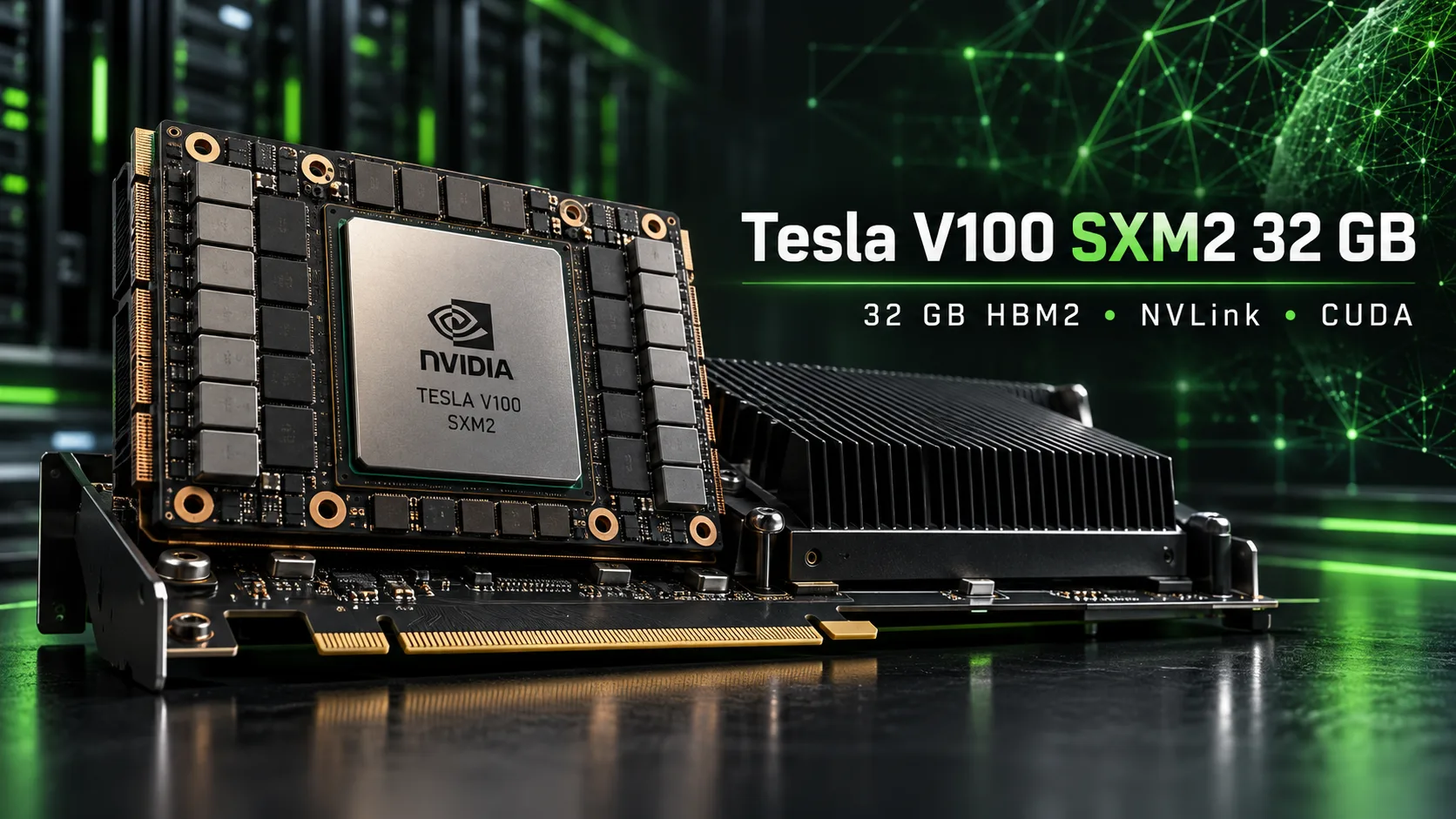
The Tesla V100 SXM2 32 GB is a server compute module with 32 GB of HBM2 memory that can be connected to a regular PC through an adapter. Its performance is close to that of the Tesla V100 PCIe, but it allows multiple accelerators to be linked through NVLink. On the used market, these modules sometimes cost less than complete PCIe cards, although the savings depend on the cost of the adapter and cooling.
NVIDIA introduced the 32 GB version in March 2018. Its initial price was about $11,500. Today, the modules are sold after servers are decommissioned and attract enthusiasts who need more than 24 GB of video memory for local language models.
However, SXM2 cannot be installed directly in a PCIe slot and requires separate power and cooling. Another limitation concerns software support: NVIDIA is ending driver development for the Volta architecture, and CUDA 13 no longer supports compiling applications for the V100.
Position in the Product Line
The Tesla V100 SXM2 is built around the 12 nm GV100 die with 5120 CUDA cores and 640 tensor cores. Its HBM2 memory is connected via a 4096-bit bus. Compared with the PCIe version, the module differs in clock speeds, power consumption, and interface.
| Model | Memory | Bandwidth | Boost | TDP | Interface |
|---|---|---|---|---|---|
| Tesla V100 PCIe 32 GB | 32 GB HBM2 | 900 GB/s | 1380 MHz | 250 W | PCIe 3.0 x16 |
| Tesla V100 SXM2 16 GB | 16 GB HBM2 | 900 GB/s | 1530 MHz | 300 W | SXM2, NVLink 2.0 |
| Tesla V100 SXM2 32 GB | 32 GB HBM2 | 900 GB/s | 1530 MHz | 300 W | SXM2, NVLink 2.0 |
The SXM2's rated performance reaches 15.7 TFLOPS in FP32, 7.8 TFLOPS in FP64, and 125 TFLOPS on the FP16 tensor cores.
Six NVLink 2.0 links provide up to 300 GB/s of aggregate bidirectional bandwidth. This is significantly more than PCIe 3.0 can offer, but the actual data-transfer speed between two GPUs depends on the number of links connecting them.
The modules were used in NVIDIA DGX-1 server systems and AWS p3dn cloud configurations. Used-market examples can be found with part numbers 699-2G503-0203-200 and 699-2G503-0204-200, as well as the HPE P05912-001 server versions.
Installing the Module in a Regular PC
SXM2-to-PCIe adapter. Single-module boards cost approximately $60-100. They connect to PCIe 3.0 x16 and usually require additional power through two 8-pin connectors. Before purchasing, check that the adapter is specifically compatible with the V100 SXM2 and verify its power-delivery design.
A standard adapter does not provide NVLink. With one, the V100 operates as a standalone accelerator, and the advantages of SXM2 are limited to its higher clock speed and rated power limit.
Boards for multiple modules. Special boards with routed NVLink links are available for combining two or four V100s. Dual-module versions can be found for approximately $300-500. In some designs, the connection to the motherboard is arranged through a PCIe switch and special cables.
Before purchasing, check the inter-module connection layout: the presence of two SXM2 connectors alone does not guarantee that NVLink will work.
Cooling. The V100 SXM2 is designed for a server cooling system, so a regular heatsink without strong airflow is insufficient. With a TDP of 300 W, you need to select an appropriate heatsink, provide a directed airflow, and check temperatures under sustained load.
Home builds use separate fans with shrouds, including shrouds made with a 3D printer. Lowering the power limit through nvidia-smi helps reduce heat and noise, but may limit performance.
Operating system. Linux is preferable for a home test system because instructions, drivers, and specialized builds are easier to find for it. Windows is also supported, including some experimental configurations with multiple V100s, but compatibility must be checked separately.
On Linux, it is important to install NVIDIA's proprietary driver module. Starting with the 560 branch, the open kernel module is offered by default; it supports only the Turing architecture and newer. It is not suitable for Volta.
Performance in Language Models
One Module with 32 GB of Memory
During token generation, performance is often limited by video-memory bandwidth. The SXM2 and PCIe versions have the same bandwidth-900 GB/s-so the SXM2 advantage in these workloads is usually small.
In a user test, a single Tesla V100 SXM2 32 GB ran the Qwen3.6-27B model in llama.cpp with different quantization formats.
| Quantization | Generation, tokens/s |
|---|---|
| Q4_K_M | 32.2 |
| Q5_K_M | 29.1 |
| Q6_K | 25.1 |
| Q8_0 | 22.8 |
The test was conducted in a single thread with generation lengths ranging from 128 to 2048 tokens. These are results for a specific configuration, not a guaranteed speed for every V100.
The main advantage of the 32 GB version is that it can fit Qwen3.6-27B entirely in Q8_0. A graphics card with 24 GB does not have enough memory for this quantization.
However, Q8_0 weights occupy nearly all available video memory. For long conversations, it is better to choose Q4_K_M or Q5_K_M, leaving more room for the KV cache.
Long Context and Optimized Builds
Performance drops noticeably with long contexts. Enthusiasts are trying to reduce these losses through changes to llama.cpp and MTP speculative decoding.
A published test of Qwen3.8-27B Q4_K_M on a single V100 SXM2 32 GB produced the following results:
| llama.cpp build | 1K context, tokens/s | 128K context, tokens/s |
|---|---|---|
| Standard | 36.0 | 16.5 |
| With Volta patches, without MTP | 35.2 | 23.8 |
| With patches and MTP | 65.1 | 42.2 |
At a context length of 128K tokens, the optimized build with MTP was 2.6 times faster than the standard version. However, this is the result of a special configuration and depends on the model, prompts, and effectiveness of speculative decoding.
Prompt caching also speeds up multistep agent sessions. In the same experiment, processing time for one turn fell from 22.94 to 3.08 seconds through the reuse of already processed history.
Multiple Modules and NVLink
The advantages of SXM2 become more noticeable in systems with multiple GPUs. NVLink accelerates data exchange between accelerators and allows tensor parallelism to be used more efficiently.
Tensor parallelism is also possible over PCIe, but intensive communication between GPUs can limit speed.
| Configuration | Workload | Result |
|---|---|---|
| 2× V100 SXM2 32 GB, NVLink, vLLM 0.6.4 | Qwen2.5-32B, 32 concurrent requests | 206 tokens/s aggregate |
| 4× V100 SXM2 32 GB, llama.cpp fork | Qwen3.8-Flash-Next 125B, 16K context | 42.2 tokens/s |
| 4× V100 SXM2 32 GB, same fork | Same model, 256K context | 21.8 tokens/s |
The first test measured the aggregate serving speed for 32 requests, not the performance of a single conversation.
The configuration with four V100s used the Qwen3.8-Flash-Next MoE model, with 125 billion total parameters and approximately 6 billion active parameters per token. Its quantized version, measuring about 156 GiB, did not fit entirely into 128 GiB of video memory. Some of the data was held in the server's system memory.
This experiment was conducted under Windows Server 2022 with CUDA 12.8 and a modified version of llama.cpp. It demonstrates the hardware's capabilities but requires a much more complicated setup than running a model on a single graphics card.
In a comparison on Level1Techs, a pair of Radeon AI PRO R9700 32 GB cards in llama.cpp delivered 32% higher maximum aggregate performance than a pair of V100s. However, when using vLLM with tensor parallelism, two V100s reached 206 tokens/s, exceeding the R9700's best result in that experiment by 58%.
The comparison applies to specific software versions, the Qwen2.5-32B model, and batch processing of short requests. These percentages cannot be extrapolated to other models or long contexts.
Gaming and FP64 Compute
Although the Tesla V100 is intended for compute workloads, enthusiasts have also run games on the SXM2 version. In one user test, the V100 SXM2 16 GB delivered approximately 78 FPS in Cyberpunk 2077 at 2560×1080 with high settings, without upscaling or frame generation.
However, the module has no video outputs, hardware ray tracing, or DLSS support. Gaming requires additional system configuration, and 32 GB of HBM2 provides no practical advantage over gaming graphics cards with comparable performance.
In double-precision workloads, the V100 reaches 7.8 TFLOPS in FP64-approximately six times more than the RTX 4090. The old accelerator therefore remains of interest for scientific calculations that require high FP64 performance.
Software Support
NVIDIA has limited support for the Volta architecture to the R580 driver branch. It is scheduled to be maintained through June 2028, but subsequent branches are no longer designed for the V100.
CUDA 13 has dropped compilation and library support for Volta. The last suitable CUDA Toolkit series is 12.x. At the same time, the R580 driver remains compatible with applications built for earlier CUDA versions.
The issue is gradually affecting neural-network software as well. New prebuilt releases may not include code for the sm_70 architecture, forcing users to remain on compatible versions or compile programs themselves.
The V100 can currently be used with llama.cpp, certain PyTorch builds, adapted versions of vLLM, and experimental projects for Volta. However, optimizations for modern GPUs are not always available on this generation.
The lack of hardware support for BF16 and FP8 also limits the choice of models and compute formats.
How Much Does the V100 SXM2 32 GB Cost?
In 2018, Microway listed the V100 SXM2 32 GB at $11,458. The modules are no longer manufactured, and the used market depends heavily on supplies of decommissioned server hardware.
In October 2026, the following offers can be found on eBay:
| Equipment | Price |
|---|---|
| Tesla V100 SXM2 32 GB, standalone module | $658-839 |
| Tesla V100 SXM2 16 GB, standalone module | $150-200 |
| Tesla V100 PCIe 32 GB | $650-900 |
| SXM2-to-PCIe adapter | $60-100 |
| Board for two SXM2 modules with NVLink | approximately $300-500 |
| Heatsink and fan for SXM2 | approximately $45-100 |
These are prices from individual listings, not average sale prices. Shipping, taxes, and component compatibility can significantly change the final cost.
If you buy an SXM2 32 GB for $658, add a $60 adapter and $60 cooling, the total comes to approximately $778, excluding shipping. At that price, savings compared with a complete V100 PCIe 32 GB are no longer guaranteed.
The situation is different if you find a module for $350-400. In that case, a complete build could cost approximately $470-560 while retaining a noticeable advantage over the PCIe version.
The calculation is even more complicated for a system with two modules. An NVLink board, additional cables, cooling, and a power supply can substantially increase the budget.
Competitors and Alternatives
Tesla V100 PCIe 32 GB. The closest alternative, with the same memory capacity and bandwidth. The card installs directly into PCIe, although its passive cooling still requires directed airflow. At a comparable total cost, the PCIe version is preferable for a single accelerator.
Tesla V100 SXM2 16 GB. Considerably cheaper than the 32 GB version. With an adapter and cooling, a build may cost approximately $260-350. It is suitable for small and medium-sized quantized models, but 16 GB limits the choice of models and context length. Two modules with NVLink provide 32 GB of total memory, but they do not become a unified address space for every application.
GeForce RTX 3090 24 GB. A more versatile graphics card with hardware BF16 support, modern CUDA libraries, and normal operation under Windows. It is noticeably faster than the V100 in some prompt-processing workloads. On eBay, listings start at approximately $1,200, while the lower end of the bulk of listings was around $1,600 at the end of October. Its main drawback for large models is its 24 GB of memory instead of 32 GB.
AMD Instinct MI50 32 GB. An alternative with 32 GB of HBM2 and bandwidth of approximately 1 TB/s. On eBay, listings start at approximately $650, although prices on other platforms may differ. The main problem is outdated ROCm support and more complicated compute-software setup. Compatible builds, including Vulkan-based variants, can be used with llama.cpp, but CUDA programs will not work without adaptation.
Is It Worth Buying?
The Tesla V100 SXM2 32 GB is of interest to those who want to run local language models requiring more than 24 GB of video memory and are prepared to build their own cooling system.
If the module costs no more than $350-400, buying it may be more выгоднее than a V100 PCIe 32 GB even after accounting for additional components. If the cost of the complete build approaches that of a PCIe card, the SXM2's advantage practically disappears.
For multiple accelerators, NVLink boards are more attractive. They speed up communication between GPUs and are suitable for experiments with tensor parallelism, but require greater expense and more complicated setup.
The main limitations of the V100 SXM2 are cooling, power consumption of up to 300 W, the lack of modern compute formats, and gradually shrinking software support. The module remains suitable for local LLMs, scientific calculations, and CUDA experiments.
If you need a single graphics card without a complicated build, it is better to choose the V100 PCIe 32 GB. The SXM2 is justified only when there is substantial savings or a need to use NVLink.
GPU Comparison
Compare Tesla V100 SXM2 32 GB with other GPUs
Basic
Memory Specifications
Display and Media
Theoretical Performance
Miscellaneous
Benchmarks
Compared to Other GPU
Related GPU Comparisons


Share in social media
Or Link To Us
<a href="https://cputronic.com/gpu/nvidia-tesla-v100-sxm2-32-gb" target="_blank">NVIDIA Tesla V100 SXM2 32 GB</a>