
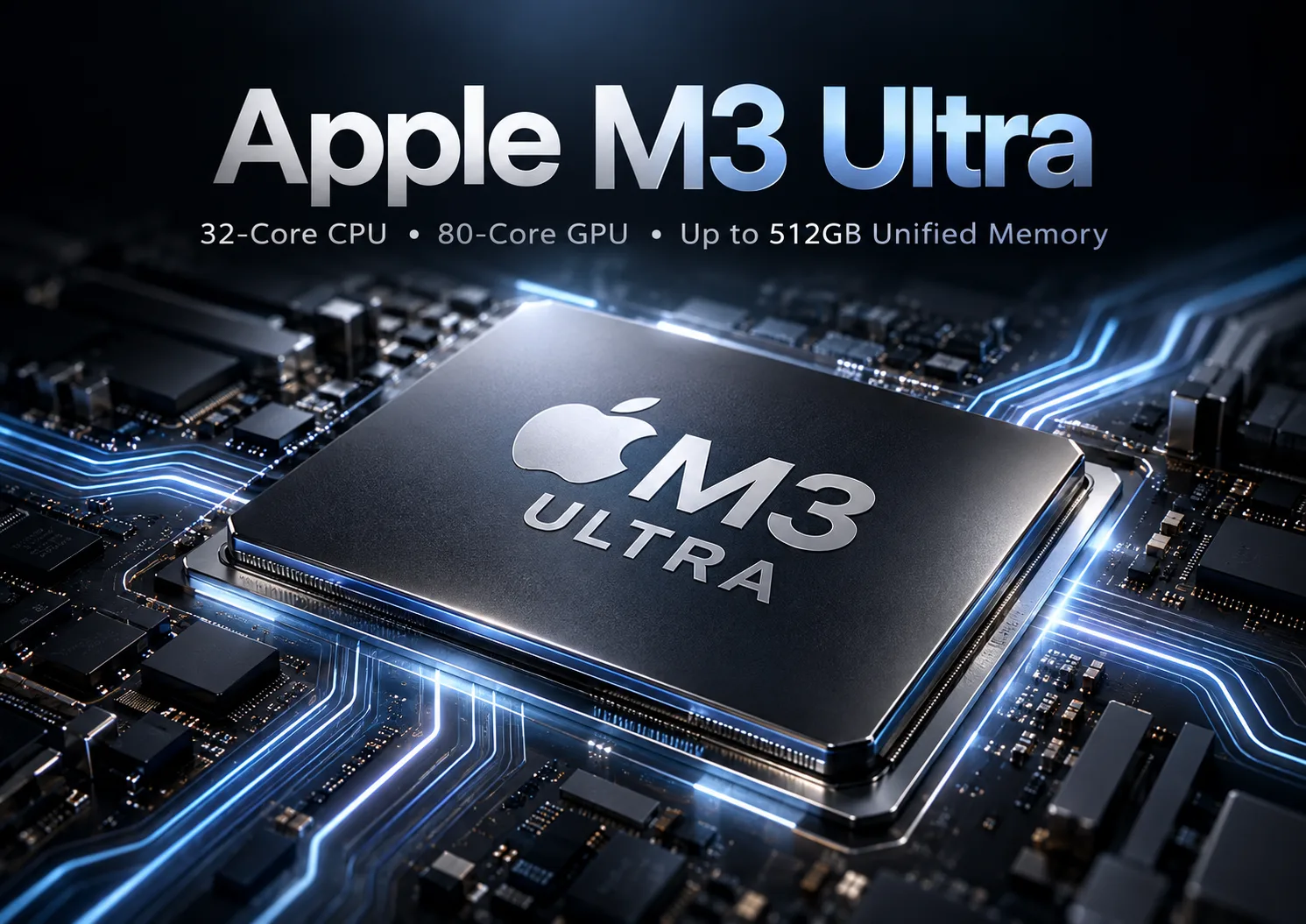
Apple M3 Ultra
Apple M3 Ultra: What Kind of Processor Is It and What Tasks Is It Suitable For?
The Apple M3 Ultra is a high-performance processor from the Apple Silicon family, aimed at the most demanding professional scenarios: video editing and color grading, 3D graphics, complex computations, working with large media libraries, and running multiple resource-intensive applications simultaneously. Based on the provided specifications, this is a 32-core chip with 24 performance cores and 8 efficiency cores, manufactured using a 3nm process.
This model belongs to the Apple platform with an Apple M-Socket and uses integrated graphics. This is important: the M3 Ultra does not resemble a typical desktop CPU for standard PC builds. It is part of Apple's closed ecosystem, where the processor, memory, and board are regarded as a single platform.
Below is a detailed analysis of its features, limitations, and practical use cases.
Key Specifications
Architecture and Basic Parameters
According to the specified data, the Apple M3 Ultra has:
- Codename: Apple M3
- Model: M3 Ultra
- Socket: Apple M-Socket
- Process technology: 3 nm
- Instruction set: ARMv8
- Total cores: 32
- Total threads: 32
- Performance cores: 24
- Efficiency cores: 8
- Base frequency of performance cores: 4.5 GHz
- Multiplier: 45
- Unlocked multiplier: No
- Maximum operating temperature: 100 °C
The main feature of this design is the combination of a large number of performance cores with a separate cluster of efficiency cores. This is a typical approach for modern SoCs: heavy workloads are assigned to performance cores, while background processes and low-load tasks are managed by efficiency cores. In practice, this helps maintain high system responsiveness and good efficiency under mixed load.
Performance
The provided data indicates the following Geekbench 6 results:
- Single Core: 3169
- Multi Core: 27690
These numbers show that the processor has a very high single-threaded level and particularly strong multi-threaded performance. This profile is beneficial for two types of tasks:
- Applications sensitive to single-core speed: interfaces, some creative programs, compilation of individual modules, certain gaming scenarios.
- Well-parallelizable workloads: rendering, video exporting, photo batch processing, working on large projects and multiple parallel tasks.
Key Features of the Platform
Among the provided specifications, several important features stand out:
- Very high memory bandwidth - 819 GB/s.
- Support for a large amount of memory - up to 512 GB.
- 8 memory channels.
- Memory type LPDDR5-6400.
- Presence of integrated graphics.
This combination is especially important not only for CPU tasks but also for scenarios where large data sets are constantly transferred between computing blocks. High memory bandwidth is beneficial when working with high-resolution video, multi-layer compositions, large scenes, and computational tasks sensitive to memory bandwidth.
Architectural Features and Practical Implications
The Apple M3 Ultra is not just a "processor with a large number of cores," but a comprehensive SoC approach. Integrated graphics and LPDDR5-6400 memory play key roles here. In a classic desktop PC, memory, processor, and graphics card often exist as separate components with their own limitations on data exchange. In the case of Apple Silicon, the architecture is usually focused on maximum tight integration.
Practically, this means:
- The system is well-suited for applications optimized for the Apple ecosystem.
- Not just core frequency is important, but also the overall balance of the CPU, memory, and integrated graphics.
- Such a processor should not be evaluated based on the conventional logic of "putting it in any board and adding any memory," but rather as part of a ready computing platform.
Compatible Motherboards: Socket, Chipsets, and Selection
Socket and Compatibility
The specifications indicate the Apple M-Socket. For users, this means the main point: the Apple M3 Ultra is not designed for standard consumer motherboards, as seen with Intel LGA or AMD AM5 platforms. It belongs to a specialized Apple platform.
Therefore, in the context of "compatible motherboards," it should be understood:
- Standard PC motherboards are incompatible with it.
- Standard desktop chipsets for DIY builds are not used here.
- The choice is not about a board but about a specific device or Apple system in which this chip is installed.
What to Consider When Choosing a Platform
If considering a system based on the M3 Ultra as a workstation, traditional motherboard parameters are less important than the following aspects:
- Number and type of external ports.
- Support for the required number of displays.
- Options for connecting external storage.
- Memory configuration at the time of purchase.
- Cooling system of the specific device.
- Number of available high-speed interfaces for professional peripherals.
In other words, here, you choose not a "board for the processor," but a ready-made hardware platform for a specific task.
Supported Memory
Memory Type
According to the input data, the processor works with:
- LPDDR5-6400
- 8 memory channels
- Maximum capacity of up to 512 GB
- Maximum bandwidth of 819 GB/s
This is one of the strongest aspects of the platform. LPDDR memory is traditionally associated with compact and energy-efficient systems, but in this case, it is used in a configuration aimed at extremely high bandwidth.
Support for DDR4 and DDR5
To directly answer the question about memory types, the data provided for the Apple M3 Ultra specifies LPDDR5-6400. There is no indication of support for DDR4 or standard desktop DDR5 in these specifications, so it cannot be claimed.
In practice, this means:
- Using standard DIMM modules, as in standard PCs, is not anticipated.
- Memory configuration needs to be chosen in advance when purchasing the system.
- Memory upgrades after purchase, if possible, depend on the specific device, but for Apple platforms, configurations are usually assumed to be initially chosen.
For working scenarios, this is especially important. If heavy projects, a large number of layers, large photo libraries, or complex 3D scenes are planned, it is better to select the memory amount with a margin.
Power Supply Recommendations
What Is Known and What to Avoid Speculating About
There is no information in the input data about TDP, power consumption under load, or recommended power supply wattage. Therefore, stating specific values in watts would be inappropriate.
What Can Be Said Practically
Since the Apple M3 Ultra belongs to a specialized Apple platform, the choice of power supply is usually resolved by the manufacturer at the system level. That is, users typically do not select a separate power supply like in a standard PC build.
In practical terms:
- In ready-made Apple systems, power supply and cooling are already calculated for the processor.
- When choosing a device, paying attention to the overall configuration is crucial, especially if prolonged operation under full load is anticipated.
- For professional tasks, not only peak consumption matters, but also the stability of power during extended rendering or exporting.
For external infrastructure, it makes sense to prepare:
- A quality power filter or UPS.
- Adequate cooling for the room.
- Connection of monitors and drives, taking into account the overall load at the workstation.
Pros and Cons of Apple M3 Ultra
Pros
- Very high multi-threaded performance according to stated benchmarks.
- Strong single-threaded results, important for system responsiveness.
- 3nm manufacturing process, which is typically associated with high efficiency.
- 32 cores in a 24P + 8E configuration - good headroom for heavy professional tasks.
- Huge memory bandwidth - 819 GB/s.
- Support for up to 512 GB memory, which is important for workstations.
- Presence of integrated graphics, useful for a comprehensive SoC platform.
- An 8-channel memory subsystem designed for heavy loads.
Cons
- Cannot be viewed as a standard CPU for DIY PC builds.
- Compatibility is limited to the Apple platform.
- No unlocked multiplier; overclocking is not supported.
- Support for ECC memory is noted as absent, which can be an important limitation for some professional and server scenarios.
- Flexibility for upgrades in such systems is generally lower than in traditional desktop platforms.
Use Scenarios
Gaming
For gaming, the Apple M3 Ultra is interesting primarily as part of a powerful Apple system with integrated graphics, but its gaming value depends on the specific gaming ecosystem, availability of native versions, optimization of engines, and support for necessary APIs.
From a CPU resource standpoint, there is ample headroom here. However, the overall picture in gaming is determined not only by the processor but also by how well a particular project runs on the Apple platform.
It makes more sense to choose such a chip not as a "gaming processor," but as a professional platform where gaming is an additional scenario.
Work Tasks
This is where the M3 Ultra appears most appropriate. It is well-suited for:
- Video editing and exporting heavy projects.
- Color grading.
- Multi-track audio processing.
- Batch processing of photos.
- 3D visualization.
- Compiling large projects.
- Running several heavy applications simultaneously.
- Analytical tasks sensitive to memory bandwidth.
Such a processor is especially useful where the following are simultaneously important:
- High single-core speed.
- Strong multi-threading capability.
- Fast memory subsystem.
- A unified integrated architecture.
Multimedia
For a multimedia workstation, this is a very strong option if the work software is well adapted to the Apple platform. The large amount of available memory and high bandwidth help when dealing with heavy sources, complex timelines, and massive content libraries.
Comparison with Closest Competitors
Comparing the Apple M3 Ultra with competitors directly should be approached cautiously. The reason is that this is not just a CPU but part of a tightly integrated platform. Additionally, there is no list of specific competitors and their characteristics in the provided data.
It can be stated correctly:
- In terms of multi-threaded results from Geekbench 6, the processor belongs to the upper segment.
- In single-threaded performance, it is also at a very high level.
- Relative to classic desktop solutions, its strong point is the combination of CPU performance, memory, and integrated graphics on one platform.
- In comparison with traditional workstations, a weaker aspect may be lesser flexibility regarding components and upgrades.
If maximum versatility is needed, the choice is often made in favor of traditional desktop or HEDT platforms. If a cohesive environment, application optimization for Apple, and "out-of-the-box" performance are more important, the M3 Ultra looks very attractive.
Practical Tips for Assembly and Configuration Selection
Although in the classic sense, "assembly" for the Apple M3 Ultra is limited, there are still some practical tips.
Choose the Right Amount of Memory from the Start
Since LPDDR5-6400 is used, and the platform does not resemble a standard modular PC, it is advisable to determine the memory quantity with a margin. For a professional system, underestimating RAM needs is one of the most common mistakes.
You should focus on the following scenarios:
- Editing and photography - need a buffer for cache and sources.
- 3D and complex scenes - need a buffer for geometry, textures, and background software.
- Multitasking - need a buffer for running several heavy programs simultaneously.
Consider External Storage
Even a very powerful processor will quickly hit a bottleneck if working files are stored on a slow external system. For media production and large projects, it is important to plan in advance where sources, cache, proxies, and archives will be stored.
Account for Workplace Cooling
The maximum operating temperature is stated as 100 °C, but this does not mean that the system should work constantly at that upper limit. For prolonged workloads, it's better to ensure proper ventilation at the workstation and not place the device in a confined space.
Check Software Compatibility
Before purchasing such a platform, it's crucial to ensure that the key working software truly unlocks its potential. For a professional workstation, speed in the applications used daily is more important than abstract power.
Final Conclusion
The Apple M3 Ultra is a high-end processor for professional systems, where multi-threaded performance, quick responsiveness, high memory bandwidth, and a cohesive platform architecture take priority. Based on the provided specifications, it offers 32 cores, high frequencies for performance cores, a modern 3nm process, up to 512 GB of LPDDR5-6400 memory, and impressive results in Geekbench 6.
This processor is suitable for those who:
- Work with video, graphics, 3D, and multimedia.
- Run heavy parallel tasks.
- Value the integrated Apple platform.
- Wish to obtain a powerful workstation without the need for standard PC components selections.
It is less suitable for those who:
- Want to assemble a standard desktop PC from parts.
- Expect free motherboard, memory, and cooling upgrades.
- Are primarily focused on a versatile gaming platform.
- Require ECC memory.
Ultimately, the Apple M3 Ultra is not a choice for a "just powerful computer," but for a specialized professional system where predictable performance, high speed in memory operations, and deep integration of all platform components are essential.
Basic
CPU Specifications
Memory Specifications
GPU Specifications
Benchmarks
Compared to Other CPU
Share in social media
Or Link To Us
<a href="https://cputronic.com/cpu/apple-m3-ultra" target="_blank">Apple M3 Ultra</a>