AMD Ryzen Z2

AMD Ryzen Z2

AMD Ryzen Z2: Mobile Hybrid Zen 4 for Demanding Ultrabooks

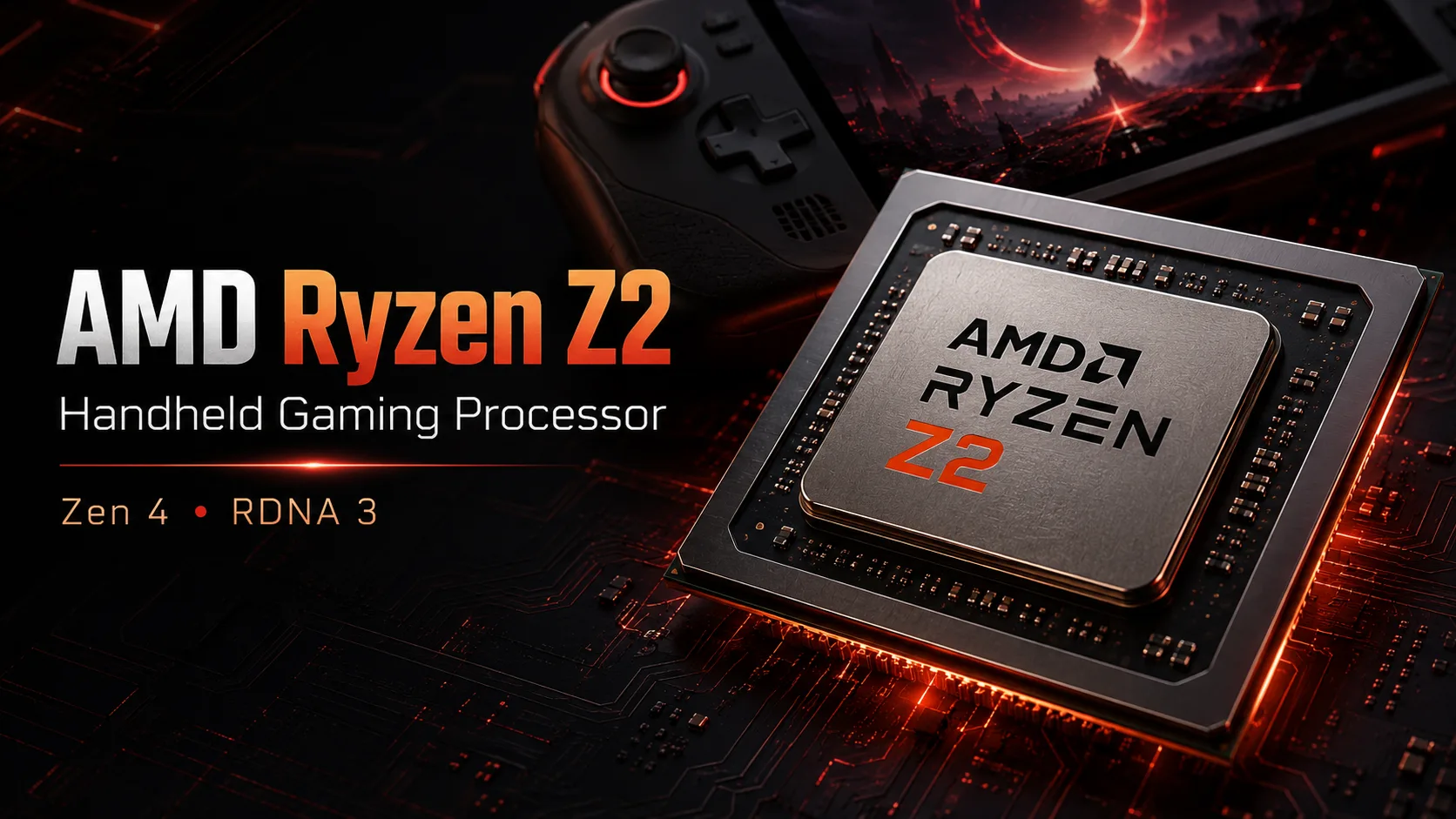
Laptop processors have long ceased to be just the younger siblings of desktop chips. They are independent, comprehensive solutions where the balance between performance, power consumption, and heat dissipation is critically important. The AMD Ryzen Z2, built on the cutting-edge Zen 4 architecture, is a prime example of this approach. It is positioned as a flagship APU for thin and light, yet extremely powerful laptops. Let’s explore what lies behind these specifications and who should pay attention to it.

Architecture and Process Technology: The Foundation of Efficiency

At the heart of the Ryzen Z2 is the Zen 4 microarchitecture, manufactured using a 4-nanometer process technology. This is a key factor in its efficiency.

  • Compute Cores: The chip is equipped with 8 full-performance cores (Performance-cores) with simultaneous multithreading (SMT) support, resulting in a total of 16 threads for data processing. This configuration was recently the domain of gaming systems and workstations.
  • Clock Frequencies: The base frequency is set at 3.3 GHz, ensuring low power consumption during idle and light loads. However, its main advantage is the turbo mode with a frequency of up to 5.1 GHz. This allows one or multiple cores to dramatically accelerate for instantaneous responsiveness in frequency-sensitive tasks.
  • Cache Memory: The cache configuration is typical for Zen 4: 80 KB L1 and 1 MB L2 per core, along with a shared third-level cache of 16 MB for all cores. A large and fast cache reduces latency when accessing RAM, directly impacting application performance.
  • Integrated RDNA 3 Graphics: Instead of a separate graphics chip, AMD has integrated a graphics core based on the RDNA 3 architecture into the processor. The configuration with 12 Execution Units (compute units) running at frequencies from 800 MHz to 2700 MHz marks a significant step forward compared to previous generations. This iGPU can not only output images to multiple 4K monitors but also provide comfortable gaming in less demanding or older titles, as well as significantly accelerate video rendering and work in supported creative applications.

Power Consumption and TDP: The Art of Balancing

The nominal TDP of the processor is stated at 15W. This is a classic figure for the ultrabook and thin laptop segment, where battery life and quiet operation are paramount.

  • Real-World Scenario: However, it is essential to understand that modern mobile processors operate within a wide range of power levels. The laptop manufacturer (OEM) can set various limits (cTDP) via BIOS/UEFI settings. Depending on the cooling system of a specific model, the Ryzen Z2 can temporarily consume significantly more than 15W to reach turbo frequencies (up to 25-30W and above in well-cooled designs) while idling, dropping to just a few watts.
  • Thermal Conditions: The maximum operating temperature is specified as 100 °C. This is a standard limit for modern chips, but in a well-designed laptop, the processor will operate within a significantly lower range (70-85 °C under sustained load) to avoid throttling (frequency reduction due to overheating).

Performance: Numbers and Real Tasks

Synthetic tests provide a good insight into potential performance.

  • Synthetic Benchmark Scores: A score of 2201 in Geekbench 6 (Single Core) indicates excellent responsiveness in everyday tasks: OS boot-up, application launches, and browsing. A multi-core score of 8702 and particularly high results in PassMark CPU Multi Core (~26993) confirm that the 8 Zen 4 cores provide serious computing power for resource-intensive operations.
  • Office and Multimedia: For an office suite, web surfing with dozens of tabs, and 4K streaming, the capabilities of the Ryzen Z2 are more than sufficient. It handles tasks without any noticeable delays.
  • Content Creation: Both the CPU and iGPU come into play here. Video rendering, photo editing in Adobe Lightroom, and video editing in DaVinci Resolve or Premiere Pro (with hardware acceleration) will be executed very quickly for an ultrabook format. The 16 threads efficiently parallelize such tasks.
  • Gaming on iGPU: The RDNA 3 integrated graphics with 12 EU is sufficient for comfortable gaming in popular esports titles (CS:GO, Valorant, Dota 2) at medium or low settings in Full HD resolution, as well as most indie games and titles from previous years. For recent AAA games, a discrete graphics card is necessary.
  • Turbo Mode Behavior: Precision Boost 2 algorithms will dynamically raise core frequencies to 5.1 GHz when needed, such as when loading a heavy web page, applying a filter to a photo, or starting a game. In ideal cooling conditions, this mode can be sustained for longer periods.

Use Case Scenarios: Who Needs This?

The Ryzen Z2 is a processor for those who do not want to sacrifice performance for mobility.

  • Mobile Professionals: Programmers, data analysts, engineers working with entry and mid-level CAD systems, web developers. They need multithreading for compilation, computations, and virtual machines in a laptop that is easy to carry around.
  • On-the-Go Creators: Photographers, entry and mid-level video editors, designers. The high CPU performance and good iGPU will speed up work in field conditions.
  • Students in Technical and Creative Majors: A versatile solution for studying, programming, working on projects, and moderate gaming.
  • Demanding Users: Those looking for the fastest and most responsive ultrabook “for years to come,” with power reserves for future tasks.

Battery Life: Technologies for Longevity

Energy efficiency is the top priority.

  • Battery Impact: During light load (text editor, music), the processor will operate at minimum frequencies, consuming very little power. Modern operating systems effectively manage this state. This directly increases the battery life.
  • Power-Saving Technologies: The Zen 4 architecture is optimized for this. Furthermore, advanced power management algorithms disable unused parts of the chip, dynamically adjusting voltage and frequency (Power States – P-States). Together with drivers and the OS, this ensures a smooth transition between high performance and maximum battery life. Support for modern energy-efficient LPDDR5X-8000 memory also contributes to this.

Comparison with Competitors

Several aspects should be considered here.

  • Within the AMD Lineup: The Ryzen Z2 occupies the niche of a flagship APU for thin systems. Compared to mobile Ryzen 7 7840U (also Zen 4), it may offer similar or slightly increased CPU performance and similar graphics, but is generally found in more premium or specialized laptop models. This is a choice made by the device manufacturer.
  • Against Intel Core Ultra: Major competitors are the Intel Core Ultra processors of series 7 and 9 (Meteor Lake). The comparison is multifaceted: Intel may have an advantage in AI acceleration (NPU) and sometimes in energy efficiency under very light workloads, while the Ryzen Z2 based on Zen 4 often demonstrates higher performance in traditional multi-thread CPU tasks and is generally stronger in gaming on integrated graphics (RDNA 3 vs Arc).
  • Against Apple Silicon: Apple M3 (Pro) chips represent a different philosophy (ARM architecture) and ecosystem (macOS). In terms of absolute performance per watt and battery life, Apple often leads. However, the Ryzen Z2 operates in the familiar x86-64 (Windows/Linux) ecosystem with full compatibility with all software and games, offering higher peak frequencies.
  • Against Previous Generations: The transition from Zen 3+ to Zen 4 provides a noticeable IPC (instructions per clock) increase of about 10-15%, plus higher frequencies and a new RDNA 3 iGPU. This is a significant evolutionary step.

Pros and Cons

Strengths:

  • High multi-threaded performance for its TDP class (8 cores/16 threads Zen 4).
  • Advanced 4-nanometer process technology ensuring excellent energy efficiency.
  • Powerful RDNA 3 integrated graphics, among the best in class for iGPU gaming.
  • Support for the latest and fastest memory (DDR5-5600 and LPDDR5X-8000).
  • Support for ECC memory (important for engineering and scientific tasks, enhancing reliability).
  • Good frequency headroom (turbo up to 5.1 GHz) for instant responsiveness.

Potential Drawbacks:

  • Supports the PCI Express 4.0 standard, while competitors and top desktop platforms are moving to PCIe 5.0. For the current generation of SSDs and discrete graphics in laptops, this is not a limitation but should be considered in the future.
  • Performance and, importantly, battery life heavily depend on the laptop manufacturer’s implementation: cooling quality, battery capacity, and firmware.
  • Absence of an unlocked multiplier (Unlocked Multiplier - No), which, however, is standard for mobile processors of this class.

Recommendations for Choosing a Laptop

A laptop with a Ryzen Z2 is almost always a premium or high-end ultrabook.

  1. Device Type: Look for modern ultrabooks or thin and light workstations (examples: Asus Zenbook Pro models, Lenovo Yoga Pro, Dell XPS, business line models). Such APU is typically not used in gaming laptops, which prefer more powerful H-series chips.
  2. Cooling System: This is a critical point. Even the best processor will throttle in a thin chassis with a single heat pipe. Look for reviews that test performance under sustained load (Cinebench R23 multi-loop, stress tests). A good sign is the presence of multiple fans and heat pipes.
  3. RAM: To unlock potential, especially the iGPU, dual-channel memory (ideally soldered) is essential. A configuration of LPDDR5X-7500/8000 will be optimal. A minimum of 16 GB is recommended, with 32 GB being better for creative tasks.
  4. Storage: Ensure a fast PCIe 4.0 NVMe SSD is used.
  5. Display: Since the iGPU is powerful, it makes sense to get a laptop with a quality display: high resolution (QHD+), high refresh rate (90-120 Hz), and good color reproduction (100% sRGB/DCI-P3).
  6. Ports: The processor supports modern standards. Check the availability of the ports you need (USB4 with Thunderbolt-compatible modes, HDMI 2.1).

Final Conclusion

The AMD Ryzen Z2 is a brilliant example of a modern mobile processor that blurs the line between “compact” and “powerful.” It offers processing power sufficient for professional tasks and graphic performance adequate for moderate gaming—all within a thermal package that fits inside an ultrabook chassis.

It is ideally suited for mobile professionals seeking maximum performance without compromising portability, as well as anyone looking for the fastest and most versatile Windows ultrabook with excellent battery life. Key benefits include flagship multi-threaded performance from Zen 4, one of the best integrated graphics in its class, and high energy efficiency thanks to the 4-nanometer process. By choosing a laptop with the Ryzen Z2, you are investing in a device that will remain relevant and fast for many years.

Basic

Label Name
AMD
Platform
Laptop
Launch Date
June 2025
Model Name
?
The Intel processor number is just one of several factors - along with processor brand, system configurations, and system-level benchmarks - to be considered when choosing the right processor for your computing needs.
Ryzen Z2
Code Name
Zen 4

CPU Specifications

Total Cores
?
Cores is a hardware term that describes the number of independent central processing units in a single computing component (die or chip).
8
Total Threads
?
Where applicable, Intel® Hyper-Threading Technology is only available on Performance-cores.
16
Performance-cores
8
Performance-core Base Frequency
3.3 GHz
Performance-core Max Turbo Frequency
?
Maximum P-core turbo frequency derived from Intel® Turbo Boost Technology.
5.1 GHz
L1 Cache
80 K per core
L2 Cache
1 MB per core
L3 Cache
16 MB shared
Bus Frequency
100 MHz
Multiplier
33
Unlocked Multiplier
No
CPU Socket
?
The socket is the component that provides the mechanical and electrical connections between the processor and motherboard.
FP8
Technology
?
Lithography refers to the semiconductor technology used to manufacture an integrated circuit, and is reported in nanometer (nm), indicative of the size of features built on the semiconductor.
4 nm
TDP
15
Max. Operating Temperature
?
Junction Temperature is the maximum temperature allowed at the processor die.
100 °C
PCIe Version
?
PCI Express is a high-speed serial computer expansion bus standard used for connecting high-speed components, replacing older standards such as AGP, PCI, and PCI-X. It has gone through multiple revisions and improvements since its initial release. PCIe 1.0 was first introduced in 2002, and in order to meet the growing demand for higher bandwidth, subsequent versions have been released over time.
4.0
Instruction Set
?
The instruction set is a hard program stored inside the CPU that guides and optimizes CPU operations. With these instruction sets, the CPU can run more efficiently. There are many manufacturers that design CPUs, which results in different instruction sets, such as the 8086 instruction set for the Intel camp and the RISC instruction set for the ARM camp. x86, ARM v8, and MIPS are all codes for instruction sets. Instruction sets can be extended; for example, x86 added 64-bit support to create x86-64. Manufacturers developing CPUs that are compatible with a certain instruction set need authorization from the instruction set patent holder. A typical example is Intel authorizing AMD, enabling the latter to develop CPUs compatible with the x86 instruction set.
x86-64

Memory Specifications

Memory Type
?
Intel® processors come in four different types: Single Channel, Dual Channel, Triple Channel, and Flex Mode. Maximum supported memory speed may be lower when populating multiple DIMMs per channel on products that support multiple memory channels.
DDR5-5600,LPDDR5X-8000
Max Memory Size
?
Max memory size refers to the maximum memory capacity supported by the processor.
GB
ECC Memory Support
Yes

GPU Specifications

Integrated Graphics Model
?
An integrated GPU refers to the graphics core that is integrated into the CPU processor. Leveraging the processor's powerful computational capabilities and intelligent power efficiency management, it delivers outstanding graphics performance and a smooth application experience at a lower power consumption.
false
GPU Base Frequency
800 MHz
GPU Max Dynamic Frequency
2700 MHz
Execution Units
?
The Execution Unit is the foundational building block of Intel’s graphics architecture. Execution Units are compute processors optimized for simultaneous Multi-Threading for high throughput compute power.
12

Miscellaneous

PCIe Lanes
16

Benchmarks

Geekbench 6
Single Core Score
2201
Geekbench 6
Multi Core Score
8702
Passmark CPU
Single Core Score
3962
Passmark CPU
Multi Core Score
26993

Compared to Other CPU

Geekbench 6 Single Core
2362 +7.3%
2265 +2.9%
2201
2144 -2.6%
2064 -6.2%
Geekbench 6 Multi Core
9511 +9.3%
9111 +4.7%
8702
8018 -7.9%
Passmark CPU Single Core
4153 +4.8%
4089 +3.2%
3962
3903 -1.5%
3844 -3%
Passmark CPU Multi Core
29449 +9.1%
28183 +4.4%
26993
25889 -4.1%
24920 -7.7%