NVIDIA Tesla V100 PCIe 16 GB
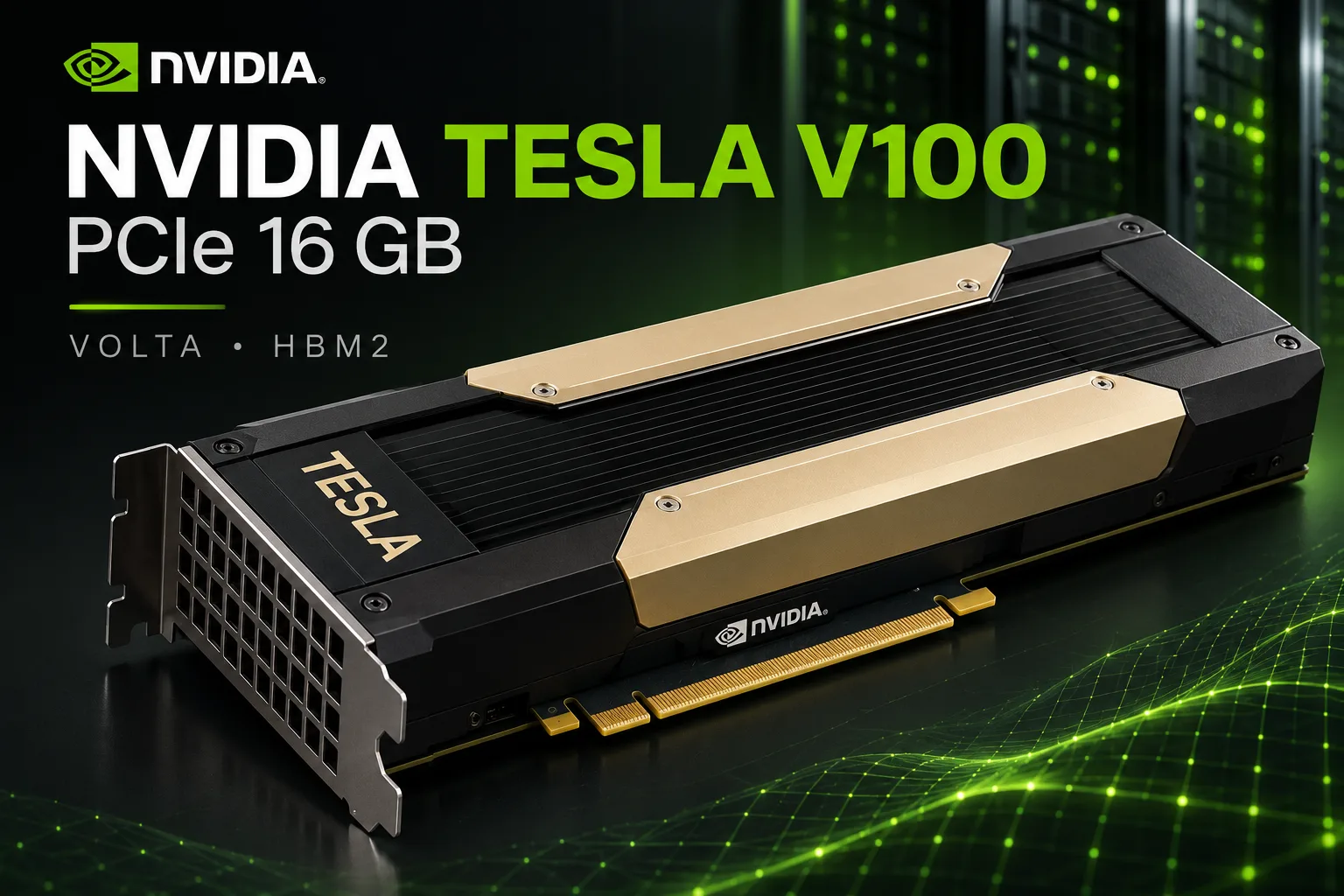
Tesla V100 PCIe 16 GB: 900 GB/s of HBM2 for little money, but with limited CUDA support
The Tesla V100 PCIe 16 GB is a 2017 server accelerator that remains interesting for local neural networks and scientific computing. Its main advantage is HBM2 memory with 900 GB/s of bandwidth, almost matching the GeForce RTX 3090. On the used market, the card costs a few hundred dollars, although the cheapest listings often turn out to be SXM2 modules rather than full PCIe cards.
The low price comes with limitations. The V100 has no video outputs or hardware ray tracing, 16 GB of memory is insufficient for large language models, and support for newer CUDA versions has ended. NVIDIA left Volta on the R580 driver branch, whose support will continue until mid-2028. Running modern LLMs increasingly requires manually selecting compatible software versions.
Position in the lineup
The Tesla V100 is built on the 815 mm² GV100 die, manufactured using TSMC’s 12 nm FFN process. Of the 84 streaming multiprocessors, 80 are active, providing 5120 CUDA cores and 640 first-generation tensor cores. Four HBM2 stacks are connected through a 4096-bit bus.
NVIDIA released several accelerators based on GV100, with different memory capacities, clock speeds, and interfaces.
| Model | Memory | Bandwidth | Boost | TDP | Features |
|---|---|---|---|---|---|
| Tesla V100 PCIe 16 GB | 16 GB HBM2 | 900 GB/s | 1380 MHz | 250 W | PCIe 3.0 x16, no NVLink |
| Tesla V100 PCIe 32 GB | 32 GB HBM2 | 900 GB/s | 1380 MHz | 250 W | Double the memory capacity |
| Tesla V100 SXM2 16/32 GB | 16/32 GB HBM2 | 900 GB/s | 1530 MHz | 300 W | SXM2, NVLink support |
| Tesla V100S PCIe 32 GB | 32 GB HBM2 | 1134 GB/s | 1601 MHz | 250 W | Faster HBM2 |
| Titan V | 12 GB HBM2 | 653 GB/s | 1455 MHz | 250 W | Video outputs, 3072-bit bus |
| Quadro GV100 | 32 GB HBM2 | 870 GB/s | 1627 MHz | 250 W | Professional graphics |
The 16 GB PCIe version delivers up to 14 TFLOPS in FP32, 7 TFLOPS in FP64, and 112 TFLOPS in FP16 tensor operations. These figures are slightly lower than those of the SXM2 version, which has a higher clock speed and power limit.
Volta was the first NVIDIA architecture to receive tensor cores. However, they support only FP16 and do not work with BF16, TF32, or FP8. The lack of these formats limits the efficiency of modern libraries and models. The GV100 also has no hardware RT cores.
Performance
Local language models
During token generation, performance is often limited by the speed at which weights can be read from video memory. As a result, the V100 and its 900 GB/s of bandwidth remain competitive even against much newer GPUs.
For comparison, we can use the results table for Llama 2 7B in Q4_0 quantization published by the llama.cpp developers. It measures prompt processing speed for a 512-token prompt and the generation of 128 tokens without FlashAttention.
| GPU | Memory | Prompt processing, tokens/s | Generation, tokens/s |
|---|---|---|---|
| Tesla P40 | 24 GB GDDR5 | 1007 | 55 |
| Tesla V100 PCIe 32 GB | 32 GB HBM2 | 3043 | 129 |
| GeForce RTX 3090 | 24 GB GDDR6X | 5175 | 158 |
| GeForce RTX 4090 | 24 GB GDDR6X | 11,993 | 186 |
| GeForce RTX 5090 | 32 GB GDDR7 | 14,073 | 290 |
The results were collected from tests run by different users. The model and key parameters are the same, but llama.cpp versions, drivers, and system configurations may differ.
The table uses the V100 PCIe 32 GB. The 16 GB version has the same clock speeds and HBM2 bandwidth, while the model itself occupies less than 4 GB. Comparable performance is therefore expected, although there is no direct measurement of the 16 GB card here.
In generation, the V100 trails the RTX 3090 by approximately 18%, and in prompt processing by 41%. The difference is not always significant during a short conversation, but it becomes more noticeable when processing large documents and long conversation histories.
The RTX 4090 processes prompts almost four times faster than the V100, although its advantage in generation is only 44%. This shows why memory bandwidth alone does not determine performance in every workload.
The main limitation of the V100 PCIe 16 GB is its memory capacity. The card is suitable for 7-14-billion-parameter models with 4-bit quantization. Models with 27-32 billion parameters usually require partial offloading to system memory or more aggressive compression. In both cases, compromises must be made in speed, quality, or context length.
Training and scientific computing
The V100 was designed primarily for neural-network training and high-performance computing. Its FP16 tensor cores remain useful, but newer accelerators offer more efficient compute formats, larger caches, and optimized libraries.
The limitations are especially noticeable when training models that use BF16. The V100 has no hardware support for this format, so not all modern PyTorch and other framework configurations can be transferred to Volta without modification.
On the other hand, the card retains a significant advantage over gaming GeForce GPUs in double-precision computing. Its performance reaches 7 TFLOPS in FP64, approximately 5.4 times more than the RTX 4090.
For molecular dynamics, numerical modeling, and other HPC workloads, the V100 remains interesting if the software in use supports Volta. However, a high theoretical FP64 throughput does not by itself guarantee the same advantage in a specific application.
Can the Tesla V100 be used for gaming?
The V100 PCIe has no video outputs. A separate graphics card or integrated processor graphics will be required to display an image. In Windows, it is also necessary to select a compatible driver and configure games to run on the compute accelerator.
Enthusiasts tested the gaming capabilities of a Tesla V100 SXM2 16 GB using a PCIe adapter. In a system with a Ryzen 7 5700GE, the card produced the following results at high settings without upscaling or frame generation.
| Game | 2560×1080, average FPS | 3440×1440, average FPS |
|---|---|---|
| Cyberpunk 2077 | ~78 | ~56 |
| Hogwarts Legacy | ~55-60 | ~40 |
| Atomic Heart | ~115 | ~75-80 |
| Red Dead Redemption 2 | ~80 | ~65 |
In Cyberpunk 2077, accelerator power consumption was approximately 181 W. The results show that Volta can still handle modern games, although the lack of DLSS and hardware ray tracing substantially limits its capabilities.
It is important to note that these are SXM2 tests, not PCIe tests. The SXM2 version reaches a Boost clock of 1530 MHz versus 1380 MHz for PCIe, and its power limit is 50 W higher. The PCIe version may therefore be slower. The difference in FPS cannot be determined without separate measurements.
Buying a V100 specifically for gaming is not worthwhile. A conventional GeForce is easier to install, supports modern graphics technologies, and does not require an additional graphics card to output an image.
Installing it in a conventional computer
Unlike SXM2, the Tesla V100 PCIe connects directly to a standard PCIe x16 slot. However, installing it in a home PC still requires preparation.
Power. The reference V100 PCIe has an 8-pin CPU EPS12V connector. It differs from a standard 8-pin PCIe connector. NVIDIA allows the use of a suitable EPS12V cable or a special adapter with PCIe connectors.
Before powering on the system for the first time, check the cable pinout and allowable load. Do not connect an unsuitable cable simply because the connector looks similar.
Cooling. The card has a passive heatsink designed for intense airflow inside a server. A conventional case will require a separate fan providing directed airflow.
Without sufficient cooling, the accelerator may reduce its clock speeds or overheat. You should monitor not only the core temperature but also operating stability under sustained load.
Power consumption. The rated power limit is 250 W. It can be reduced through nvidia-smi, for example to 180 W. This will reduce heat output and cooling requirements, but the impact on performance depends on the workload.
Software support: the main limitation
NVIDIA has confirmed that R580 will be the final driver branch to support Maxwell, Pascal, and Volta. For server accelerators, it is a long-term support branch whose maintenance ends in June 2028.
CUDA 13 no longer allows applications to be compiled for the Volta architecture with the sm_70 compute capability. The last compatible CUDA Toolkit branch is 12.x, including version 12.9.
However, the V100 did not stop working after the release of CUDA 13. Programs compiled with Volta support using earlier CUDA versions continue to run with compatible drivers.
The problem lies with new versions of software and libraries:
- llama.cpp. The source code allows compatible versions to be built for sm_70, but newer optimizations may not support Volta.
- PyTorch. For the V100, builds with support for CUDA 12.x and the corresponding compute architectures must be selected.
- LM Studio and Ollama. Compatibility depends on the application version and the supplied CUDA runtime. Some features may require older builds.
- FlashAttention 2. The standard CUDA implementation targets newer architectures, so the V100 must use alternative attention-processing mechanisms.
For home experiments, this is acceptable: a compatible environment can be preserved and updated selectively. The limitations are more serious for a production server, as newer framework versions are gradually dropping Volta support.
Used-market prices
The price of a V100 varies considerably depending on the form factor. Cheap SXM2 modules often appear in general Tesla V100 search results, even though they cannot be installed in a PC without an adapter.
Based on eBay listings on October 28, 2026, the situation looks as follows:
| GPU | Low end of listings | Median listing price |
|---|---|---|
| Tesla V100 PCIe 16 GB, passive version | $329 | $422 |
| Tesla V100 SXM2 16 GB | $191 | $300 |
| Tesla V100 SXM2 32 GB | $842 | $990 |
| Tesla V100 PCIe 32 GB, passive version | $860 | $960 |
| GeForce RTX 3090 24 GB | $1651 | $1970 |
These prices refer to active listings rather than completed sales. Individual Tesla V100 PCIe 16 GB sales have closed at approximately $240-275, but such offers cannot be considered reliably available.
For a 16 GB PCIe version, it is reasonable to target $300-350 for a working card that can be tested. At around $400, the purchase becomes less attractive, especially if additional cooling and a power cable are also required.
The cost of a complete home setup may be considerably higher than the price of the accelerator itself. Therefore, the V100 should be compared with alternatives only after accounting for all components.
Competitors and alternatives
Tesla V100 SXM2 16 GB. The module itself is cheaper than the PCIe version, but it requires an adapter, power delivery, and separate cooling. The total cost may end up comparable to that of a complete PCIe card. For a single GPU, the SXM2 advantage usually does not justify the complex build. Multi-module boards with NVLink are a different matter.
Tesla V100 PCIe 32 GB. It has the same compute architecture and memory bandwidth, but twice the HBM2 capacity. It is substantially better suited to language models with 27-32 billion parameters. However, at $800-1000, the economic advantage of the older architecture is no longer as obvious.
GeForce RTX 3090 24 GB. It is faster at prompt processing and supports BF16, modern CUDA optimizations, and hardware ray tracing. Its 24 GB of memory allows it to run larger models than the V100 16 GB. Listings starting at approximately $1200 can be found on the used market, although most offers cost more. It is a more versatile card, but the premium is substantial.
GeForce RTX 5060 Ti 16 GB. It offers a new architecture, support for current libraries, video outputs, DLSS 4, and a manufacturer warranty. Its memory bandwidth is lower-448 GB/s versus 900 GB/s for the V100. However, LLM performance cannot be predicted directly from this difference: modern compute cores and software optimizations can compensate for lower bandwidth. The RTX 5060 Ti is preferable for gaming and everyday use.
AMD Instinct MI50 32 GB. This is an alternative with twice the HBM2 capacity, approximately 1 TB/s of bandwidth, and high FP64 performance. Prices for individual listings start at approximately $650. Its main limitation is the aging ROCm support and difficulties with modern compute software. For software designed for CUDA, the V100 is generally easier to use.
Tesla P40 24 GB. This is an older card with GDDR5 and 24 GB of memory. In the llama.cpp test, it generates approximately 55 tokens/s versus 129 for the V100. However, its additional 8 GB allows it to run models that do not fit on the V100 16 GB. The P40 therefore remains an alternative when memory capacity is more important than speed.
Is the Tesla V100 PCIe 16 GB worth buying?
The Tesla V100 PCIe 16 GB remains attractive for local neural networks, scientific computing, and CUDA experiments. For a few hundred dollars, buyers get 900 GB/s of memory bandwidth, 640 tensor cores, and 7 TFLOPS of FP64 performance.
However, 16 GB limits the choice of language models, while software support for Volta is gradually shrinking. The card requires directed cooling, suitable power delivery, and careful selection of driver and library versions.
At $300-350 or less, the V100 PCIe 16 GB can be considered a good purchase for a home compute workstation. If the card costs $400 or more, it should be compared with the SXM2 16 GB, P40 24 GB, and newer accelerators, taking installation costs into account.
The V100 is generally sufficient for models with up to 14 billion parameters. If the goal is to run 27-32-billion-parameter models locally without offloading to system memory, it is better to consider a graphics card with 24-32 GB of memory from the outset.
The V100 should be purchased for specific compute workloads, not as a general-purpose graphics card. It is still powerful enough for many experiments, but you can no longer count on full support for new software over the next several years.
GPU Comparison
Compare Tesla V100 PCIe 16 GB with other GPUs
Basic
Memory Specifications
Display and Media
Theoretical Performance
Miscellaneous
Benchmarks
Compared to Other GPU
Related GPU Comparisons


Share in social media
Or Link To Us
<a href="https://cputronic.com/index.php/gpu/nvidia-tesla-v100-pcie-16-gb" target="_blank">NVIDIA Tesla V100 PCIe 16 GB</a>