Intel Iris Xe Graphics 80EU

Intel Iris Xe Graphics 80EU: Why Laptop Performance Varies by 44%
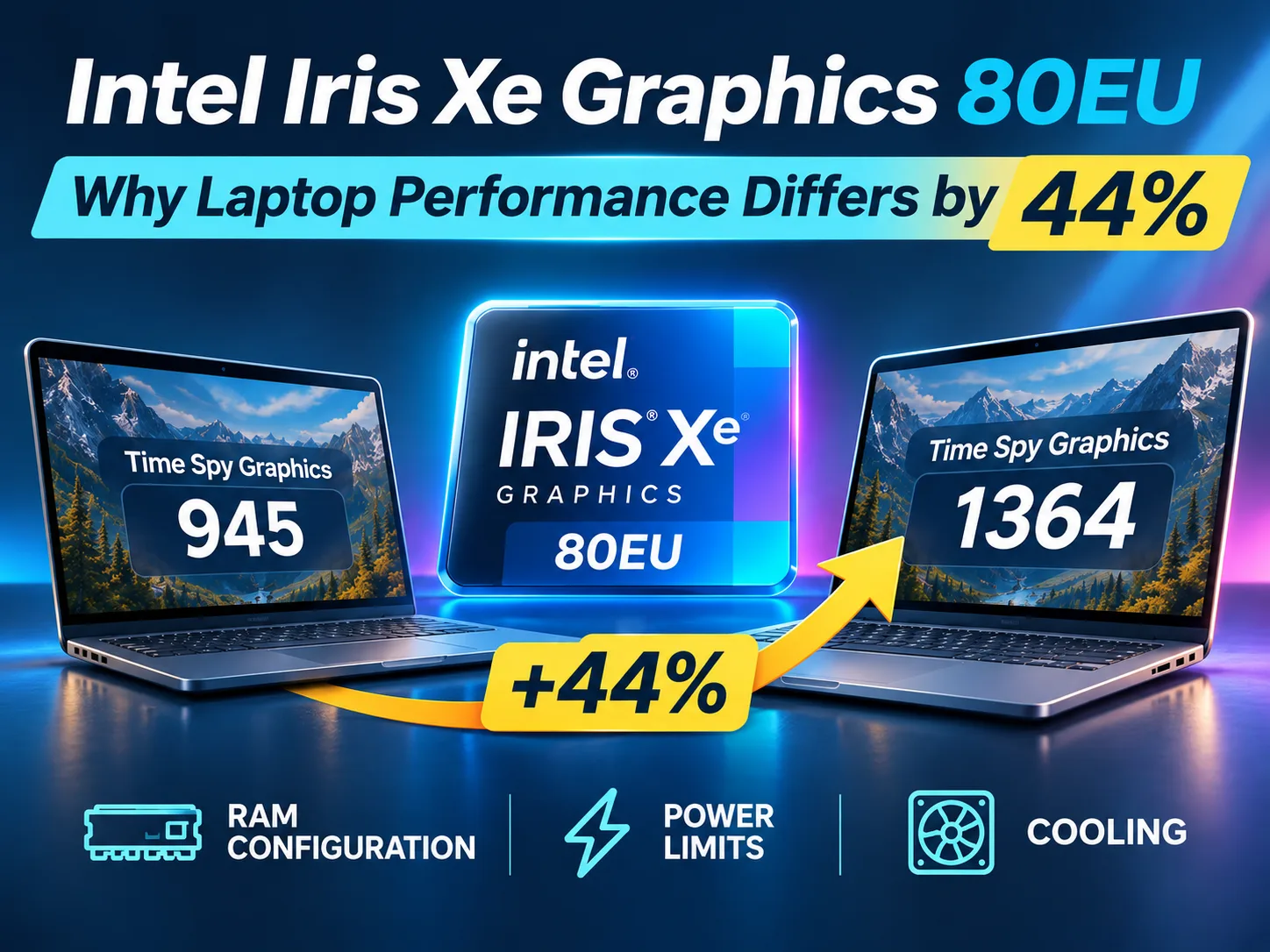
Intel Iris Xe Graphics 80EU is the integrated graphics processor found in mobile Core i5 processors, introduced in 2020. It is suitable for everyday work, video playback, and less demanding games. However, the difference between laptops with this graphics processor reaches 44% in 3DMark Time Spy Graphics.
Even two models with the same Core i5-1240P show a difference of around 20%. Performance is affected by power limits, cooling, and system memory. Therefore, GPU specifications alone cannot accurately predict performance in a specific laptop.
Architecture and Specifications
Iris Xe 80EU is based on the Xe-LP architecture and contains 80 Execution Units, or 640 shader processors. It was used in Tiger Lake, Alder Lake, and Raptor Lake processors.
The number of EUs remained unchanged, but maximum GPU frequencies and processor base power vary.
| Processor | GPU Frequency | Base CPU Power |
|---|---|---|
| Core i5-1135G7 | 1300 MHz | 12-28 W |
| Core i5-1230U | 850 MHz | 9 W |
| Core i5-1240P | 1300 MHz | 28 W |
| Core i5-12500H | 1300 MHz | 45 W |
| Core i5-1335U | 1250 MHz | 15 W |
Maximum GPU frequencies are shown. A configurable TDP range is listed for the Core i5-1135G7; base CPU power is listed for the others.
The Core i5-1230U stands out with a GPU frequency of just 850 MHz and a base power of 9 W. The Core i5-1240P reaches 1300 MHz with a base CPU power of 28 W. Despite having the same 80 EUs, these processors offer different capabilities under sustained load.
Iris Xe 80EU supports DirectX 12, OpenGL 4.6, OpenCL 3.0, and Vulkan. It provides hardware AV1 decoding and Intel Quick Sync technology to accelerate H.264 and HEVC encoding. Hardware AV1 encoding is not supported.
The GPU has no dedicated video memory-it uses system RAM. The graphics core also shares the available power with the processor.
Benchmark Performance
The 3DMark Time Spy Graphics results show how much performance depends on a laptop’s configuration.
| Laptop and Processor | Memory | Time Spy Graphics |
|---|---|---|
| Dell XPS 13 9315, i5-1230U | 8 GB LPDDR5-5200, dual-channel | 945 |
| Lenovo ThinkPad L14 Gen 4, i5-1335U* | 16 GB DDR4-3200, single-channel | 962 |
| Dell XPS 13 Plus 9320, i5-1240P | 8 GB LPDDR5-5200, dual-channel | 1134 |
| Acer Swift 3 SF314-511, i5-1135G7 | 16 GB LPDDR4x, dual-channel | 1258 |
| Acer Swift 3 SF314-71, i5-12500H | 16 GB LPDDR5, dual-channel | 1362 |
| LG Gram 17 (2022), i5-1240P | 16 GB LPDDR5-5200, dual-channel | 1364 |
3DMark Time Spy Graphics score. Higher is better.
The ThinkPad L14 Gen 4 is equipped with a processor featuring an 80-EU graphics core, but in the tested single-channel configuration, the graphics operates under the UHD Graphics designation. The device is included to compare the impact of memory.
The Dell XPS 13 Plus and LG Gram 17 use the same Core i5-1240P and dual-channel LPDDR5-5200. However, the LG scores 1364 points compared with 1134 for the Dell-a lead of around 20%.
The Dell has 8 GB of RAM, while the LG has 16 GB. With the same memory speed, additional measurements would be needed to determine how much of the score difference was caused by RAM capacity, power limits, and cooling.
The difference between the Dell XPS 13 9315 and LG Gram 17 reaches 44%. This comparison involves processors from different classes: the Core i5-1230U has a lower maximum GPU frequency and lower base power.
At the same time, the Acer Swift 3 with the Core i5-12500H scores almost as much as the LG Gram 17 with the Core i5-1240P. Higher base CPU power does not mean that the integrated GPU will necessarily be faster.
Comparison with More Modern Graphics
| Laptop and Processor | Graphics | Time Spy Graphics |
|---|---|---|
| LG Gram 17, Core i5-1240P | Iris Xe 80EU | 1364 |
| Lenovo Yoga 7 14AHP9, Ryzen 7 8840HS | Radeon 780M | 2887 |
| ASUS ExpertBook P5, Core Ultra 7 258V | Arc 140V | 4109 |
The Radeon 780M is more than twice as fast as the Iris Xe 80EU in the LG Gram 17, while the Arc 140V is approximately three times as fast. This shows how much integrated graphics performance has increased over several generations.
Gaming Performance
Iris Xe 80EU can run older games and projects with moderate requirements. In more demanding games, image quality or resolution has to be reduced.
Results for the Acer Swift 3 SF314-71 with a Core i5-12500H and 16 GB LPDDR5:
| Game | Resolution | Settings | FPS |
|---|---|---|---|
| Dota 2 Reborn | 1920 × 1080 | High | 70.9 |
| F1 22 | 1920 × 1080 | Low | 60.5 |
| F1 22 | 1920 × 1080 | Medium | 35.1 |
| The Witcher 3 | 1366 × 768 | Medium | 53.7 |
| GTA V | 1366 × 768 | Normal | 104.6 |
Average FPS in test scenes.
Dota 2 delivers around 71 FPS at high settings. F1 22 reaches 60 FPS at Low, but the frame rate drops to 35 FPS at Medium. In The Witcher 3, reducing the resolution to 1366 × 768 makes it possible to achieve around 54 FPS at Medium.
These results apply to one of the fastest laptops with Iris Xe 80EU. The Dell XPS 13 9315 scores approximately 31% fewer points in Time Spy Graphics. In games, the difference may be different because the workload placed on the CPU, GPU, and memory depends on the specific game.
The Impact of System Memory
Iris Xe uses system RAM, so its bandwidth can limit GPU performance.
| Memory Type | Bandwidth |
|---|---|
| DDR4-3200, single-channel | 25.6 GB/s |
| DDR4-3200, dual-channel | 51.2 GB/s |
| LPDDR4x-4266, 128-bit | 68.3 GB/s |
| LPDDR5-5200, 128-bit | 83.2 GB/s |
Theoretical bandwidth.
Intel requires a dual-channel memory configuration to use the Iris Xe Graphics designation. With a single channel, the integrated graphics may operate under the UHD Graphics name, while the lower RAM bandwidth limits performance.
Therefore, before buying, it is worth checking the number of memory channels, the memory type, and whether it can be upgraded. This is especially important for laptops with soldered RAM.
Video Playback and Everyday Tasks
Iris Xe 80EU is capable of handling browsers, office applications, video conferences, and 4K video playback.
Hardware decoding reduces CPU load when playing supported video formats. Quick Sync accelerates video exports in compatible applications.
Basic video editing is also possible, but processing can slow down noticeably when using multiple tracks with effects. Iris Xe 80EU is no longer powerful enough for complex 3D rendering.
Is Iris Xe 80EU Worth Choosing in 2026?
Iris Xe 80EU remains suitable for a work laptop if it is intended primarily for documents, web browsing, and video playback. Older games are also playable, although graphics quality often has to be reduced.
For gaming and 3D applications, it makes more sense to choose laptops with the Radeon 780M, Radeon 880M, or Intel Arc 140V. They are substantially faster than Iris Xe 80EU, although final performance also depends on the device’s configuration.
Buying a laptop with Iris Xe 80EU is primarily justified when it offers significant savings compared with newer models. If prices are similar, modern integrated graphics are preferable.
Conclusion: Intel Iris Xe Graphics 80EU is sufficient for everyday work and less demanding games. However, the same 80 EUs do not guarantee the same performance: benchmark results can differ by 20% between laptops with the same processor and by 44% between models from different classes. When choosing a laptop, consider the memory configuration, power limits, and results for the specific model.
GPU Comparison
Compare Iris Xe Graphics 80EU with other GPUs
Basic
Memory Specifications
Display and Media
Theoretical Performance
Miscellaneous
Benchmarks
Compared to Other GPU
Related GPU Comparisons




Share in social media
Or Link To Us
<a href="https://cputronic.com/index.php/gpu/intel-iris-xe-graphics-80eu" target="_blank">Intel Iris Xe Graphics 80EU</a>