NVIDIA GeForce RTX 5090 Mobile

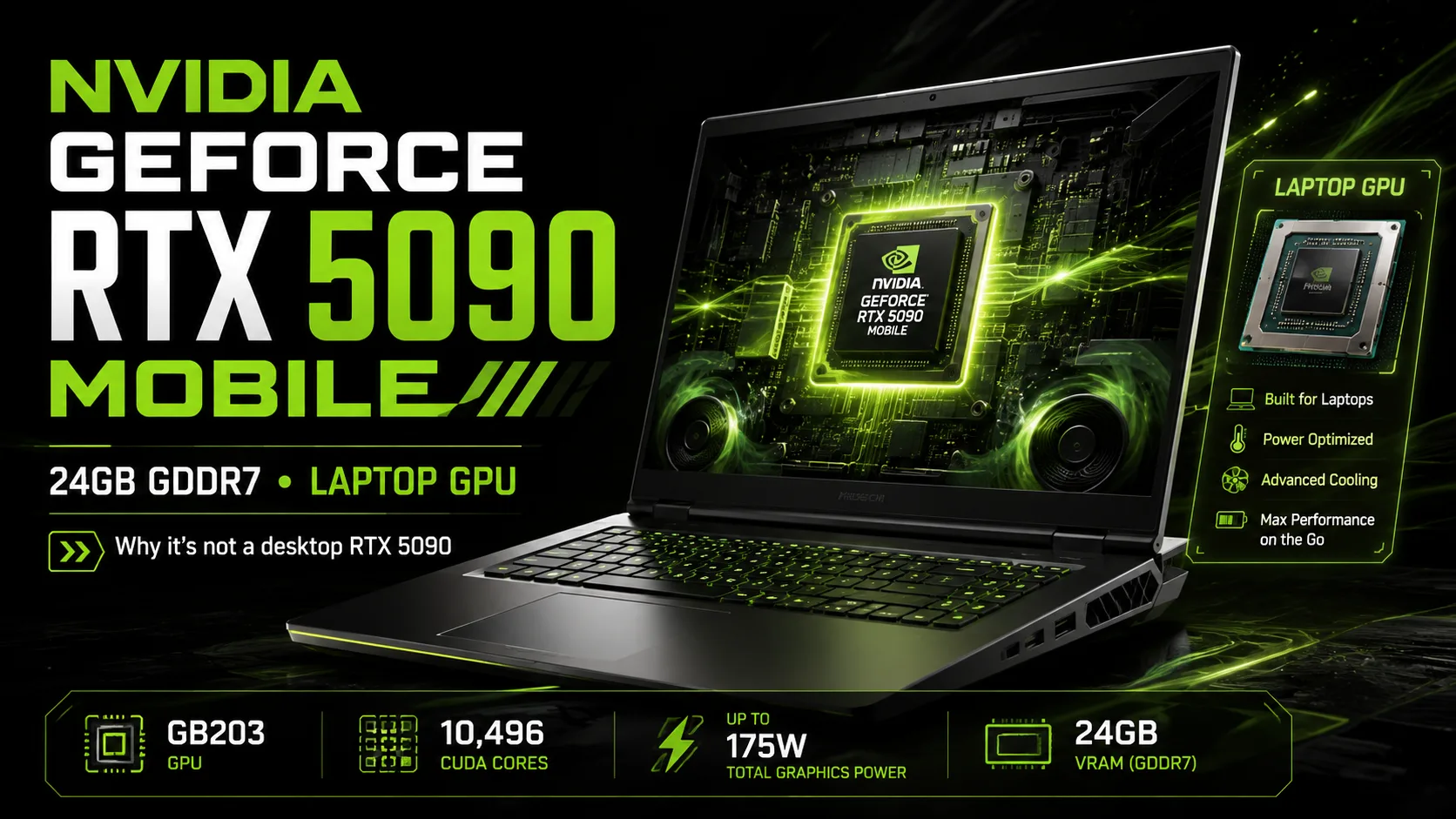
NVIDIA GeForce RTX 5090 Mobile: Why It's Not the Desktop RTX 5090
The GeForce RTX 5090 Mobile is not a scaled-down version of the desktop RTX 5090. It has a different GPU, 10,496 CUDA cores, and 24 GB of GDDR7, and its actual speed greatly depends on the power limit of the laptop. Therefore, two models with the same RTX 5090 can have significantly different performance.
Closer to the Desktop RTX 5080 Than to the RTX 5090
The RTX 5090 Laptop GPU is built on the GB203 die, the same one used in the desktop RTX 5080. The desktop RTX 5090 is built on a significantly larger GB202.
The index 5090 here denotes the peak of the mobile lineup, rather than a direct equivalent to the desktop RTX 5090.
The RTX 5090 Laptop features 10,496 CUDA cores and 24 GB of GDDR7 with a 256-bit bus. The memory bandwidth reaches 896 GB/s. In comparison, the previous RTX 4090 Laptop had 16 GB of VRAM.
One RTX 5090 - Very Different Laptops
For the RTX 5090 Laptop, a power range of 100-150 W is specified. However, specific laptops may indicate a higher Maximum Graphics Power that takes into account Dynamic Boost, which reallocates part of the system's available power in favor of the GPU.
Because of this, comparing laptops solely based on the graphics card name is not sufficient. The differences can be clearly seen in Time Spy Graphics scores.
| Laptop | 3DMark Time Spy Graphics |
|---|---|
| Lenovo Legion Pro 7 16IAX10H | 26,212 |
| Lenovo Legion 9 18IAX10 | 25,984 |
| Alienware 18 Area-51 | 25,763 |
| ASUS ROG Strix SCAR 18 | 25,562 |
| Razer Blade 18 | 25,448 |
The performance range for the RTX 5090 Laptop reaches approximately 19-26 thousand points. This is too great a difference to evaluate performance based solely on the GPU name.
In thin chassis, power limits are usually lower; otherwise, it becomes difficult to maintain acceptable temperatures and noise levels. The less power the GPU receives, the lower its performance generally is.
How Much Faster Is It Than the RTX 4090 Laptop?
In terms of raw performance, the RTX 5090 Laptop is usually not much faster than the RTX 4090 Laptop. The results depend heavily on the specific laptop, its cooling system, and operating mode.
The situation is similar in games. In some titles, the difference is minimal, while in others, the RTX 5090 Laptop has an advantage of about 20%.
An additional advantage of Blackwell is DLSS 4 with Multi Frame Generation. In supported games, this technology can sharply increase the FPS count, but the results from frame generation cannot be directly compared to regular rendering: additional frames do not provide the same reduction in latency as an increase in the base frame rate.
Therefore, upgrading from a good laptop with an RTX 4090 Laptop to a model with an RTX 5090 solely for regular FPS is arguable. The difference is already much more noticeable when comparing with the RTX 3080 Ti Laptop and older generations.
So, Where Is the Desktop RTX 5090?
Despite having the same name, comparing them as two versions of the same graphics card is not appropriate.
The desktop RTX 5090 uses GB202 and has more than twice the number of CUDA cores. The mobile RTX 5090 not only has a different chip but also faces completely different power and cooling constraints.
Thus, the name RTX 5090 in a laptop signifies the flagship of the mobile series, not the performance of the desktop RTX 5090 in a compact form factor.
24 GB - The Main Advantage of RTX 5090 Over RTX 5080 Laptop
The RTX 5080 Laptop has 16 GB of GDDR7 compared to 24 GB in the RTX 5090 Laptop. The performance gap in regular gaming between the mobile RTX 5080 and RTX 5090 is much smaller than the difference in memory size.
For most games, 16 GB is currently sufficient. However, in Blender, local AI models, image generation, video editing, and other VRAM-sensitive tasks, the additional 8 GB can prove to be more critical than a minor increase in FPS.
If the workload doesn't fit within 16 GB, the additional 8 GB become a significant advantage of the RTX 5090.
The situation is less clear for gaming. If a laptop with an RTX 5090 is priced $1000 more than a comparable model with RTX 5080, the extra cost often does not correspond well to the increase in standard FPS.
What Laptops with RTX 5090 Are Currently Available
The RTX 5090 Laptop continues to be included in new flagship models.
It is important to distinguish between the TGP of the GPU and the Maximum Graphics Power, which the laptop manufacturer may indicate alongside Dynamic Boost. It is the latter metric that is presented below.
| Laptop | Maximum Graphics Power | Approximate Price in the USA* |
|---|---|---|
| Alienware 18 Area-51 | up to 175 W | around $4,500 |
| Razer Blade 16 (2026) | up to 165 W | around $4,900 |
| ASUS ROG Strix SCAR 18 (2026) | up to 175 W with Dynamic Boost | around $5,000 |
| MSI Titan 18 HX AI | up to 175 W with Dynamic Boost | around $5,800-6,000 |
*Price depends on the processor, amount of RAM, SSD, and current discounts.
For instance, in the ASUS ROG Strix SCAR 18, the maximum of 175 W comprises 150 W for the GPU and up to 25 W Dynamic Boost. MSI also specifies a 175 W Maximum Graphics Power with Dynamic Boost. The Razer Blade 16 (2026) is capped at 165 W, despite having the same RTX 5090 Laptop GPU.
Laptops with RTX 5090 are priced around $4,500-6,000 and belong to the most expensive configurations offered by manufacturers. Typically, these include a top-tier processor, a large amount of RAM and SSD, a premium display, and an efficient cooling system.
At such prices, comparing the RTX 5090 with the RTX 5080 Laptop is particularly important. If a laptop is primarily required for gaming, the RTX 5080 version often proves to be more cost-effective with only a minor loss in FPS.
Chassis Matters Just as Much as GPU
In thin and full-sized chassis, the same RTX 5090 Laptop can perform very differently.
In compact models, power must be more severely limited because the cooling system has a harder time dissipating heat. Larger 18-inch machines can sustain high GPU power for longer periods and typically show better performance.
These laptops weigh 3-4 kg and come with large power adapters. They are portable computers and not models that are pleasant to carry in a backpack every day.
One should look at the power limit, tests of specific models, temperatures, and noise - the mere label RTX 5090 is not enough.
Conclusion
With the RTX 5090 Laptop, the name indicates less than the specific implementation of the laptop. One manufacturer may provide a maximum 150-watt mode for the GPU with additional headroom via Dynamic Boost, while another may restrict power more to achieve a thinner chassis.
The main advantage of the RTX 5090 over the RTX 5080 Laptop is 24 GB of GDDR7. For 3D, AI, and other tasks sensitive to VRAM volume, this is a significant point in favor. For pure gaming, the choice is more complicated: if a comparable laptop with RTX 5080 costs about $1000 less, the premium for RTX 5090 often does not correlate with the increase in FPS.
Thus, purchases should focus not simply on RTX 5090 Laptop, but on a specific laptop - one with a clear power limit, proper cooling, real tests, and a reasonable price.
GPU Comparison
Compare GeForce RTX 5090 Mobile with other GPUs
Basic
Memory Specifications
Display and Media
Theoretical Performance
Miscellaneous
Benchmarks
Compared to Other GPU
Related GPU Comparisons

Share in social media
Or Link To Us
<a href="https://cputronic.com/en/gpu/nvidia-geforce-rtx-5090-mobile" target="_blank">NVIDIA GeForce RTX 5090 Mobile</a>