Intel Core Ultra 7 255HX
vs
Intel Core i7-14650HX


CPU Comparison Result
Intel Core Ultra 7 255HX vs Intel Core i7-14650HX: How Much Faster is the New Generation
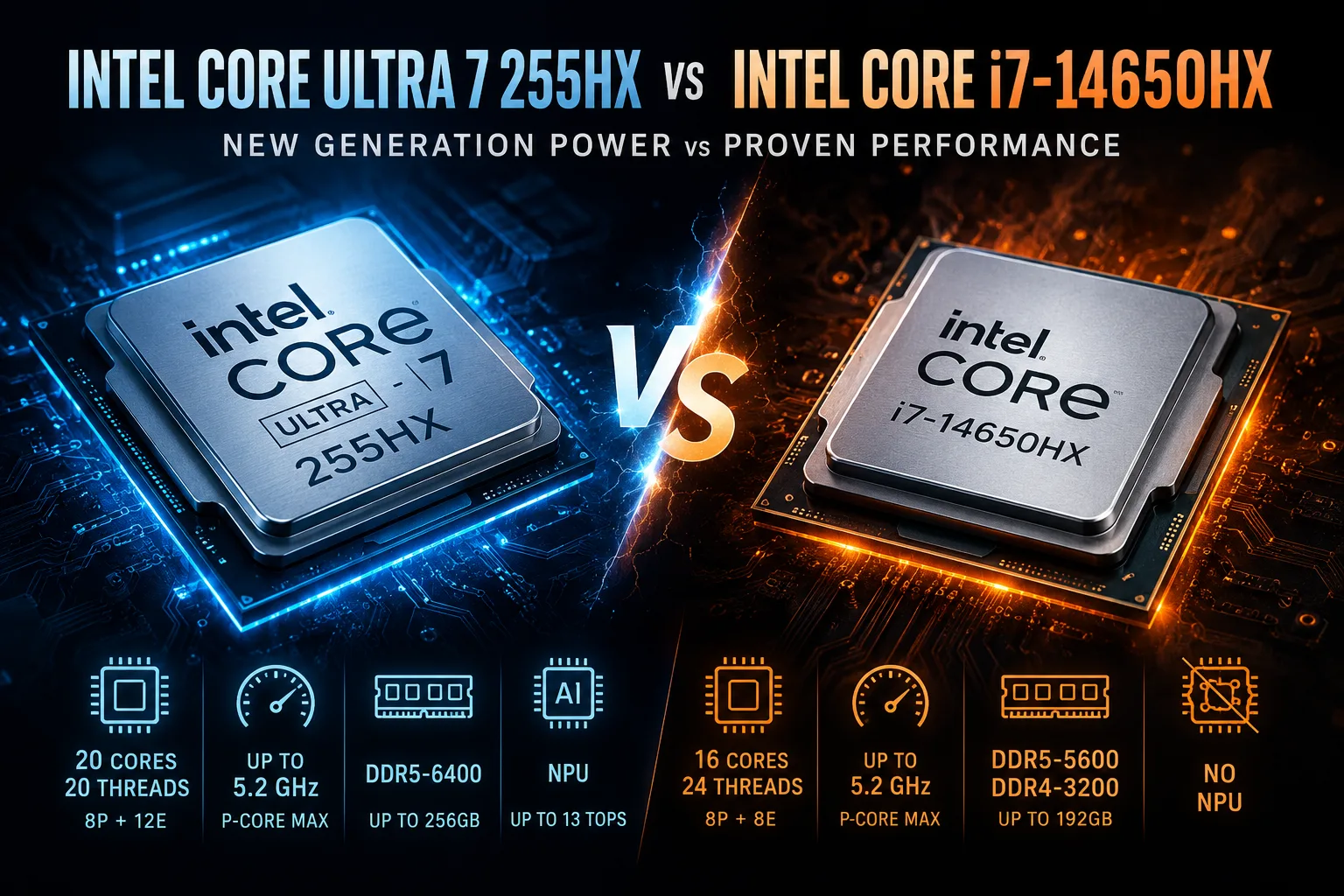
The Intel Core Ultra 7 255HX is a more modern and generally more powerful processor than the Core i7-14650HX for most tasks. It features four additional physical cores, an updated architecture, faster memory, and improved integrated graphics. However, the advantage isn't significant enough to warrant agreeing to a weaker graphics card or a mediocre cooling system in a gaming laptop just for the new CPU.
Both processors belong to the HX class and are designed for larger gaming laptops and mobile workstations. They both have eight performance cores, can boost up to 5.2 GHz, and can consume around 160 watts under maximum load. Meanwhile, the Core i7-14650HX is based on the Raptor Lake Refresh architecture, while the Core Ultra 7 255HX represents the newer Arrow Lake-HX generation.
Key Differences
| Specification | Core Ultra 7 255HX | Core i7-14650HX |
|---|---|---|
| Architecture | Arrow Lake-HX | Raptor Lake-HX |
| Cores | 20: 8P + 12E | 16: 8P + 8E |
| Threads | 20 | 24 |
| Max Frequency of P-Cores | 5.2 GHz | 5.2 GHz |
| Max Frequency of E-Cores | 4.5 GHz | 3.7 GHz |
| L3 Cache | 30 MB | 30 MB |
| Base Power | 55 W | 55 W |
| Max Turbo Power | 160 W | 157 W |
| Supported Memory | DDR5-6400 | DDR5-5600, DDR4-3200 |
| Max Memory Capacity | 256 GB | 192 GB |
| NPU | Up to 13 TOPS | No |
The main change in the Core Ultra 7 255HX is the increase in physical cores from 16 to 20. Intel retained the eight performance (P) cores but added four additional efficient (E) cores.
At the same time, Arrow Lake has removed Hyper-Threading. Therefore, the Core Ultra 7 255HX handles 20 threads, while the Core i7-14650HX, with fewer cores, supports 24 threads. However, these numbers cannot be directly compared: the additional physical E-cores and new architecture compensate for the lack of virtual threads in most well-parallelized tasks.
Performance in Work Tasks
The maximum frequency of the P-cores is the same for both processors at 5.2 GHz. The advantage of the Core Ultra 7 255HX in single-threaded applications is primarily due to architectural changes rather than a higher turbo mode. This can manifest in browsing, office applications, photo editing, design, and other tasks sensitive to single-core performance.
In multi-threaded workloads, the new processor has twelve E-cores compared to eight in the Core i7-14650HX. Their maximum frequency is also significantly higher: 4.5 GHz versus 3.7 GHz. This configuration is better suited for rendering, compiling, video encoding, and running multiple heavy applications simultaneously.
However, the name of the processor does not guarantee a specific level of performance. HX chips only deliver their full potential with sufficient power limits and a robust cooling system. A well-configured laptop with the Core i7-14650HX could sustain high frequencies longer than a thinner model with the Core Ultra 7 255HX.
Thus, it’s worth comparing both the processors and the actual benchmarks of specific laptops.
Changes in Gaming Performance
The Core Ultra 7 255HX is better equipped for games that actively use large numbers of cores. The additional E-cores also help manage background tasks: screen recording, voice chat, browser, antivirus, and game clients interfere less with the main threads.
The most noticeable differences can occur:
- In competitive games with high frame rates;
- At 1080p resolution;
- When using a powerful discrete graphics card;
- During streaming and recording gameplay;
- In projects with heavy physics, simulation, or numerous objects.
At 1440p and 4K resolutions, performance is often limited by the graphics card. Therefore, a laptop with a Core i7-14650HX and a GeForce RTX 5070 will generally outperform a model with a Core Ultra 7 255HX and an RTX 5060.
With the same graphics card, memory, and cooling, the Core Ultra 7 255HX is preferable. However, paying a premium for the new processor at the expense of GPU class is not advisable.
Memory and Platform Capabilities
The Core Ultra 7 255HX supports DDR5-6400 and up to 256 GB of RAM. The Core i7-14650HX works with DDR5-5600 or DDR4-3200 and supports up to 192 GB.
For most gaming laptops, the difference in maximum memory capacity is not practically significant: even 32-64 GB is enough for gaming and most work scenarios. The support for DDR5-6400 is more crucial as it increases memory bandwidth and can positively impact CPU tasks and minimum frame rates.
The DDR4 support in the Core i7-14650HX allows manufacturers to offer more affordable configurations, but in a high-performance laptop, such memory becomes a compromise.
Integrated Graphics, Media Engine, and NPU
The integrated graphics of the Core Ultra 7 255HX are more modern than Intel UHD Graphics in the Core i7-14650HX. Its advantage is particularly important for video playback and encoding, connecting displays, and operating the laptop without the discrete graphics card.
For modern gaming, both integrated GPUs are too weak, making the discrete graphics card the main graphical component in such laptops.
The Core Ultra 7 255HX also features an NPU with up to 13 TOPS. It can accelerate compatible camera effects, noise reduction, and some local AI functions, but for heavy neural network tasks, discrete GPU performance is significantly more important.
Will Core Ultra be More Efficient?
The new architecture potentially allows for more efficient distribution of light and background tasks; however, a noticeable advantage in battery life cannot be guaranteed. Both processors belong to the power-hungry HX class and are installed in laptops with varying battery sizes, screens, cooling systems, and graphics switching algorithms.
In real-world usage, battery life often depends more on the discrete graphics card, display brightness, and manufacturer settings than on the choice between these two CPUs.
Which Processor to Choose
Choose the Core Ultra 7 255HX when:
- The laptops are comparable in price and other specifications;
- High multi-threaded performance is important;
- You plan to work with rendering, compiling, or editing;
- You need support for faster memory;
- The laptop will be bought for several years.
The Core i7-14650HX remains a reasonable choice when:
- The device with it is significantly cheaper;
- A more powerful graphics card is offered for the same price;
- The laptop comes with efficient cooling;
- NPU and new integrated graphics are not relevant.
In an equal configuration, the winner is Intel Core Ultra 7 255HX. It offers more physical cores, faster E-cores, and a modern platform. However, the Core i7-14650HX still delivers high performance and may prove more cost-effective in a laptop with a better graphics card or more efficient cooling.
In the gaming segment, the processor should be chosen after the graphics card, not instead of it.
Advantages
- More Total Cores: 20 (20 vs 16)
- Higher Technology: 3 nm (3 nm vs 10 nm)
- Newer Launch Date: January 2025 (January 2025 vs January 2024)
- Larger L3 Cache: 30 MB (shared) (24 MB shared vs 30 MB (shared))
Basic
CPU Specifications
Memory Specifications
GPU Specifications
Benchmarks
Related CPU Comparisons



Share in social media
Or Link To Us
<a href="https://cputronic.com/en/cpu/compare/intel-core-ultra-7-255hx-vs-intel-core-i7-14650hx" target="_blank">Intel Core Ultra 7 255HX vs Intel Core i7-14650HX</a>