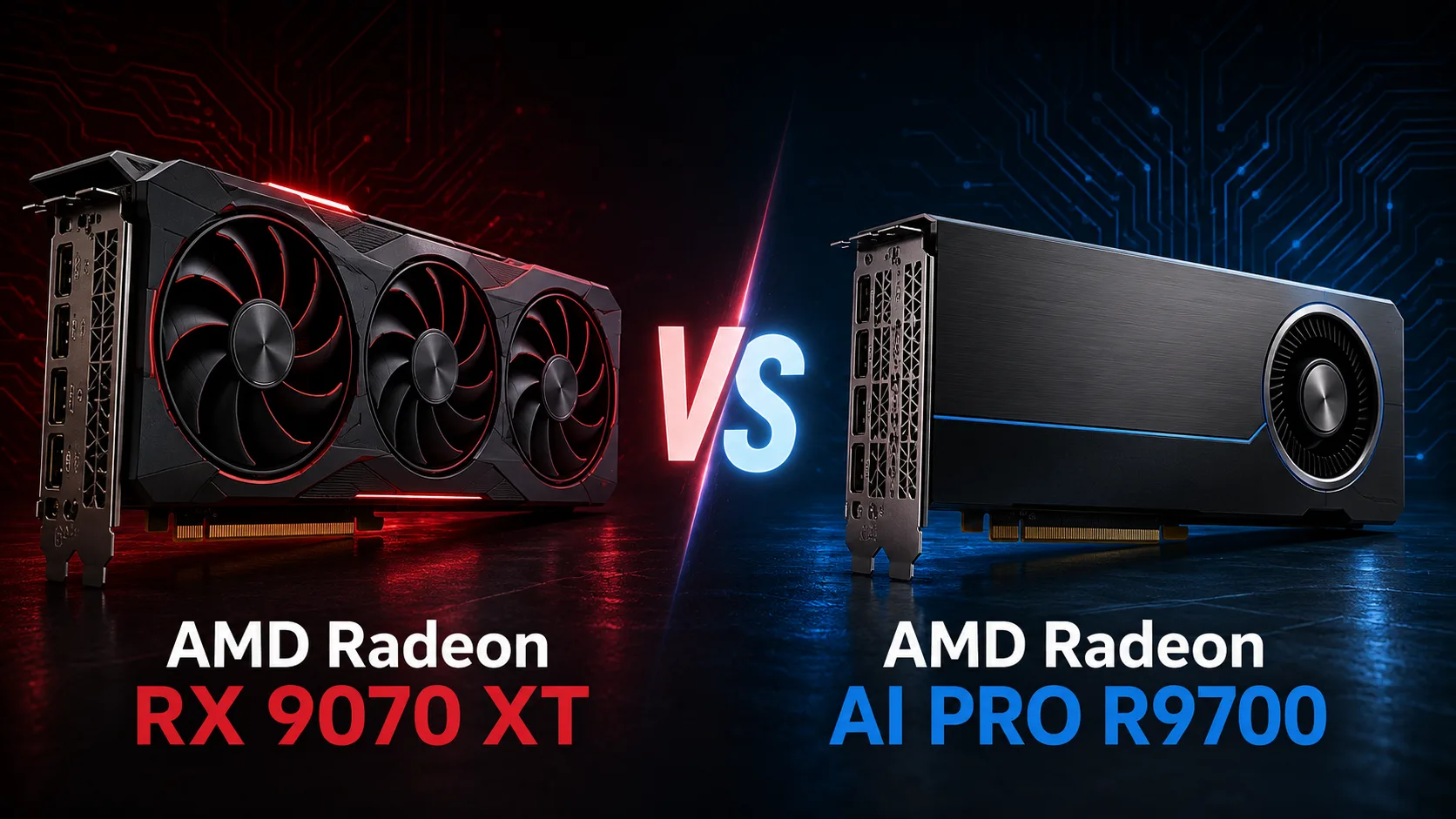
AMD Radeon RX 9070 XT
vs
AMD Radeon AI PRO R9700
GPU Comparison Result
AMD Radeon RX 9070 XT vs Radeon AI PRO R9700: Same GPU, but Twice the Memory
The Radeon AI PRO R9700 can easily be mistaken for a significantly more powerful version of the RX 9070 XT. In reality, their computing capabilities are nearly identical: both graphics cards use RDNA 4 architecture, feature 64 compute units, 4096 stream processors, 64 ray tracing accelerators, and 128 AI accelerators. Moreover, the gaming model operates at a slightly higher frequency.
The main difference lies in the amount of video memory. The RX 9070 XT has 16 GB of GDDR6, while the R9700 has 32 GB. It is these additional 16 GB, rather than an increase in GPU speed, that explain the professional positioning and the more than twofold difference in the recommended price.
Key Differences
| Specification | Radeon RX 9070 XT | Radeon AI PRO R9700 |
|---|---|---|
| Video Memory | 16 GB GDDR6 | 32 GB GDDR6 |
| Gaming Frequency | 2400 MHz | 2350 MHz |
| Boost Frequency | up to 2970 MHz | up to 2920 MHz |
| FP32 | 48.7 TFLOPS | 47.8 TFLOPS |
| INT8 Matrix | 389 TOPS | 383 TOPS |
| Memory Bandwidth | 640 GB/s | 640 GB/s |
| Power Consumption | 304 W | 300 W |
| ECC | No | Yes in Linux |
| Form Factor | Depends on Manufacturer | Dual-slot |
| Recommended Price | $599 | $1299 |
Both cards feature a 256-bit bus, 64 MB of Infinity Cache, and a memory bandwidth of 640 GB/s. AMD did not increase the memory speed on the R9700, only doubled its capacity. The RX 9070 XT retains a slight edge in frequencies and theoretical computing power.
RX 9070 XT is Faster and More Cost-effective in Games
The Radeon AI PRO R9700 is not an enhanced gaming version of the RX 9070 XT. They have the same number of compute units, raster modules, and ray tracing accelerators, while the professional model has slightly lower frequencies.
The additional 16 GB of memory rarely increases frame rates. As long as the game, along with textures and other assets, fits within 16 GB, the extra memory on the R9700 is almost never utilized. The advantage of 32 GB may manifest in specific projects with heavy modifications, extreme texture packs, or professional visualization, but simply doubling the VRAM does not accelerate the GPU by itself.
For a gaming PC, the RX 9070 XT is noticeably more rational. It offers the same architecture, slightly higher frequencies, and significantly better performance per dollar spent. Partner versions also often come with massive cooling systems and increased power limits.
In contrast, the R9700 is designed for compact workstations. Its dual-slot design is more convenient when installing multiple graphics cards, but this advantage holds little significance for a typical gaming PC.
RX 9070 XT or R9700 for Local AI
In AI tasks, the balance of power shifts. Here, the R9700 excels not due to a more powerful GPU, but due to its ability to hold large models entirely in video memory.
According to AMD, certain popular configurations can require significantly more than 16 GB:
- Stable Diffusion 3.5 Medium - around 17 GB;
- Flux.1 Schnell - approximately 24 GB;
- Mistral Small 3.1 24B Q8 - about 27 GB;
- DeepSeek R1 Distill Qwen 32B Q6 - around 28 GB.
These projects fit within the 32 GB of the R9700 but exceed the capacity of the RX 9070 XT. On a 16-gigabyte card, one has to lower resolution, reduce context, heavily quantize the model, or offload some data to RAM. This can degrade results or significantly slow down performance.
If a model occupies 8-12 GB, the RX 9070 XT can achieve comparable or even slightly higher performance due to its increased frequencies. However, when consuming 20-30 GB, the advantage in frequencies becomes secondary: the R9700 retains the whole model in VRAM, whereas the RX 9070 XT has to compensate for the lack of memory.
ROCm Supports Both Graphics Cards
The RX 9070 XT is not limited to gaming. Both models support the ROCm computing platform and can be used with PyTorch, ONNX Runtime, and other machine learning tools.
Therefore, the gaming card is suitable for experiments, image generation, running compact language models, and as a home workstation. The R9700 is aimed at heavier projects where 16 GB becomes a hard limitation.
The professional model also offers:
- 32 GB of video memory;
- ECC in Linux;
- Dual-slot form factor;
- AMD Software: PRO Edition drivers;
- More convenient layout for multi-GPU systems.
ECC does not affect gaming performance, but it can be useful during lengthy computations. The dual-slot format makes it easier to install two or more accelerators, while larger versions of the RX 9070 XT often take up three slots or more.
RX 9070 XT vs R9700: Which is Better to Buy
The Radeon RX 9070 XT is better suited for:
- Gaming at 1440p and 4K;
- A home computer with occasional AI tasks;
- Rendering and editing, if 16 GB is sufficient;
- Getting the maximum performance for the money spent.
The Radeon AI PRO R9700 should be chosen for:
- Models that require more than 16 GB of VRAM;
- Locally running large LLMs;
- Heavy image generation;
- Fine-tuning models;
- Multi-GPU workstations;
- Lengthy computations under Linux.
Conclusion
The RX 9070 XT and the Radeon AI PRO R9700 utilize virtually the same GPU. The gaming model is even slightly faster in terms of frequencies, so in regular games and tasks that fit within 16 GB of memory, the price premium for the R9700 does not provide a noticeable benefit.
The professional model becomes relevant once 16 GB becomes a real limitation. Its 32 GB of VRAM allow for running large models without constant data offloading to RAM, while the dual-slot form factor, ECC, and PRO drivers make it more convenient for multi-GPU workstations.
The RX 9070 XT is purchased for speed and price. The R9700 is for tasks that do not fit into 16 GB.
Advantages
- Higher Boost Clock: 2920 MHz (2430 MHz vs 2920 MHz)
- Larger Memory Size: 32GB (16GB vs 32GB)
- Higher Bandwidth: 644.6GB/s (624.1GB/s vs 644.6GB/s)
- Newer Launch Date: July 2025 (March 2025 vs July 2025)
Basic
Memory Specifications
Display and Media
Theoretical Performance
Miscellaneous
Benchmarks
Related GPU Comparisons


Share in social media
Or Link To Us
<a href="https://cputronic.com/en/gpu/compare/amd-radeon-rx-9070-xt-vs-amd-radeon-ai-pro-r9700" target="_blank">AMD Radeon RX 9070 XT vs AMD Radeon AI PRO R9700</a>