Intel Core Ultra 7 265K
vs
Intel Core i7-14700K


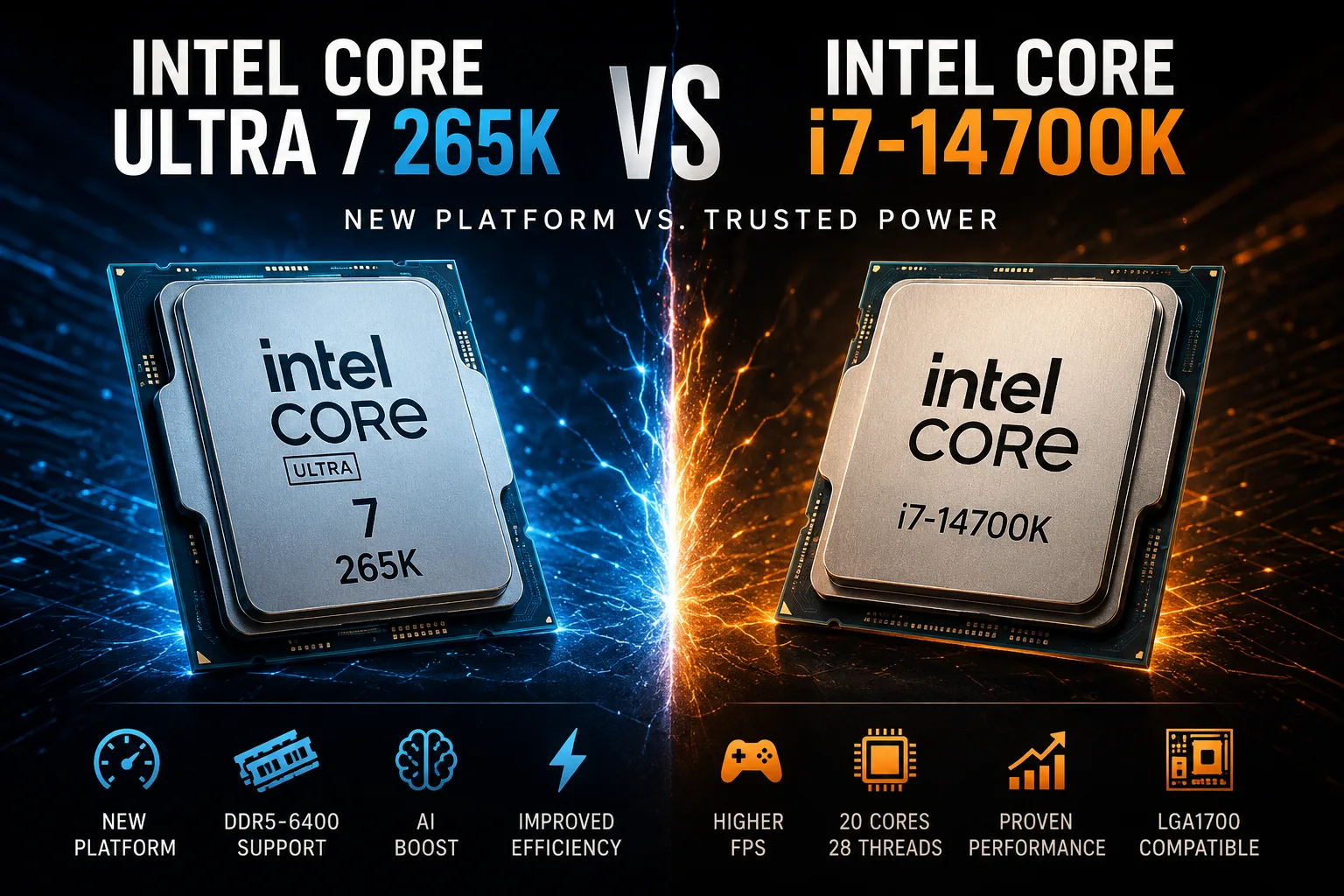
CPU Comparison Result
Intel Core Ultra 7 265K vs Intel Core i7-14700K: New Platform vs Old Power
The Intel Core Ultra 7 265K and Intel Core i7-14700K appear to be close competitors: both have 20 cores, both belong to the desktop class, both are unlocked for overclocking, and both are intended for high-performance gaming or workstation PCs. However, these processors are fundamentally from different generations and platforms. The Core i7-14700K is a strong representative of Raptor Lake Refresh for LGA1700, while the Core Ultra 7 265K is a more modern Arrow Lake for LGA1851, focusing on efficiency, a new set of capabilities, and dropping Hyper-Threading.
Key Differences
At first glance, the Intel Core Ultra 7 265K and Core i7-14700K seem very similar: both have 20 cores, an unlocked multiplier, and comparable rated power consumption levels. However, the differences between them are more significant than their similarities.
| Difference | Intel Core Ultra 7 265K | Intel Core i7-14700K |
|---|---|---|
| Platform | New LGA1851 | Older LGA1700 |
| Architecture | Arrow Lake | Raptor Lake Refresh |
| Cores | 8 P-cores + 12 E-cores | 8 P-cores + 12 E-cores |
| Threads | 20 threads | 28 threads |
| Hyper-Threading | No | Yes on P-cores |
| Max Clock Speed | Up to 5.5 GHz | Up to 5.6 GHz |
| Memory | Only DDR5, officially up to DDR5-6400 | DDR5-5600 or DDR4-3200 |
| L2 Cache | 36 MB | 28 MB |
| L3 Cache | 30 MB | 33 MB |
| Integrated Graphics | Intel Graphics, 4 Xe-cores | Intel UHD Graphics 770 |
| NPU | Yes, Intel AI Boost | No |
| CPU PCIe Lines | Up to 24 | Up to 20 |
| Main Advantage | Efficiency, new platform, workstation tasks | Gaming, upgrade for LGA1700, more threads |
The main difference is not in the number of cores, but in the approach. The Core i7-14700K uses the old but very strong Intel formula: high clock speeds, Hyper-Threading, and more threads. Therefore, it still performs excellently in games, holds up well in multi-threaded tasks, and is particularly convenient as an upgrade for an already assembled LGA1700 system.
The Core Ultra 7 265K is designed differently. Intel has removed Hyper-Threading but strengthened the cores, increased the L2 cache, added an NPU, and moved the processor to a new LGA1851 platform. Thus, the 265K is interesting not as a direct “14700K plus a little more,” but as a more modern and energy-efficient option for new builds.
This is not a case where the new processor is simply faster than the old one across the board. The Core Ultra 7 265K performs better in terms of efficiency, a newer platform, and a modern set of features, but the Core i7-14700K maintains strong positions due to its high clock speeds, greater number of threads, and a well-established platform.
Platform and Upgrade
The Core i7-14700K is convenient in that it operates on LGA1700. If the user already has a good motherboard for the 12th, 13th, or 14th generation Intel chips, switching to the 14700K can be relatively straightforward. An additional advantage is the support for both DDR4 and DDR5. This is important for upgrades: you can keep the old DDR4 memory without having to change the entire platform at once.
The Core Ultra 7 265K requires a new LGA1851 motherboard and DDR5 memory. This is a drawback for upgrading, as replacing the processor almost certainly turns into a platform upgrade. However, for a new build, this is less critical: users immediately gain a more modern platform, support for faster memory, more CPU PCIe lanes, and a fresh set of features.
Therefore, the choice greatly depends not only on the price of the processor itself. If the PC is being built from scratch and efficiency, work tasks, and a new platform are important, the Core Ultra 7 265K is a more logical choice. If the main priority is FPS for the money, the Core i7-14700K is still a strong option, especially with a good price on the processor and motherboard.
Performance in Work Tasks
In work applications, the Core Ultra 7 265K often appears stronger than one might expect based on the number of threads. It lacks Hyper-Threading, but the new architecture compensates for this with higher core performance, increased L2 cache, and better efficiency.
| Scenario | Performance Benchmark |
|---|---|
| Average multi-threaded performance | Core Ultra 7 265K is about 7% faster |
| Average single-threaded performance | Core Ultra 7 265K is about 8% faster |
| Cinebench 2024 Multi-Core | Core Ultra 7 265K is about 5-6% faster |
| POV-Ray | Core Ultra 7 265K is about 9% faster |
| HandBrake encoding | Core Ultra 7 265K is about 10% faster |
In rendering, video encoding, compiling, photo processing, and mixed work scenarios, the Core Ultra 7 265K generally appears to be a more modern and balanced option. It does not always win by a large margin, but more often shows better results with lower energy consumption.
The Core i7-14700K cannot be considered weak in this regard. In tasks that make good use of many threads and high clock speeds, it still performs very confidently. However, its advantage of 28 threads does not always translate to an advantage in real applications.
Gaming
In gaming, the situation is the opposite: the Core i7-14700K is often faster, despite its older architecture. This is especially noticeable in scenarios where the processor truly limits FPS: 1080p, powerful graphics cards, esports games, and high frame rates.
| Gaming Scenario | Who Looks Better |
|---|---|
| Max FPS at 1080p | Core i7-14700K |
| CPU-dependent games | Core i7-14700K |
| 1440p and 4K focused on the GPU | The difference is smaller |
| Gaming PC with a new platform | Core Ultra 7 265K is also suitable, but not for max FPS |
On average in gaming, the Core i7-14700K typically looks stronger. The difference is not always huge, but in CPU-dependent projects and playing at 1080p, it can be notable. At higher resolutions, especially 1440p and 4K, the focus often shifts to the graphics card, making the difference between the processors less significant.
The practical takeaway is simple: if the main goal is maximum FPS right now, the Core i7-14700K looks stronger.
Power Consumption and Cooling
The main advantage of the Core Ultra 7 265K is efficiency. It may not always be faster in games, but it often requires less power for comparable or higher performance in work tasks. This affects not only electricity bills but also noise, temperature, cooling requirements, and stability under prolonged load.
The Core i7-14700K is a powerful but hot processor. Especially if the motherboard lifts the standard power limits. In this mode, it can show excellent performance, but this comes with high consumption and serious cooling requirements.
In gaming and heavy workloads, the Core Ultra 7 265K generally appears significantly more economical. The Core i7-14700K may be faster in FPS, but it often consumes noticeably more power. Therefore, the 265K is easier to fit into a quiet, balanced system, while the 14700K performs best with robust cooling and a good motherboard.
Integrated Graphics and AI Block
For a gaming PC with a discrete graphics card, integrated graphics will not be a decisive factor. However, the integrated graphics of the Core Ultra 7 265K are more modern: Intel Graphics with 4 Xe cores, support for current media capabilities, and hardware acceleration for modern formats. The Core i7-14700K uses Intel UHD Graphics 770-a good option for display output, Quick Sync, and diagnostics, but it is an older graphical unit.
A separate advantage of the Core Ultra 7 265K is the Intel AI Boost NPU. Currently, this is not a decisive argument for a desktop gaming PC, but as a foundation for future Windows AI features, local effects, and applications with hardware AI acceleration, having an NPU looks like a useful advantage.
What to Choose
The Intel Core i7-14700K should be chosen if you already have an LGA1700 platform, a good motherboard, and DDR4 or DDR5 memory. In that case, it is a strong upgrade without a complete system replacement. It is also better suited for a gaming PC where maximum FPS is important, and high power consumption and cooling requirements are not an issue.
The Intel Core Ultra 7 265K is better suited for a new build where efficiency, work tasks, and a more modern platform are important. It supports faster DDR5 memory, has more modern integrated graphics, and a separate NPU. Its main disadvantage is the need for a new LGA1851 platform and its less impressive gaming performance compared to what one might expect from a newer generation.
Conclusion
The Intel Core i7-14700K is a powerful, fast, but hotter processor from the older platform. It is still excellent for gaming and particularly strong where there is already an existing LGA1700 system.
The Intel Core Ultra 7 265K is a more modern and rational choice for a new build. It may not always be faster in games, but it excels in efficiency, is more interesting for work tasks, and offers a new platform with DDR5, extended PCIe capabilities, and an NPU.
If maximum FPS on an already ready LGA1700 system is needed, the Core i7-14700K appears to be the more logical choice. If a new PC is being built from scratch and a balance of performance, noise, temperature, and a modern set of features is important, the Core Ultra 7 265K is the more reasonable choice.
Advantages
- Higher Technology: 3 nm (3 nm vs 10 nm)
- Newer Launch Date: December 2024 (December 2024 vs October 2023)
- Higher Performance-core Max Turbo Frequency: 5.6 GHz (5.5 GHz vs 5.6 GHz)
- Larger L3 Cache: 33MB (30 MB shared vs 33MB)
Basic
CPU Specifications
Memory Specifications
GPU Specifications
Benchmarks
Related CPU Comparisons







Share in social media
Or Link To Us
<a href="https://cputronic.com/cpu/compare/intel-core-ultra-7-265k-vs-intel-core-i7-14700k" target="_blank">Intel Core Ultra 7 265K vs Intel Core i7-14700K</a>